
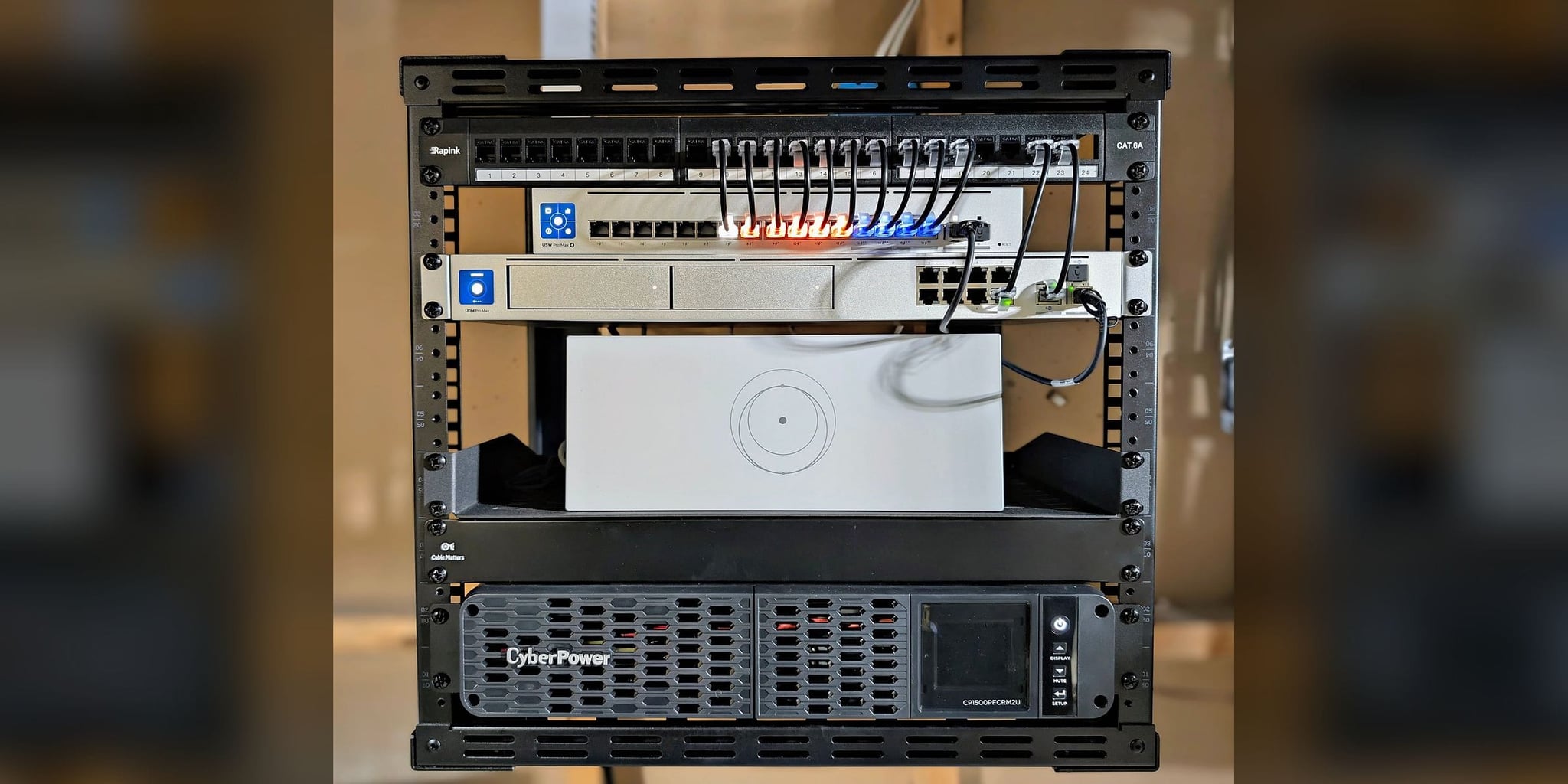
The Executive Resilience System
Home Office • Dual-WAN Failover • Five Wi-Fi Access Points
Resilient residential infrastructure for a home office in Potomac, Maryland. Dual-WAN failover, five Wi-Fi access points (WiFi 7 in the ceilings), and UPS-protected power were built as one coordinated system rather than a stack of separate devices.
At a Glance
The owner needed a home network that would not interrupt telemedicine and research work. Orbit Tech rebuilt the property around a UniFi Dream Machine Pro Max with Fios primary and Starlink automatic failover, five Wi-Fi access points, and a UPS-protected core — tested at commissioning and handed over with full documentation and no recurring platform fees.
- Where
- A 4,800 sq ft residence in Potomac, Montgomery County, MD, with a home office for telemedicine and research work.
- The problem
- One ISP and a residential router, dead zones in the office and study, and nothing to keep the network core running through a power or provider outage.
- Constraints
- A finished home, so cable had to be run through closed walls.
- What we did
- A UniFi Dream Machine Pro Max with Verizon Fios primary and Starlink as automatic failover, five Wi-Fi access points (one on the office wall, one outdoors), and a 1500VA pure sine-wave UPS carrying the rack.
- What we observed
- Failover worked in the commissioning test.
- How it was checked
- A failover test at commissioning in January 2026, with coverage checked at handoff.
- Limits of this record
- No switchover time, coverage readings, or battery runtime test was recorded for this system. Internet service from Fios and Starlink is billed by each provider.
- Related service
- Home-Office Reliability · Discuss Your Project
Home Office • Telemedicine & Research Work • Finished Residence
Timeline: 2 days
The Orbit ProtocolWhat the property needed
The client needed dependable connectivity for telemedicine, research, and consulting work from a Potomac residence. The existing setup was typical of many executive homes: one ISP, one residential router, inconsistent WiFi in the rooms that mattered most, and no continuity plan when power or service failed.
The property had several operational weak points at once: a single WAN connection, dead zones in the office and study, and no ride-through capability for the network core during outages. In practice, a brief utility event or ISP drop could take down communications and remote work simultaneously.
What we did
We rebuilt the property around a proper network core. A UniFi Dream Machine Pro Max now manages primary Fios service with Starlink as automatic failover, five access points (WiFi 7 units in the ceilings, a wall unit in the office, and one outdoors) provide disciplined coverage, and a pure sine-wave UPS carries the network core.
How it connects
Executive Resilience — Infrastructure Topology
Internet
- Verizon Fios FiberPrimary WAN · 1 Gbps
- Starlink Gen 3Failover WAN
- Verizon Fios Fiber to UDM Pro Max: everyday path
- Starlink Gen 3 to UDM Pro Max: standby line
Core
- UDM Pro MaxCore Router · Dual-WAN
- CyberPower UPS1500VA Pure Sine Wave
- CyberPower UPS to UDM Pro Max: battery power
- UDM Pro Max to USW Pro Max 16 PoE: everyday path
Distribution
- USW Pro Max 16 PoEDistribution Switch
- USW Pro Max 16 PoE to Wi-Fi Access Points: cable that also powers its device
Access
- Wi-Fi Access Points ×5Ceiling, office wall, outdoor
- Everyday path
- Standby line
- Cable that also powers its device
- Battery power
10 devices · 5 links
Does your work at home depend on one internet line?
Dual-WAN failover, UPS-protected power, and WiFi 7 coverage start with a no-charge Initial Project Review to confirm scope and recommend the right next step.
Discuss Your ProjectThe Orbit ProtocolHow the project ran, phase by phase
Every project follows the same four steps: look at the property, design, install, then test, explain, and hand over.
Understand the property
Founder-led assessment of the 4,800 sq ft residence focused on the rooms where failure carried the highest consequence. RF readings were taken across all floors, the existing ISP path was evaluated for failover integration, and power circuits were mapped so the network core could be protected properly.
Recommend a plan
The architecture was planned around continuity rather than peak speed alone: Fios as primary WAN, Starlink as automatic backup, and five-zone Wi-Fi coverage tuned around work areas, with WiFi 7 units in the ceilings. Equipment and mounting decisions were documented before deployment so the field install could be executed without improvisation.
Install with care
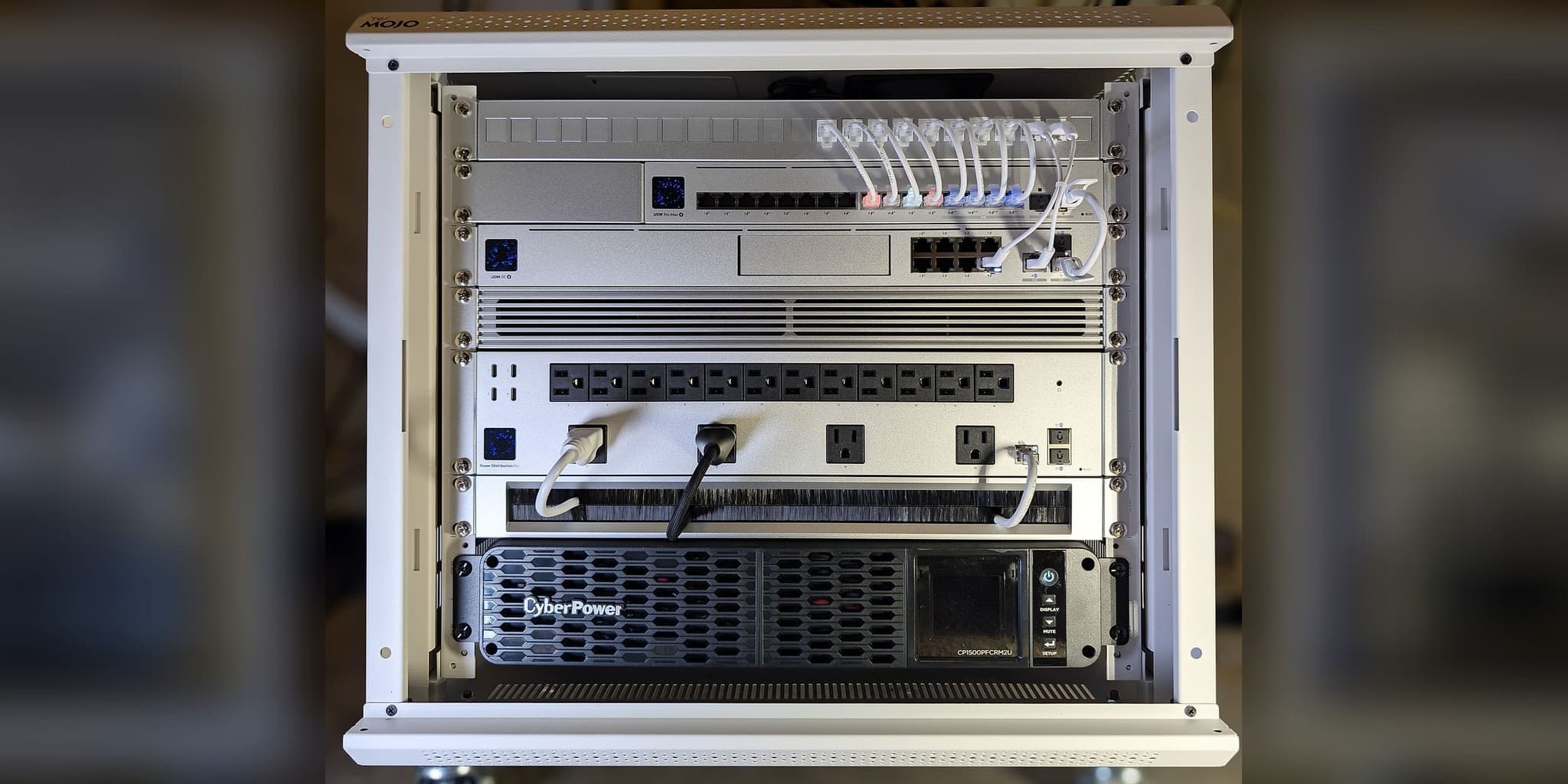
The two-day install included a custom rack build, numbered patching, concealed Cat6a runs, a Starlink roof mount set for clear sky exposure, and a UPS for the network core.
Test, explain, and hand over
Handover included topology documentation, credentials, warranties, maintenance notes, and a live walkthrough of failover behavior. The client received a system that can be operated without an Orbit Tech subscription, a cloud dependency, or guesswork; internet service stays with each provider.
What was installed
Network rack
Ceiling units: UniFi U7 Pro, WiFi 7
Hallway, second floor, living room, office (wall-mounted), and outdoor
16 ports + 2 SFP+
Rack-mounted
Gen 3
Roof-mounted
1 Gbps
Primary WAN
1500VA
Network rack
What changed, and how it was checked
Failover was tested at commissioning and coverage was checked at handoff. A 1500VA pure sine-wave UPS carries the network rack; no runtime test was recorded, and no switchover time or coverage readings were recorded either.
Limits of this record: No switchover time, coverage readings, or battery runtime test was recorded for this system. Internet service from Fios and Starlink is billed by each provider.
Before and after
| Metric | Before | After |
|---|---|---|
| ISP Redundancy | Single ISP, no backup path | Dual-WAN, automatic failover tested at commissioning |
| WiFi Coverage | Dead zones in office and study | Coverage across the planned areas, 5 access points |
| Power Resilience | Complete loss on outage | UPS on the network core; runtime not tested |
Documentation, credentials, and warranties were handed over at commissioning, so the owner can run the system without an Orbit Tech subscription or a cloud dependency. Internet service is billed by each provider.
From the installation
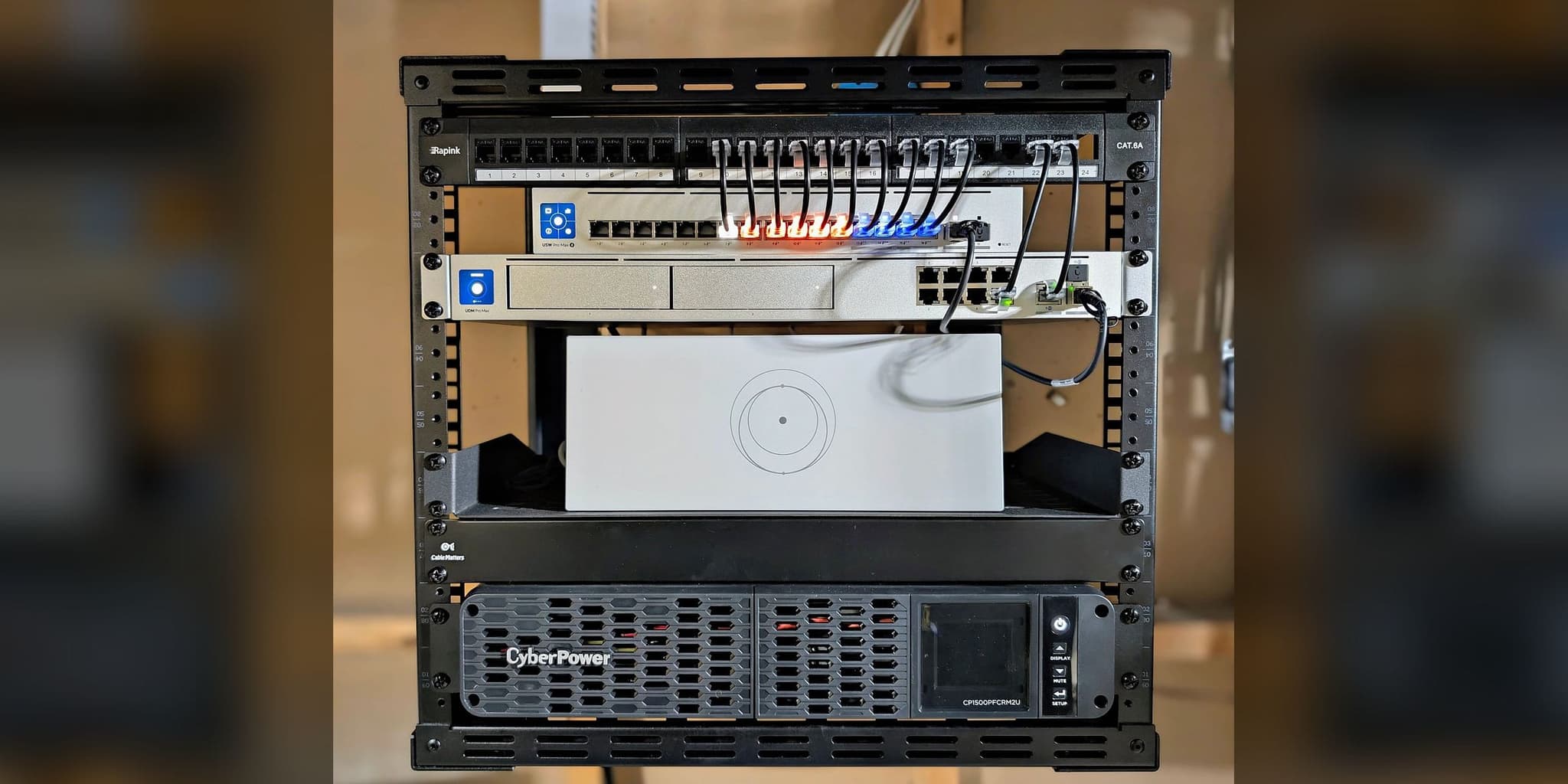
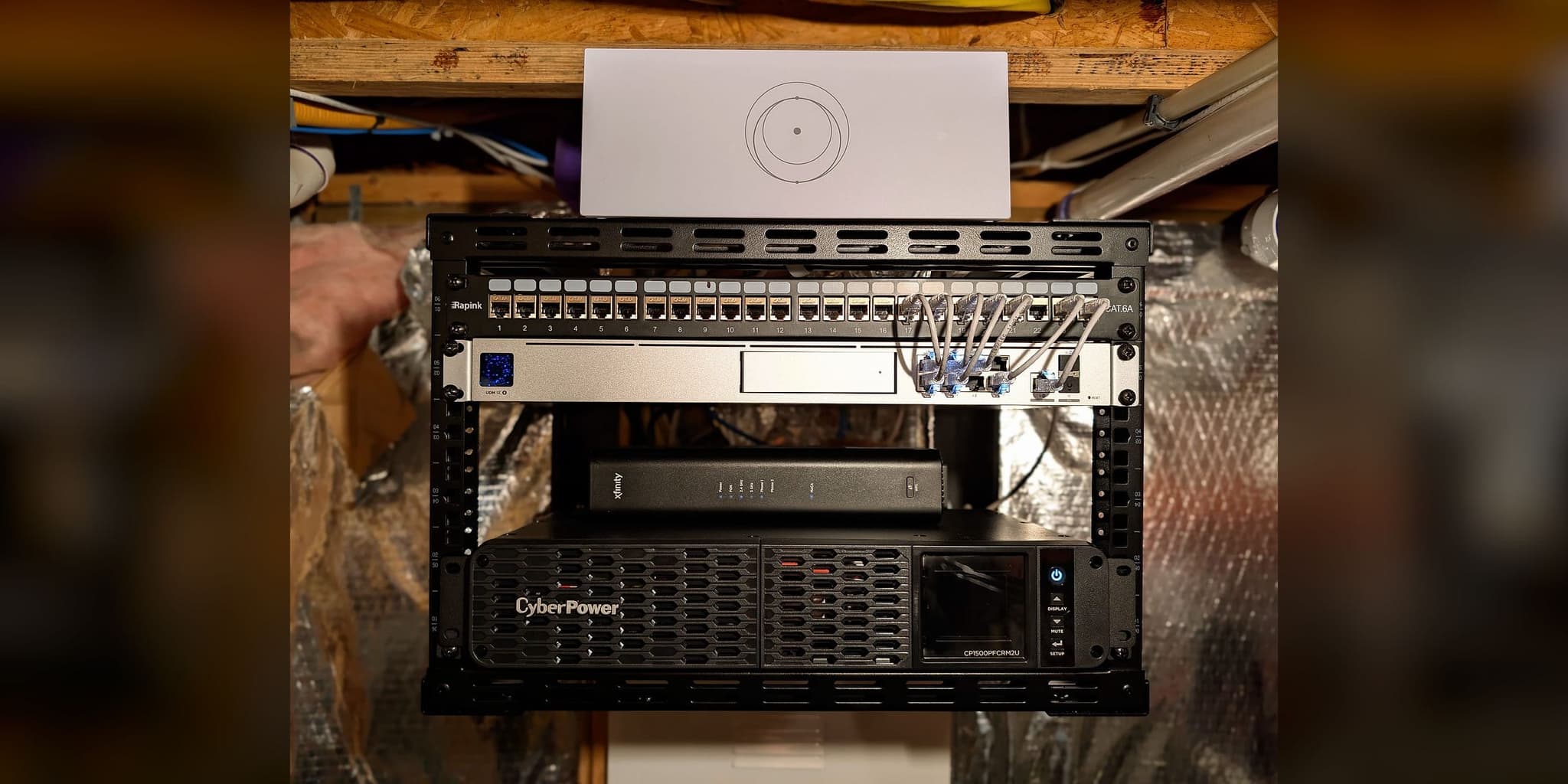
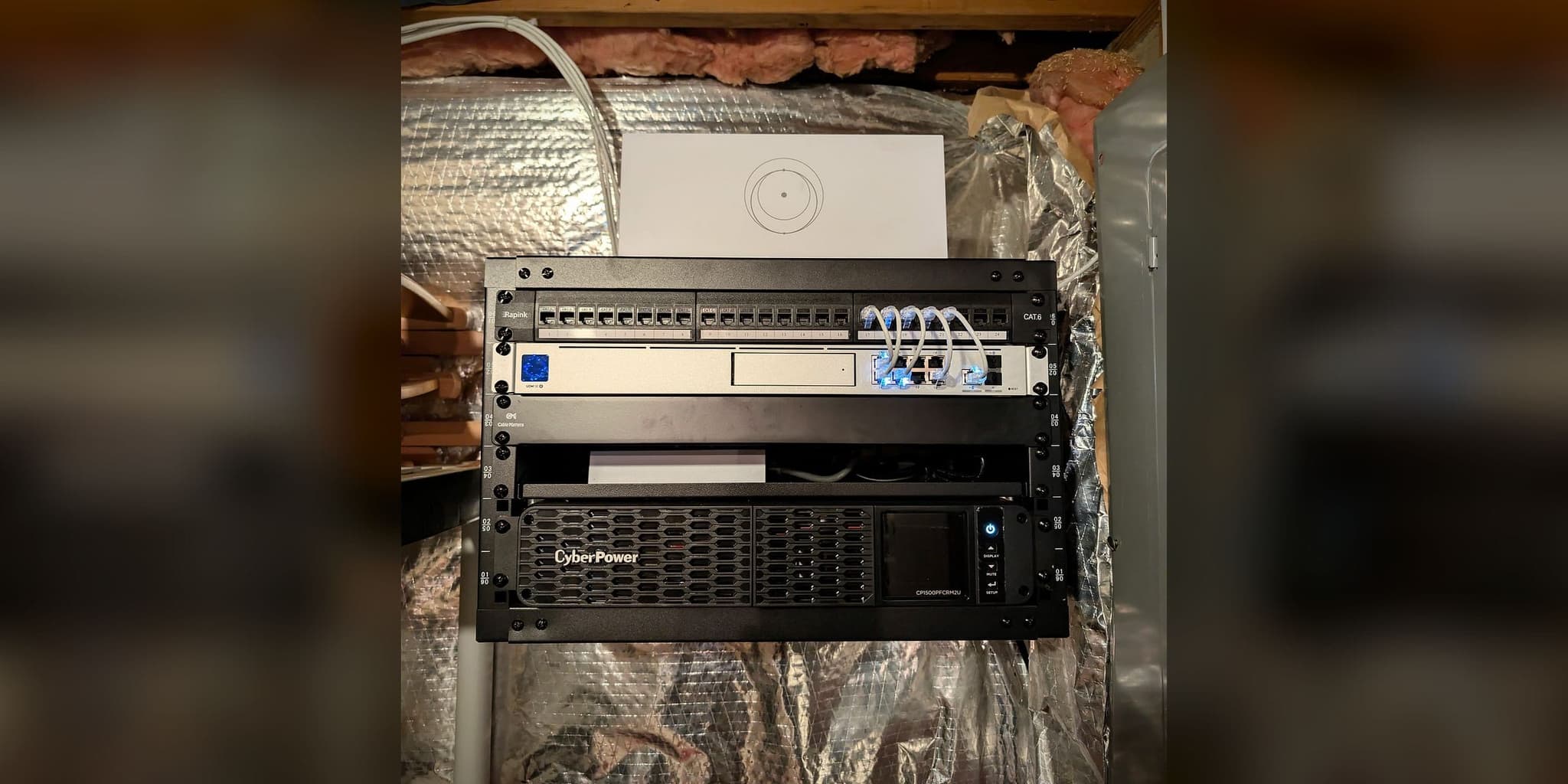
The network core: gateway, PoE switch, numbered patch panel, Starlink router, and UPS on one open-frame rack
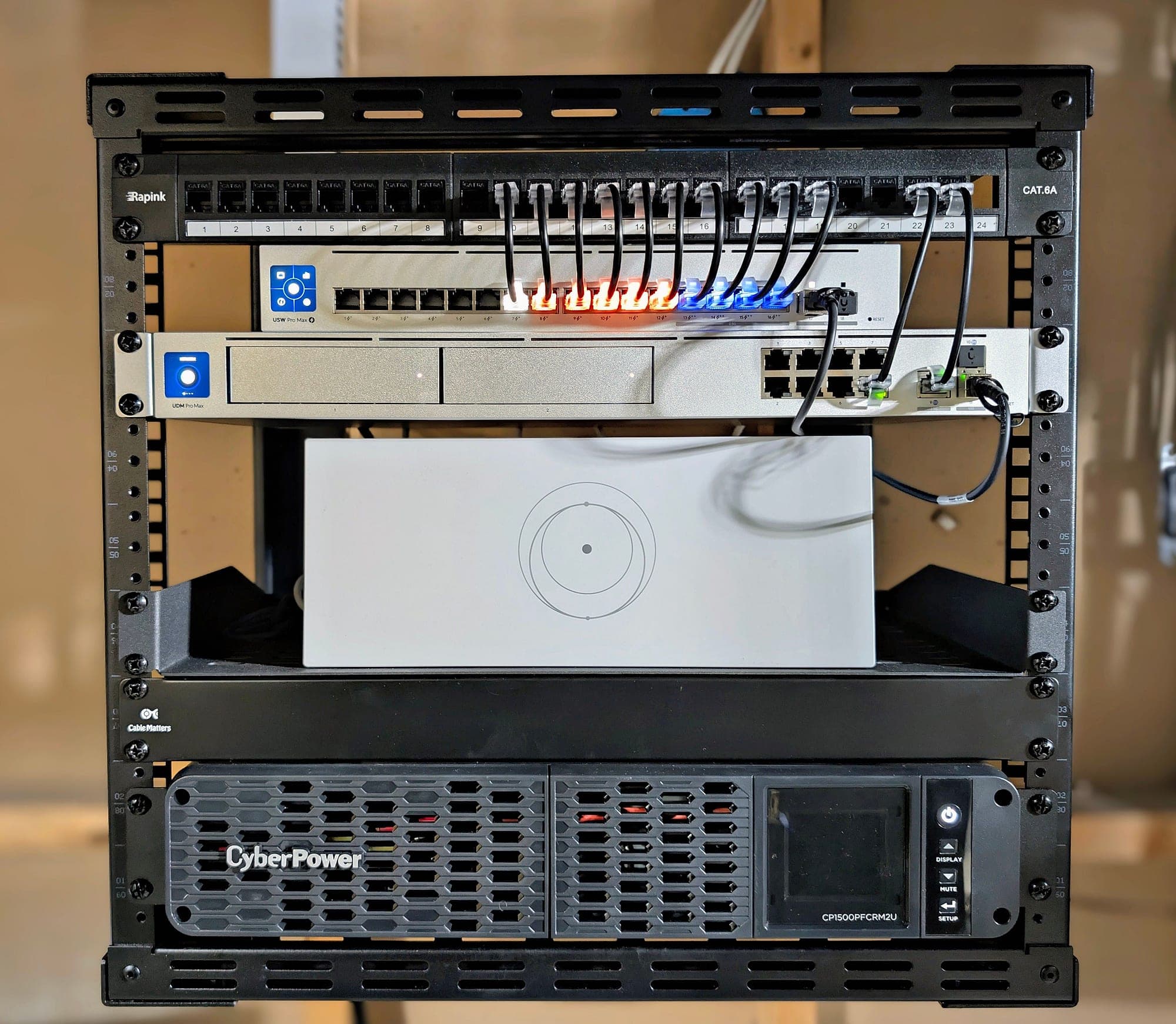
Every run patched to a numbered switch port
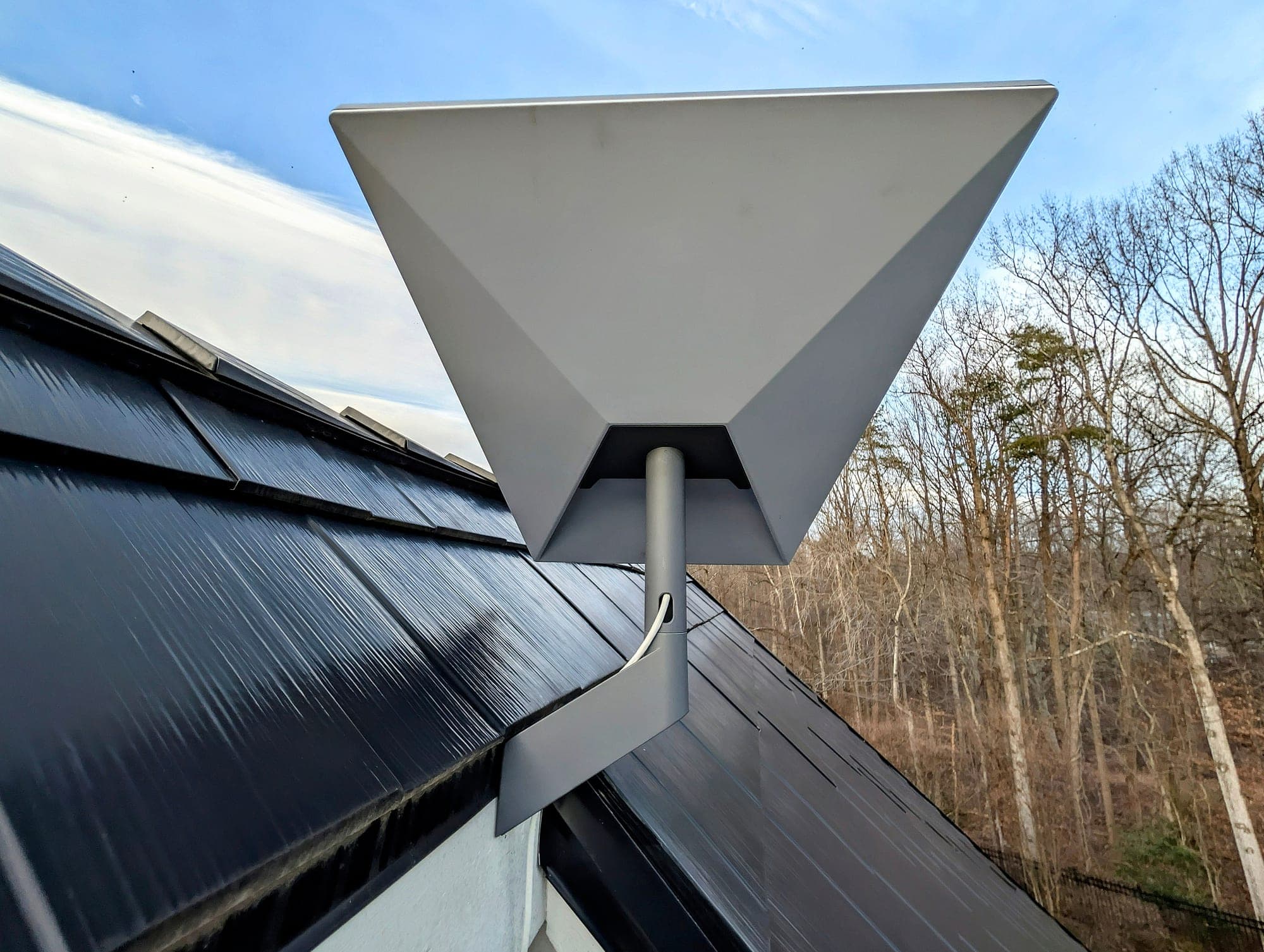
Starlink Gen 3 roof mount — the failover WAN
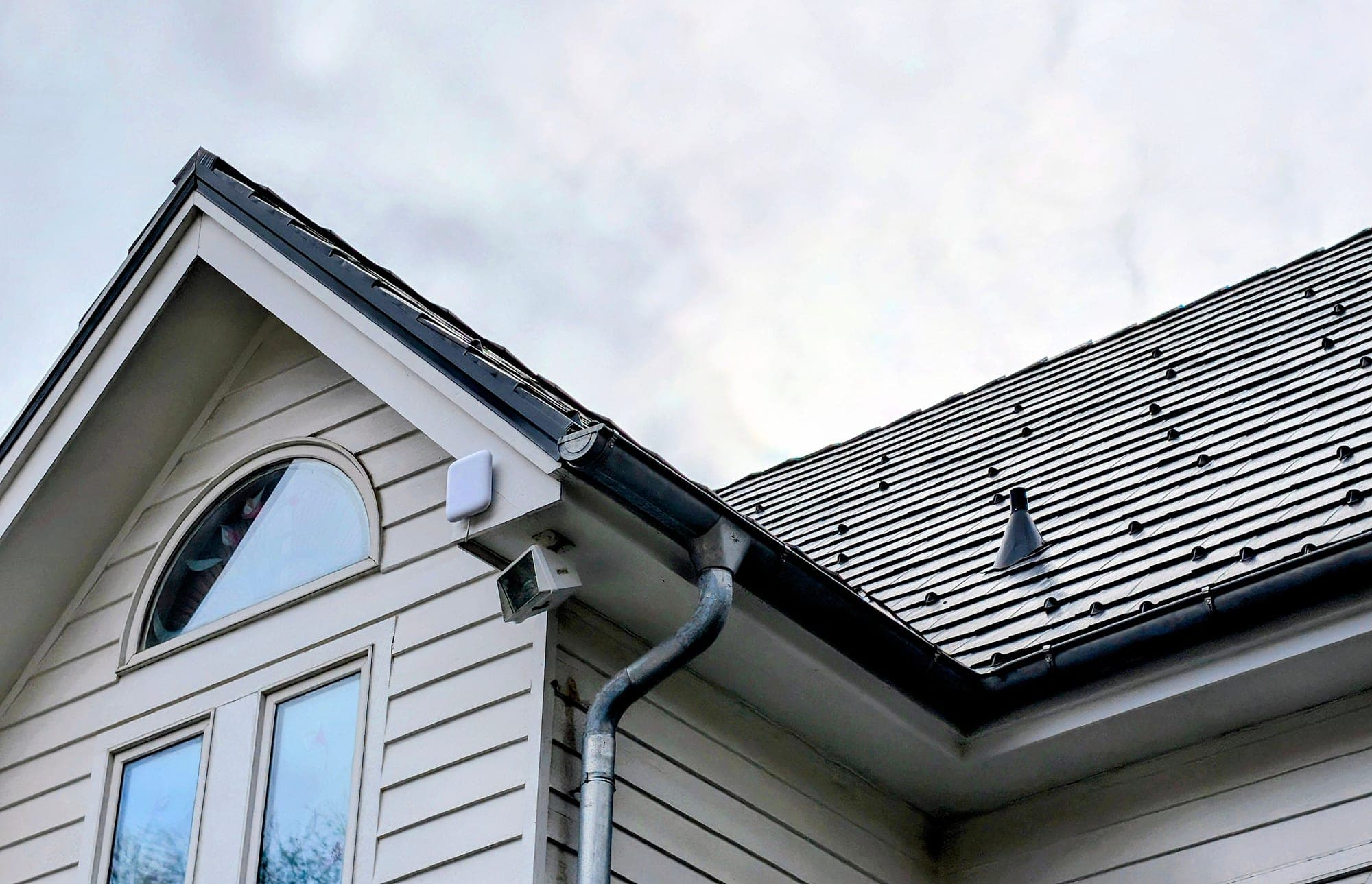
Gable end and roofline of the house
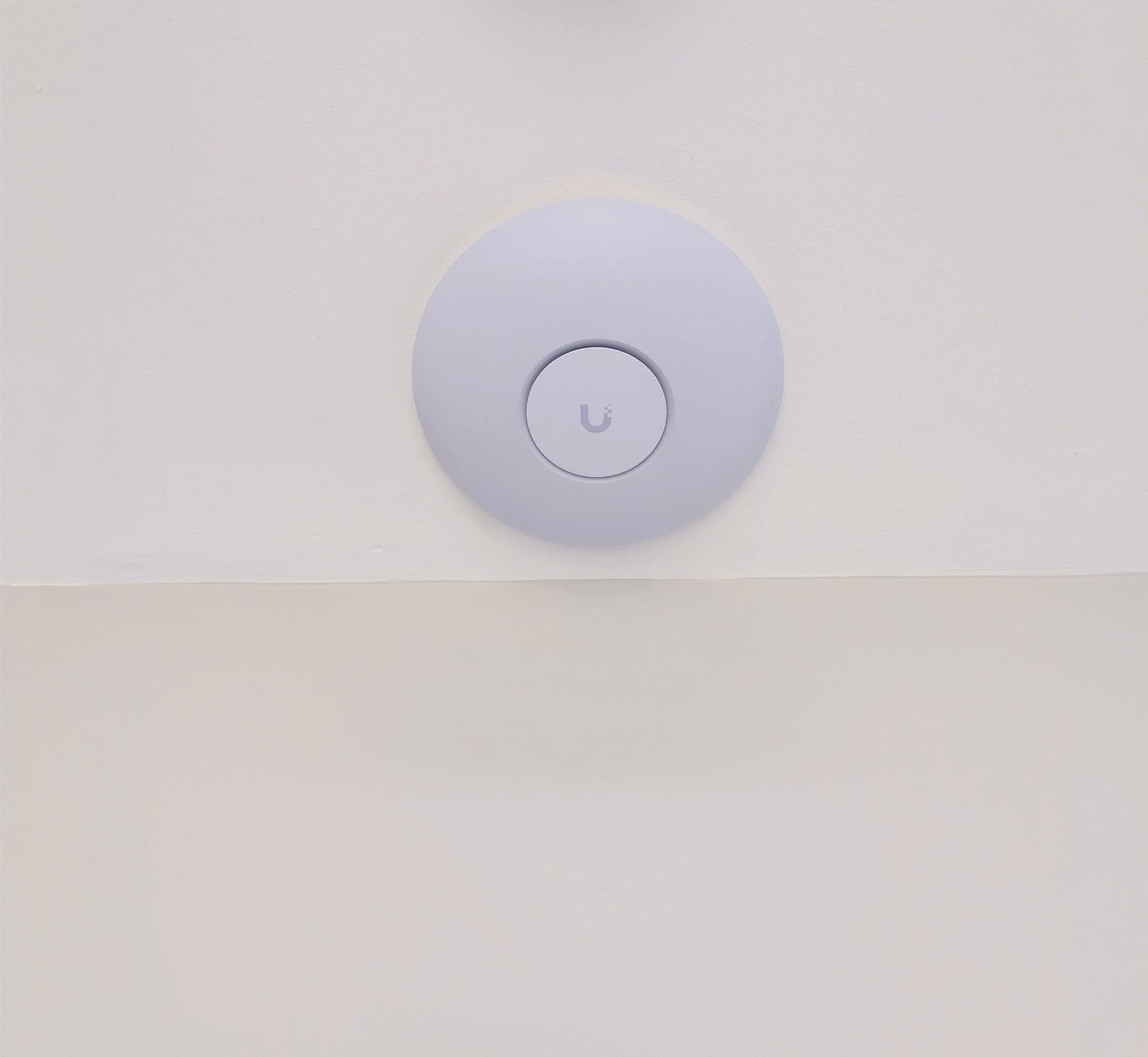
A WiFi 7 ceiling access point, one of five on the network
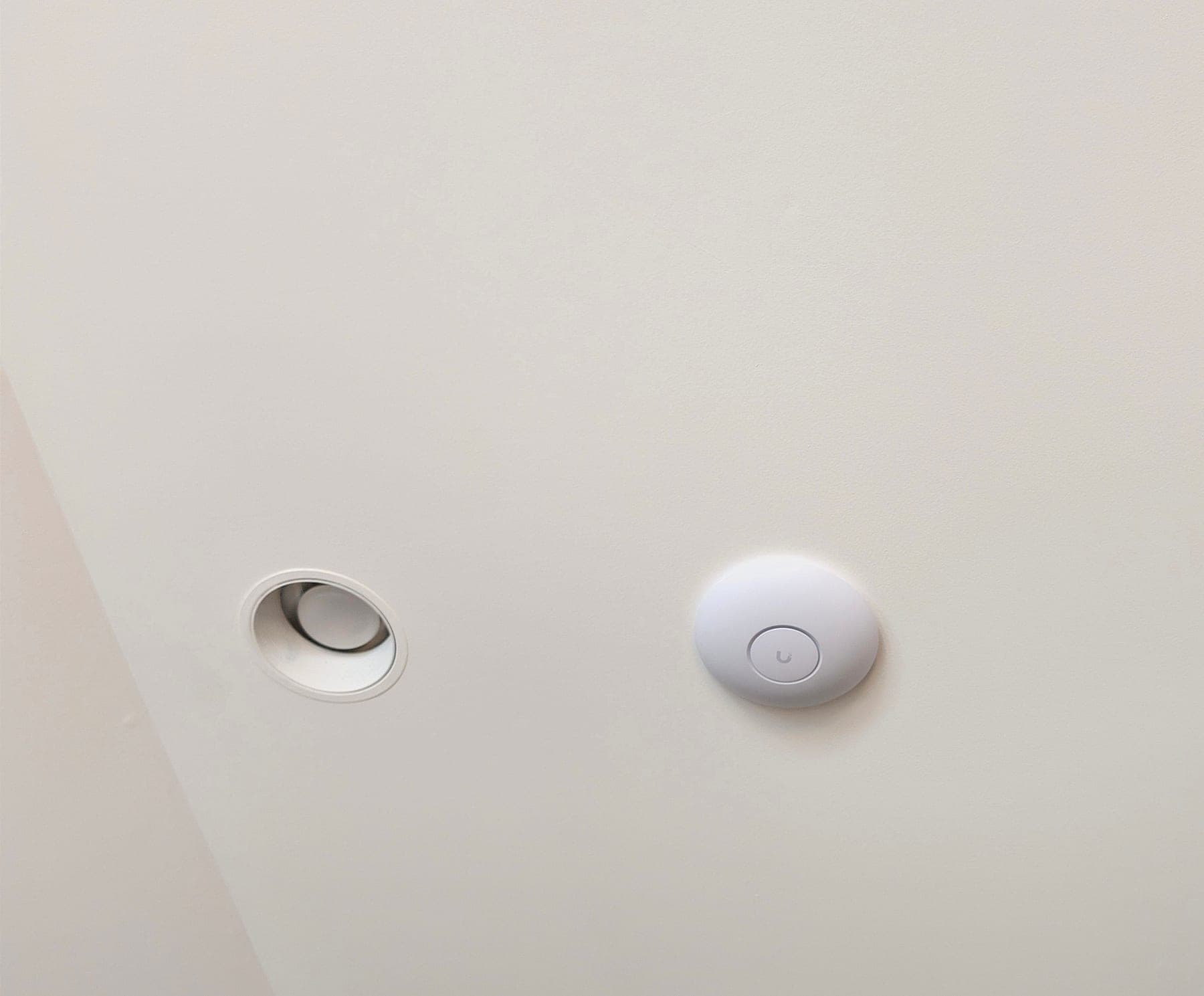
Access point placed to sit quietly in the ceiling plane
“The network just works — I never think about it during telemedicine consults anymore. The failover is invisible. This is what infrastructure should feel like.”
This deployment applies architecture documented across our service methodology:
Services Deployed
Related Services
Related Case Studies
Planning something similar?
Tell us how the property is built, where service breaks down, and what has to stay online. We'll recommend the next step, and a paid assessment only if the property needs one.
The first conversation is free, and Eric Enkh replies personally.