.png&w=96&q=75)
Northern Virginia · Washington, DC · Maryland
Home network installation, planned and wired as one system.
Reliable Wi-Fi where your household actually uses it, a wired connection for everything that stays put, a home office set up for work, and a system you can understand long after we leave.
The first conversation is free, and Eric Enkh replies personally. (571) 999-6915
“Orbit Tech is terrific - great to work with … and outstanding work product. … Cannot recommend them enough.”
01How it fits together
What makes a home network work, layer by layer.
Weak rooms, dropped calls, and restarts are usually infrastructure problems, not internet problems. Pick one to see which part of the system solves it.
- Internet: the provider’s line (fiber, cable, or DSL) and an optional second line, such as Starlink or cellular, both connect to the gateway.
- Core, in a rack or wall cabinet: the gateway, which is the router and firewall; a switch that also powers the access points; a patch panel where every cable ends; and a battery unit (UPS) that keeps them running through short power cuts.
- Cable: six runs leave the patch panel, each labeled at both ends — AP-OFFICE, DESK-1, TV-FAMILY, AP-FAMILY, AP-UPSTAIRS, AP-PORCH — with spare ports kept for later.
- Rooms: an access point and a desk jack in the office, a TV jack and an access point in the family room, an access point upstairs, and an outdoor-rated access point outside. A port map and an owner guide record where each run goes.
- Networks: work (office computers and work phones); household (phones, laptops, TVs, streaming); guests (visitors’ devices, internet only); smart home (speakers, thermostat, cameras, doorbell). Every access point carries all four, each wall jack is set to one, and the gateway and switch keep them apart.
What isn’t working?
The whole system, top to bottom
Five layers, from the internet line to the networks your devices join. Each problem on the list lights the part that answers it.
Solved at · 04 Rooms · 03 Cable
Access points where you use the house
Wi-Fi comes from access points on the ceilings and walls of the rooms you use, with outdoor-rated ones for porches and patios. Each has its own cable back to the switch, which also powers it, so a far room isn’t relying on a signal relayed through the near ones.
What it won’t do. Walls, floors, and distance still shape coverage, and so does the device in your hand. That is why placement is planned room by room.
Coverage planning in depth: Whole-Home Wi-Fi
Solved at · 04 Rooms · 05 Networks
A wired desk, and an access point in the room
The desk plugs into a wall jack with its own cable to the switch, so the computer isn’t sharing Wi-Fi with the rest of the house. The office gets an access point placed for the room, and its devices can have a network of their own.
What it won’t do. If the provider’s line is the problem, cable inside the house won’t fix it. A second line takes over when the main one fails, not while it is up but unreliable.
Solved at · 03 Cable · 04 Rooms
A cable for anything that doesn’t move
TVs, consoles, and streaming boxes get a wired jack. That takes them off the Wi-Fi and leaves it to the phones and laptops that need it.
What it won’t do. A cable can’t make the internet plan faster. The provider’s speed is still the ceiling.
Solved at · 05 Networks
Separate networks on the same cables
Work, household, guests, and smart-home devices each get their own network. Guests reach the internet but not your computers, and cameras and smart-home devices sit apart from both.
What it won’t do. Separation controls what can reach what. It doesn’t reserve bandwidth for anyone, and it doesn’t make any one device safe by itself.
Solved at · 01 Internet
An optional second line
A second provider, often Starlink, connects to the gateway. When the main line fails, the gateway moves the house to the second one on its own.
What it won’t do. Calls and VPN sessions may drop and reconnect during the switch, and a long power cut or severe weather can affect both lines.
Backup internet in depth: Home-Office Reliability
Solved at · 02 Core
Battery protection at the core
The gateway and switch run from a battery unit in the rack, and the access points take their power over the cable from the switch, so a short flicker doesn’t restart the network.
What it won’t do. Runtime depends on the load, so we don’t promise a figure. The provider’s own equipment stays up only if it is on the battery too.
Solved at · 02 Core · 03 Cable
Labels at both ends, and a written record
Every run is labeled at the jack and at the patch panel and listed on a port map. The owner guide covers what is where, the restart order, and what to check first.
What it won’t do. The record is sized to the project and describes the system as handed over. The proposal says what you will receive.
- Internet connection
- Optional second line
- Ethernet run, labeled at both ends
- Battery power
- Access point
- Wall jack
- Internet connection
- Optional second line
- Ethernet run, labeled at both ends
- Battery power
- Access point
- Wall jack
A representative home, drawn to explain how the parts connect. It is not a project record: the equipment, cable routes, and number of runs are planned for each house.
What a complete installation can include
- A central cabinet: gateway, switch, patch panel, and battery unit in one place
- Ethernet to every access point, and to desks, TVs, and other devices that stay put
- Wired access points indoors and out, placed for the rooms you use
- Separate networks for work, household, guests, and smart devices
- An optional second internet line that takes over when the main one fails
- Testing, labels, and a written record at handover
02Completed projects
An occupied home, a new build, and a full-time office.
Each links to its full project record: what was checked, how, and when.
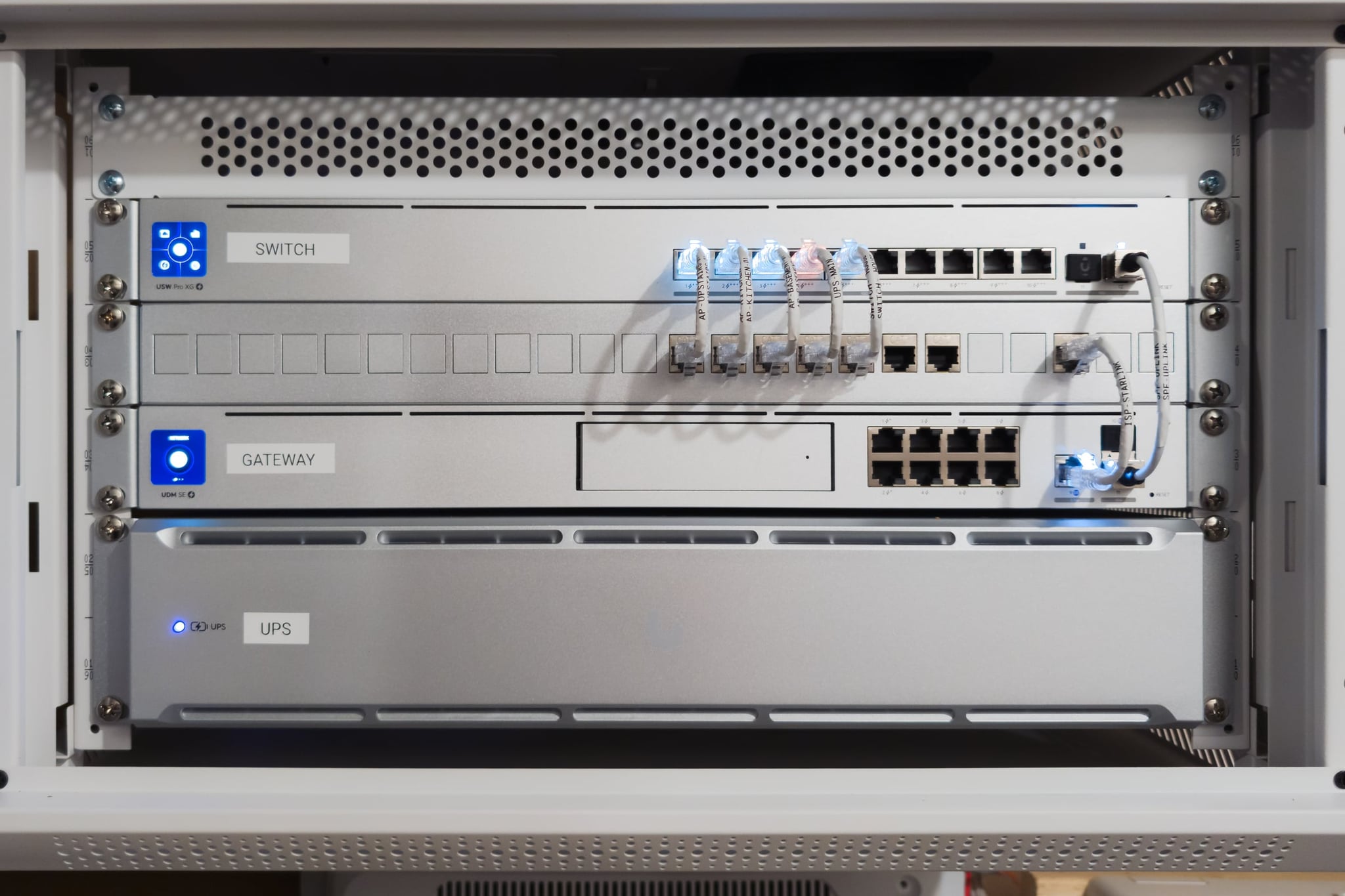
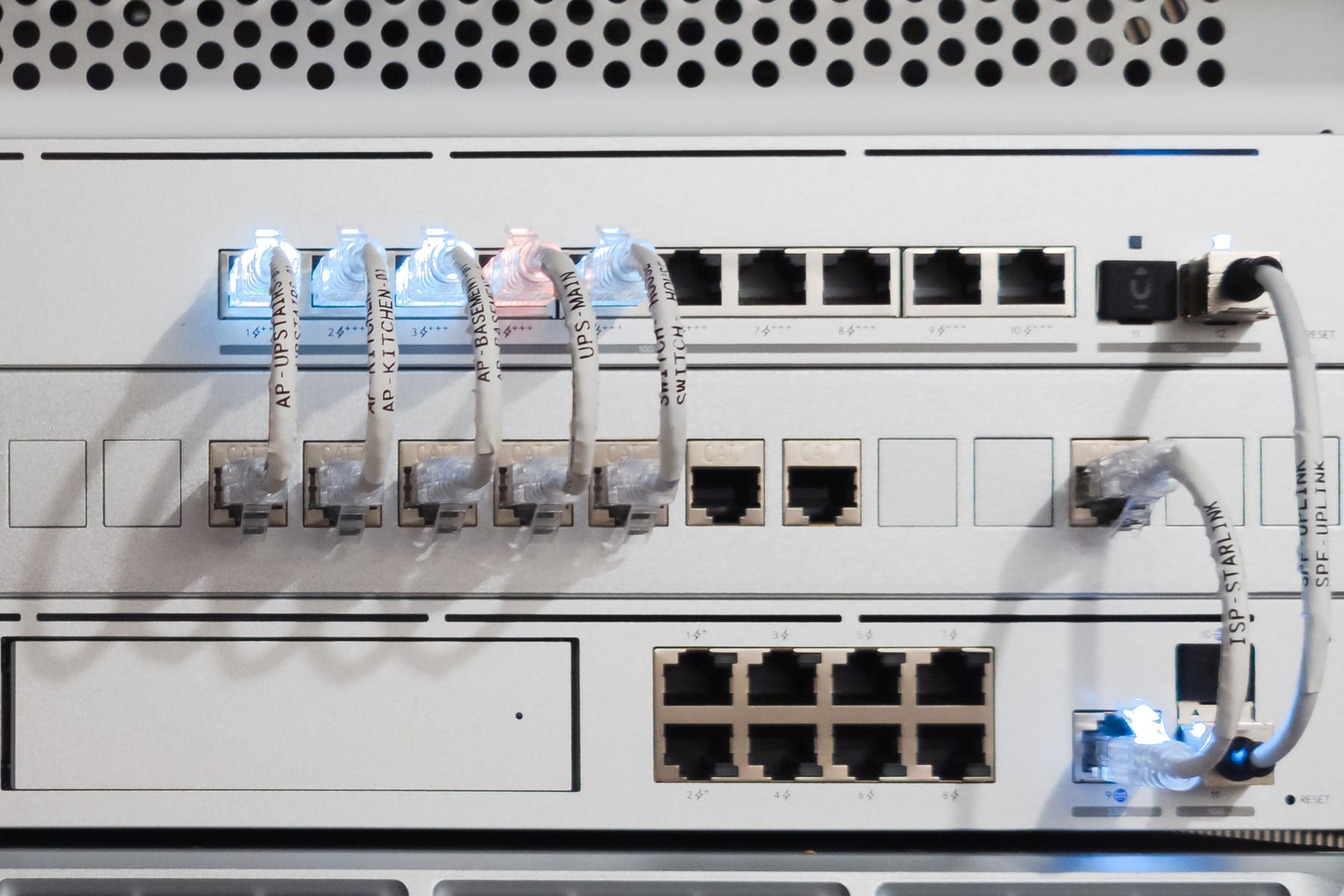
The rack, October 2026 Occupied home · Alexandria, VA · 2026
A rebuild without opening the walls
- The problem
- Extenders, weak Wi-Fi in the kitchen and garage, and work and household devices on one network, in a house that stayed lived in.
- The decision
- Keep the existing in-wall cable, put managed switches at its ends, give the office a network of its own, and add Starlink as a second line.
- The result
- Four wired access points in place of the extenders, the office on its own network, and the Starlink line tested at handoff.
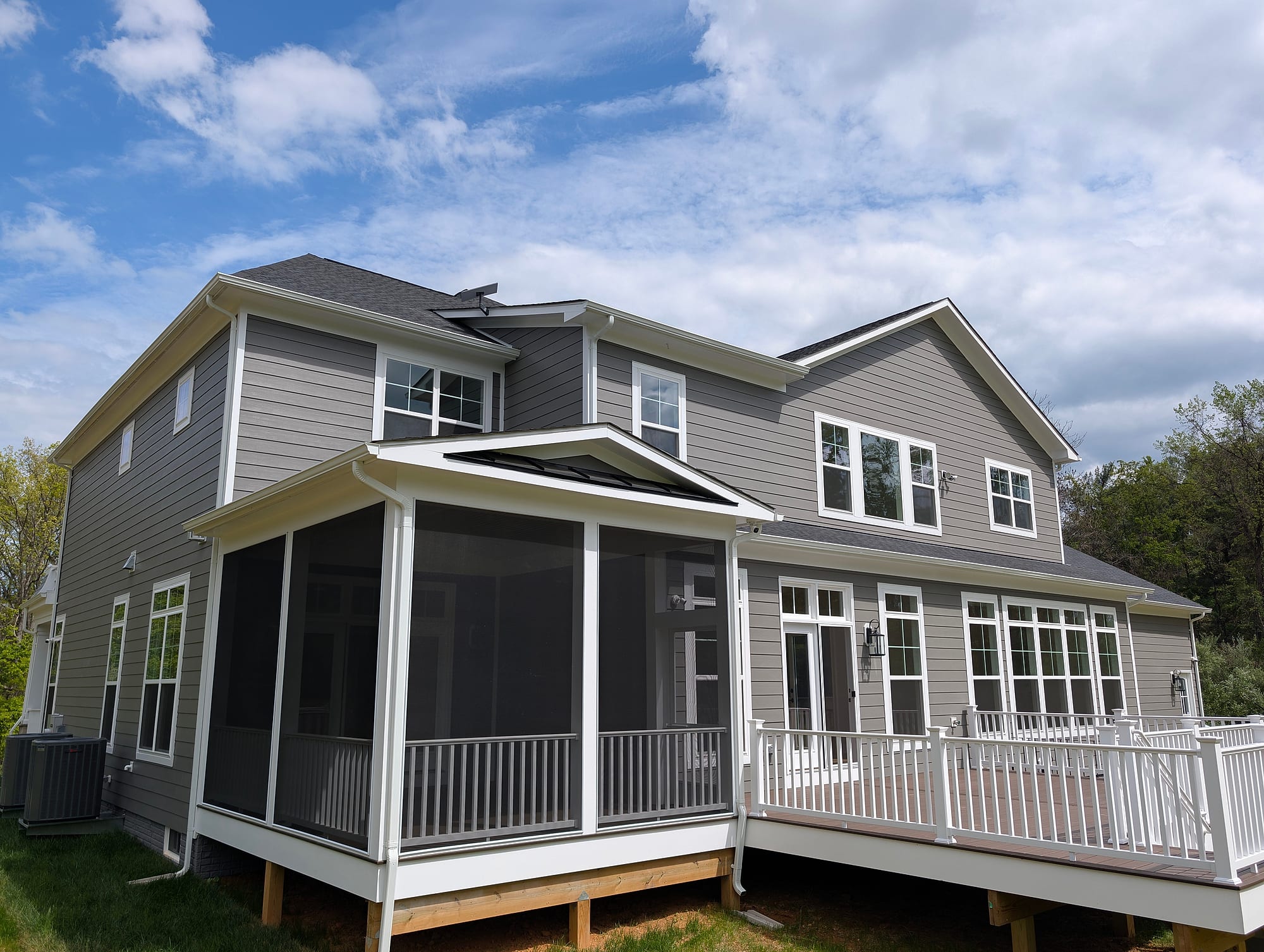
The finished house New construction · Loudoun County, VA · May 2026
Planned with the build, not after it
- The problem
- A new house, where cable routes and the equipment location had to be settled before the walls closed.
- The decision
- Cable every access point back to one wall cabinet during the build, and label each cable where it lands.
- The result
- Access points in the basement, kitchen, and upstairs hallway with the wiring inside finished walls, and a Starlink backup line tested before handover.
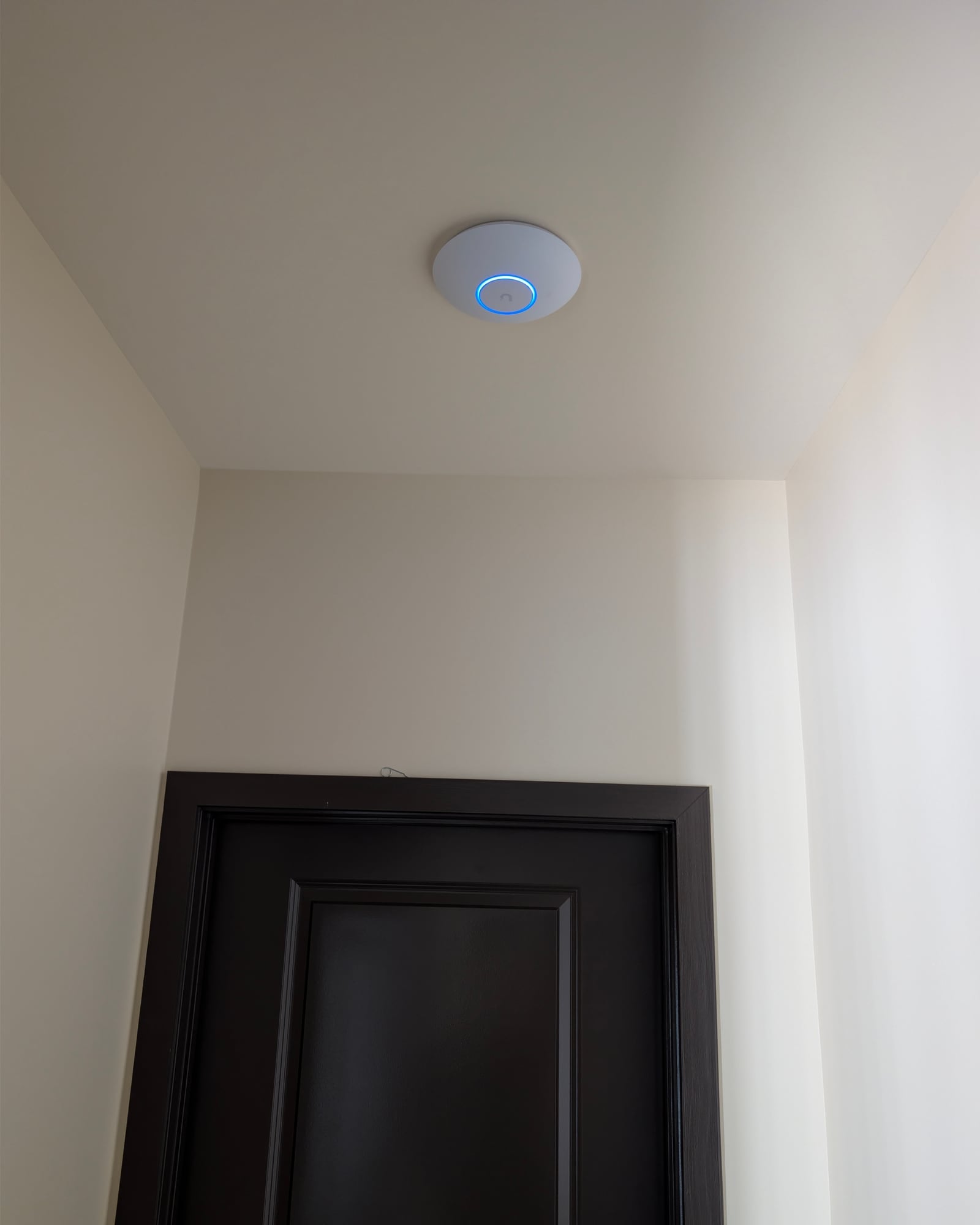
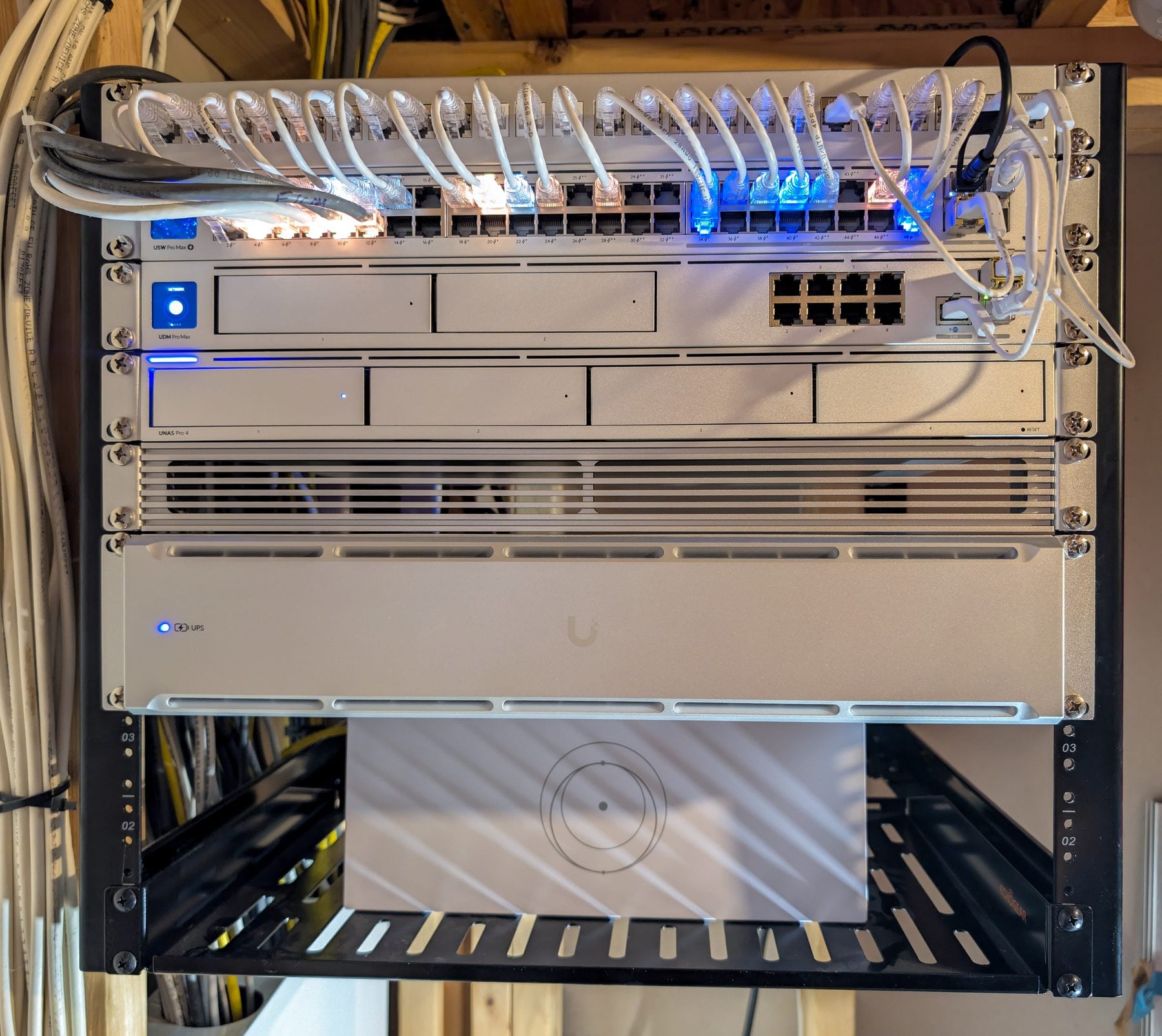
A ceiling access point, on its own cable to the cabinet Full-time home office · Partlow, VA · August 2026
One cabinet where every cable comes home
- The problem
- A household working from home full time, on one cable internet line, with no central place for the equipment.
- The decision
- A basement cabinet that every access point cables back to, with a switch sized for rooms that don’t need a jack yet.
- The result
- Room for more wired connections without a rebuild (35 of 48 switch ports free, August 2026), and Starlink connected and tested as a standby line.
Outdoor Wi-Fi, multi-building properties, and Starlink installations are in the project portfolio.
03Cost and fit
What it costs, and when it is the right size of job.
Planning range · complete installations
For a comprehensive whole-property network, plan for approximately $10,000–$20,000. This is a planning range, not a package price: scope, cable routes, coverage requirements, and backup systems determine the final written quote, which can fall outside it. Targeted improvements are quoted separately.
A few access points, or backup internet for the office alone, is a targeted improvement: see Whole-Home Wi-Fi or Home-Office Reliability.
Which size of job fits your house
- A new router
- Often enough when one well-placed box covers the rooms you use and nothing needs a cable.
- A targeted improvement
- When most of the house works and the gaps are specific: a few rooms, the porch, or a backup line for one office.
- A complete installation
- When coverage falls short across floors or outdoors, the house has no cabling or central place for the equipment, and the network has to hold up for work and daily life. Also when the walls are open for a build or renovation. Working from home alone doesn’t call for one.
A guest house, barn, or detached office needs its own link: Connect Multiple Buildings. UniFi equipment in particular: UniFi Networks.
What moves the price
Quoted in writing after the free project review, with equipment and installation in the same quote.
- Runs and access points: set by the rooms you use, the devices that need a jack, and outdoor areas.
- The equipment chosen: the gateway, switch size, access points, cabinet, and battery unit.
- How cable reaches the rooms: open framing, attics, and basements are simpler than finished walls.
- What can be reused: existing runs that test clean, and equipment worth keeping.
- Where the core goes: a closet or basement wall with power nearby is simplest.
- A second internet line: equipment and mounting, if you add one; the provider bills its own service.
Installation time depends on the same things, so we confirm it with the quote.
04How it works
From the first conversation to a system you own.
- 01
Initial Project Review
Describe the house and what isn’t working. It is free and non-binding, and Eric Enkh replies personally.
- 02
A site visit, if needed
Defined work goes straight to a quote. If something needs diagnosing first, we recommend the On-Site Infrastructure Assessment; its fee is confirmed with you before it is booked.
- 03
A written proposal
Scope, equipment, cable routes, what is and isn’t included, and price, in writing.
- 04
Your approval
Nothing is ordered or installed until you approve the proposal.
- 05
Installation
Installed to the approved plan, in scheduled visits.
- 06
Test, explain, and hand over
Outlets tested, separate networks shown working, any second line tested, and the system walked through with you.
What you keep
- Labels at both ends of every cable, matched to the patch panel
- A port map, and each outlet’s tested link speed — a working test, not formal cable certification
- An owner guide: what is where, the restart order, and what to check first
- Ownership
- The equipment is yours. You hold the main account. Any support access we keep is a separate account, and you can remove it. No recurring maintenance contract is required with the installation.
- Afterward
- Call or email Eric Enkh directly. Later help is arranged case by case, and the installation carries a workmanship warranty. Remote support and ongoing maintenance are available selectively for systems we have installed or documented.
The record is sized to the project, and the proposal lists it. On the Lorton project it was a 20-page guide with a quick-reference card. The full method is The Orbit Protocol.
05Common questions
Home network questions.
Do I need a complete installation, or just better Wi-Fi?
It depends on the house. If only some rooms struggle, better Wi-Fi is the targeted fix, quoted on its own. A complete installation fits when coverage, cabling, and the equipment all need planning together, or the walls are open for a build or renovation. The free first conversation is where we work out which.
Can you do this in a finished house without opening walls?
Usually. Cable goes through attics, basements, crawl spaces, closets, and existing paths, and sound in-wall runs can often be reused. Where a spot has no practical route, we explain the options before you approve anything.
We’re building or renovating. When should you be involved?
Before the walls close, when cable routes and the equipment location are easiest to get right. We work alongside your builder and electrician; for a complex build, an Infrastructure Architecture Plan sets out the design first.
Can you reuse the cable and equipment I already have?
Often. We test existing runs and keep what is sound, and newer equipment can stay where it fits the plan. A run that connects only at a low speed is written down, so you know which room it affects.
Will every room get my full internet speed?
Not necessarily, and we don’t promise it. A wired room’s speed is capped by its cable and the equipment at both ends, and Wi-Fi depends on distance, walls, and the device. We test each outlet and note the speed it connects at, so you know what each wired connection supports.
What equipment do you install?
Usually UniFi for the gateway, switching, and access points, and another system when it suits the house better. The equipment is listed in the written proposal.
What happens when the power or the internet goes out?
With battery protection, the core keeps running through short power cuts; how long depends on the load, and the provider’s equipment stays up only if it is on the battery too. With a second line, the gateway switches over when the main line fails, though calls and VPN sessions may drop and reconnect.
What does it cost, and how long does it take?
Quoted in writing after the free project review, once we know the house and the scope. The price follows the runs and access points, the equipment, how cable reaches the rooms, what can be reused, and whether a second line is added. Timing depends on the same things and is confirmed with the quote.
Do you serve my area?
We serve Northern Virginia, Washington, DC, and Maryland, from Reston, Virginia: in Virginia, places such as Alexandria, Great Falls, McLean, Vienna, Reston, Leesburg, and Ashburn; Washington, DC; and in Maryland, Montgomery County, including Potomac. Select projects outside the core service area may be considered based on scope and scheduling.
06Initial Project Review
Tell us about the house.
A rough description is enough: the house, what isn’t working, and what you’re planning. You’ll get a recommended next step, even if the right answer is a smaller job.
Mon-Sat 8am-6pm
We install home networks in Northern Virginia, Washington, DC, and Maryland, from Reston, Virginia. Select projects outside the core service area may be considered based on scope and scheduling.