
Home-Office Reliability · Northern Virginia & Montgomery County, MD
Home-office internet backup and failover, tested before handover.
A home office built for the day one provider fails. Two separate paths, explicit gateway policy, and protected power — designed, tested at commissioning, and documented before handoff.
The first conversation is free, and Eric Enkh replies personally.
01Where it goes wrong
It usually starts with one of these.
The provider goes down mid-meeting.
Everything runs through one line, so you are offline until the provider fixes it.
The connection at the desk is unreliable.
Calls stutter or freeze in the office, even when the internet itself is fine.
The backup plan is a phone hotspot.
Someone has to turn it on and reconnect each device, usually mid-call.
A short power cut restarts everything.
Even a flicker can take the modem and router down for minutes while they restart.
02The system
Five parts, planned as one system.
Each part has one job, numbered as in the drawing below.
Your main internet
The provider you already use stays your everyday connection.
A backup from a different provider
Starlink, cellular, or a second wired line, depending on your address. Satellite and cellular do not share the street cable your main line uses; a second wired line might.
A router that switches on its own
It moves your traffic to the backup when the main line stops working, and back once it recovers. A call in progress may drop and reconnect. The checks are the router’s own, not a monitoring service. Both connections still meet at one gateway, so the gateway is chosen, powered, and tested with the same care.
Battery protection for the network
Keeps the modems, router, and Wi-Fi running through short power cuts; how long depends on what it carries. It does not power a desktop computer.
A solid connection at the desk
A cable to your workstation where practical, and Wi-Fi planned for the office.
03During an outage
What happens when the main line fails.
Four steps, from an ordinary day to the main line coming back. Choose one to see which line carries the work.
- A representative home office: two internet lines, the router that chooses between them, a battery unit for the network equipment, and the desk.
- Main line: Fiber or cable from your current provider.
- Backup line: Starlink, cellular, or a second provider.
- Main modem: Your main provider's equipment (on the battery unit).
- Backup modem: The Starlink router or a cellular modem (on the battery unit).
- Router: Checks both lines and sends your traffic over one of them (on the battery unit).
- Battery unit: Keeps the network equipment running through short power cuts; how long depends on what it carries.
- Wi-Fi access point: Powered through its cable from the network equipment (on the battery unit).
- Your desk: A cable to the workstation, with Wi-Fi for the room.
- Desk computer: On a wall outlet, not the battery; a laptop runs on its own.
- Carrying your work
- Standing by
- Not responding
- Network cable that also carries power
- On the battery unit
Representative home office · not to scale
Four steps
Step 01
The main line carries the work
Everything runs over your main provider. The backup is connected and waiting.
Step 02
The main line stops responding
The router checks both lines and notices when the main one stops answering. Until it switches, the desk has no internet.
Step 03
The backup carries the work
The router moves your traffic to the backup. Email and browsing carry on; a call or VPN in progress may drop and reconnect.
Step 04
The main line takes back over
Once the main line has stayed up for a set time, the router moves traffic back and the backup returns to standby. A call may reconnect again as it does.
An illustration, not a live reading. How quickly the router notices a failure, and when it moves back, are set at installation and tested before handover.
04Completed installations
Three home offices, tested at handover.
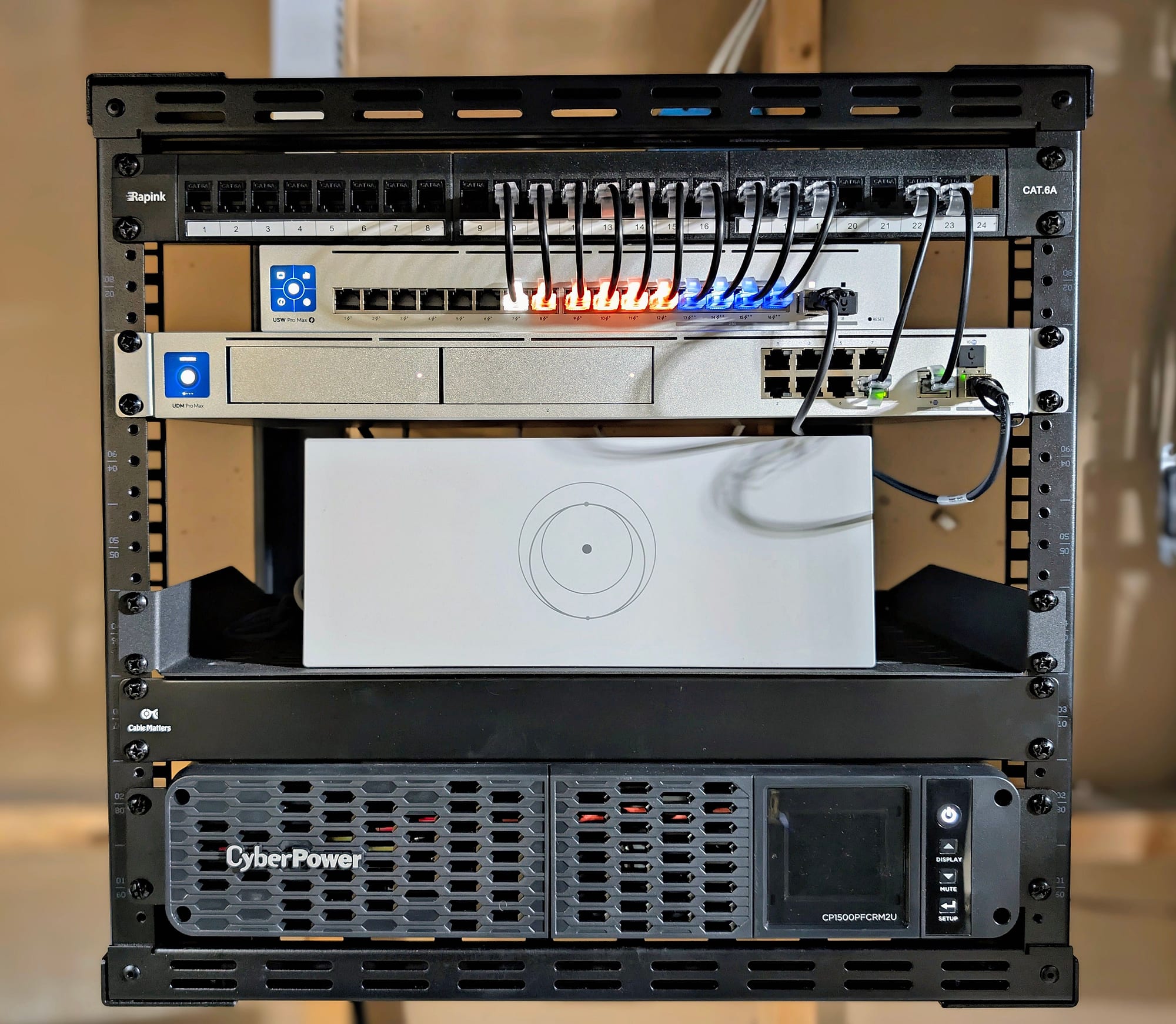
Telemedicine · Potomac, MD · January 2026
A home office in Potomac, with Starlink behind Fios.
- Needed
- Telemedicine, research, and consulting from home on one provider, with dead zones in the office and study.
- Installed
- Starlink behind Fios, a battery unit for the network, and five Wi-Fi access points.
- Tested
- The switch to Starlink at commissioning, and coverage at handover. No battery runtime test was recorded.
- Handed over
- A live walkthrough of the backup taking over, the documentation, and the credentials.
“The network just works — I never think about it during telemedicine consults anymore. The failover is invisible. This is what infrastructure should feel like.”
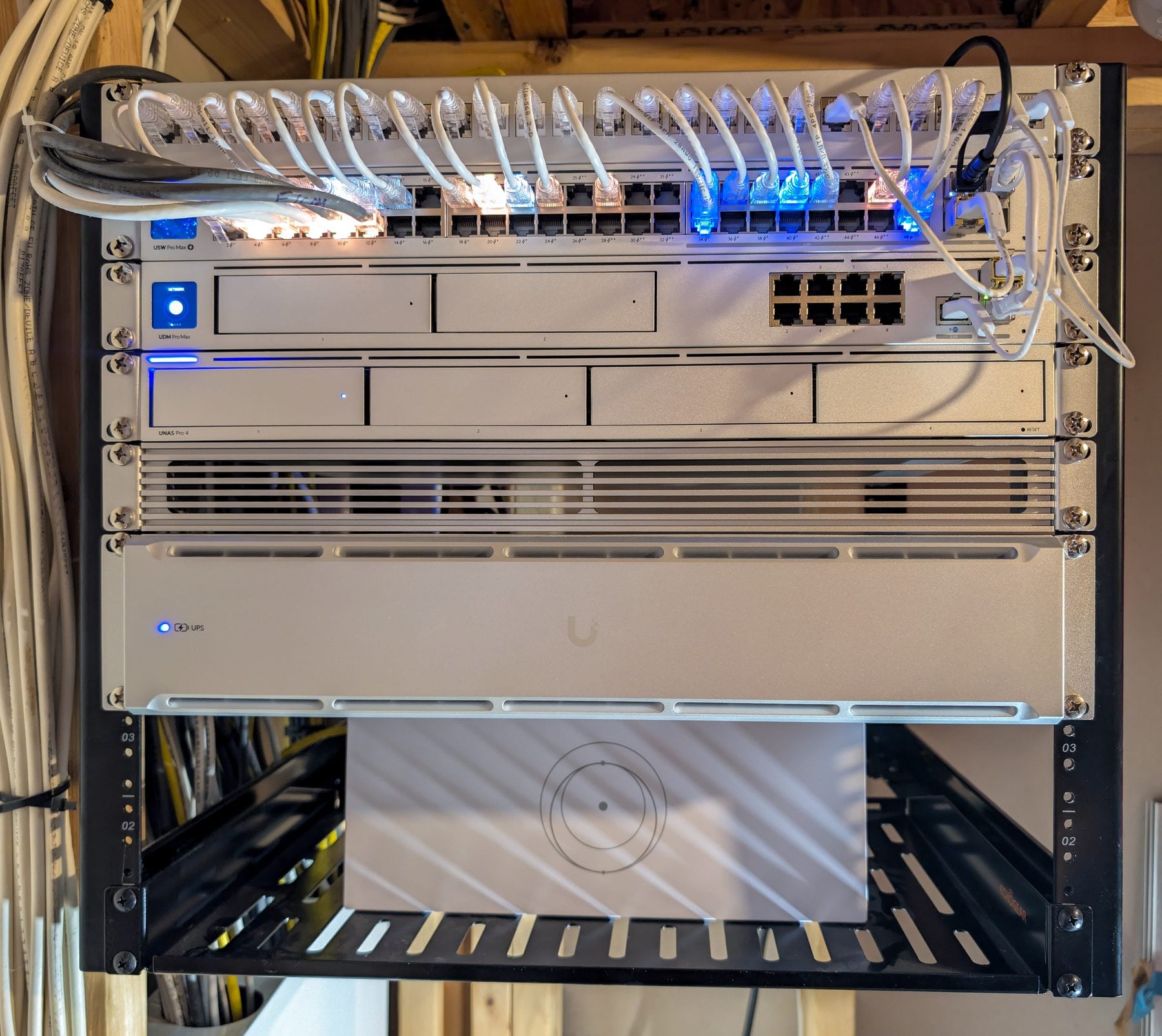
Home office · Alexandria, VA · October 2026
A home office given its own network, with Starlink behind Fios.
- Needed
- Live calls and large file transfers on one flat network shared with a busy household, with a single Fios line.
- Installed
- A separate office network, Starlink behind Fios, storage and a battery unit in the rack, and four wired Wi-Fi access points.
- Tested
- The switch to Starlink at handoff, and a speed test at the gateway, recorded.
- Handed over
- One UniFi app for the network and storage, with the speed tests and device list recorded.
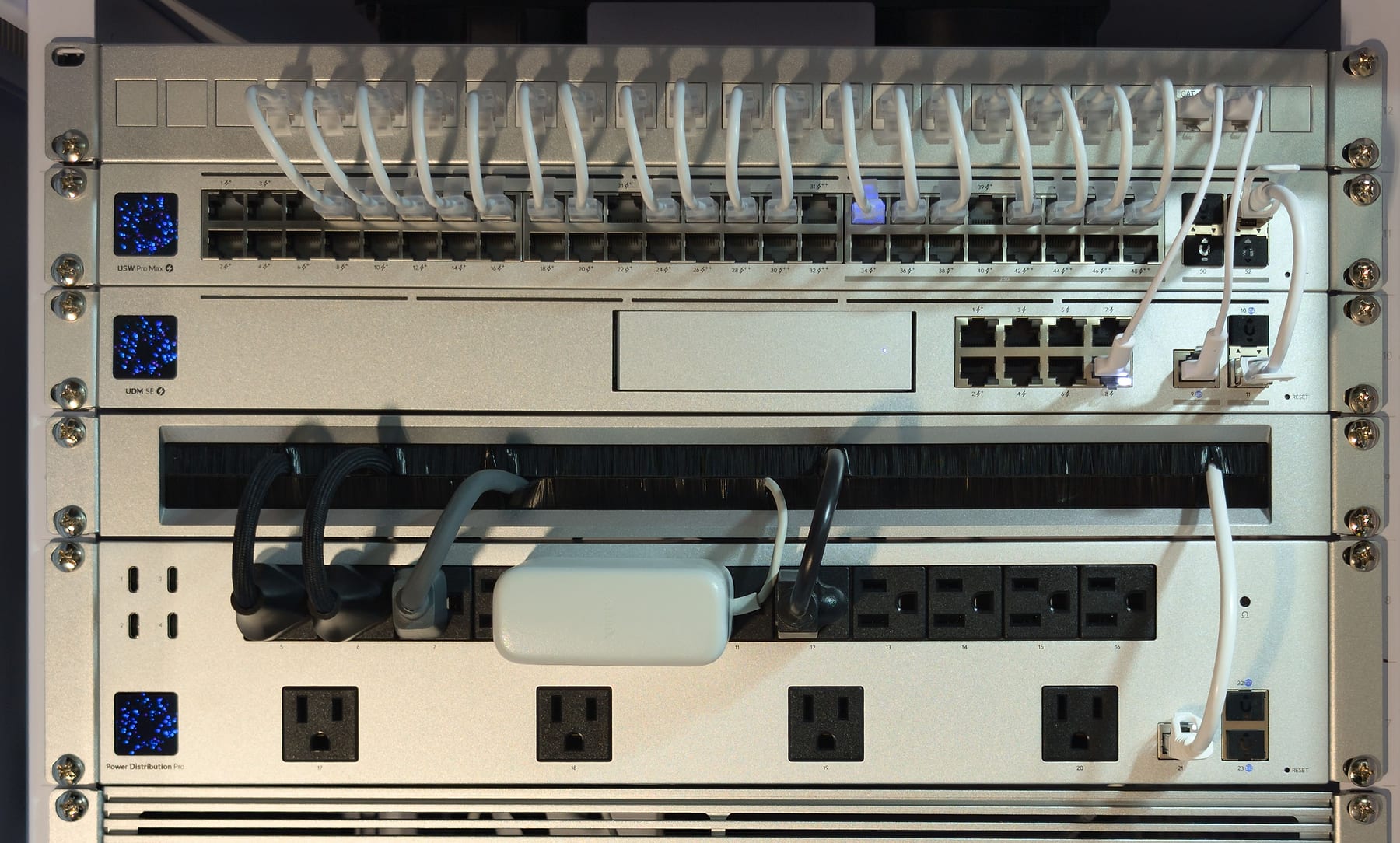
Remote work · Partlow, VA · August 2026
A household that works from home full time.
- Needed
- A second way online behind one Comcast line, with the equipment in the basement.
- Installed
- Starlink as the backup, the network equipment and a battery unit in one locking cabinet, and four Wi-Fi access points.
- Tested
- Starlink connected, tested, and left on standby.
- Handed over
- A guide with a first-response table and restart steps. The owner holds the main account.
05Cost
Each system is quoted in writing for your home.
The price depends on your home and how you work. You get a written scope listing the equipment and the work before you approve anything.
What changes the price
- The backupWhich kind suits your address, and what installing it takes.
- Battery runtimeHow long the network should run on battery, and what it carries.
- The officeA cable to the desk, Wi-Fi planned for the room, or both.
- The rest of the houseWhether the work stops at the office or reaches other rooms or buildings.
Adding backup internet and battery protection to the office alone is a targeted improvement. For a comprehensive whole-property network, plan for approximately $10,000–$20,000. This is a planning range, not a package price: scope, cable routes, coverage requirements, and backup systems determine the final written quote, which can fall outside it. Targeted improvements are quoted separately.
What continues afterward
Your internet plans: both providers bill you directly. No recurring maintenance contract is required.
How we start
The first conversation is free, and clearly defined work goes straight to a written quote. If something needs diagnosing on site first, we recommend the On-Site Infrastructure Assessment (approximately 60–90 minutes; the fee is confirmed with you before the visit is booked); any installation is quoted separately. Larger properties may need an Infrastructure Architecture Plan first. How the assessment works
Only need the backup line? See professional Starlink installation.
Running a small office? The same two connections, automatic switching, and battery protection work where a few people share one connection. The scope is set at the free project review; the projects on this page are home offices.
06How it works
From your first message to a tested system.
- 01
Tell us how you work
Your workday, your providers, and what has gone wrong. Eric Enkh replies personally.
- 02
Get a recommendation and a written scope
The backup, the equipment, where it goes, and the price.
- 03
Agree on the details
Where the equipment goes, the cable routes, access, and a date.
- 04
Installed and tested
Including the switch to the backup and back, and the battery.
- 05
A walkthrough and the records
What happens in an outage, the guide, and a direct line for help.
You decide
We recommend the approach and explain the tradeoffs, such as battery runtime against cost. You choose the priorities and approve the scope.
On installation day
Your internet goes off briefly while we move it to the new router, at a time we agree with you. Your provider’s equipment stays; the scope says whether your router and Wi-Fi stay.
07After installation
What you will know, and who to call.
A short guide
What normal and backup operation look like, first steps when something stops working, and the restart order.
Labels that match it
Cables, ports, and outlets labeled to match the guide.
Accounts in your name
You hold the main account. Any support access we keep is a separate account, and you can remove it.
Help when you need it
Call or email Eric Enkh directly; later help is arranged case by case. The installation carries a workmanship warranty.
Work devices stay with your employer
Company laptops and VPNs remain your employer’s IT to manage. Keeping work devices on their own network is good practice, not a security certification.
08Common questions
Home-office backup questions.
Not always. The backup restores your internet connection automatically, but a call or VPN in progress may drop and reconnect, depending on the app: some rejoin on their own, others need you to rejoin. At handover we test the switch with you, so you know what it looks like.
Another connection can work. The backup should come from a different provider than your main line: Starlink, a cellular service, or a second wired provider, depending on what is available at your address and how much you rely on it. A satellite or cellular backup does not share the street cable your main line uses; a second wired provider might.
Yes. Your current provider stays as the main line, and the equipment it installed stays in place. Whether your current router and Wi-Fi stay depends on whether they can do the job; the written scope says what stays and what is replaced.
The battery unit keeps the modems, router, and Wi-Fi running for a while; how long depends on what it carries, and we check it at handover. It does not power your desktop computer, which needs a battery of its own. If the outage also takes down your main provider, the backup takes over while the battery lasts.
Then you are offline until one comes back. Two providers make that less likely, but a long power cut, severe weather, or a fault inside the house can affect both. A backup that does not share your main line’s cabling lowers the risk.
Your internet plans: both providers bill you directly, under their own plans. No recurring maintenance contract is required with the installation.
Briefly. Your internet goes off for a short time while we move it onto the new router, and we agree with you when that happens. The rest of the work goes on around you.
No. It switches on its own. The guide you keep shows what normal and backup operation look like, and what to do if something stops working.
Call or email Eric Enkh directly. Later help is arranged case by case, and the installation carries a workmanship warranty.
Yes, where a few people share one connection: the same two providers, automatic switching, and battery protection, sized for the office. The scope is set at the free project review. The projects on this page are home offices.
We serve Fairfax County, Alexandria, Falls Church, Loudoun County, Arlington County, and Fauquier County in Virginia, and Montgomery County in Maryland. Washington, DC, Clarke County, and Prince William County are considered by inquiry, and other projects case by case.
09Get in touch
Tell us how you work.
A few lines are enough: what you do from home, who provides your internet, and what has gone wrong. The first conversation is free, and you will get a recommended next step.
Mon-Sat 8am-6pm