
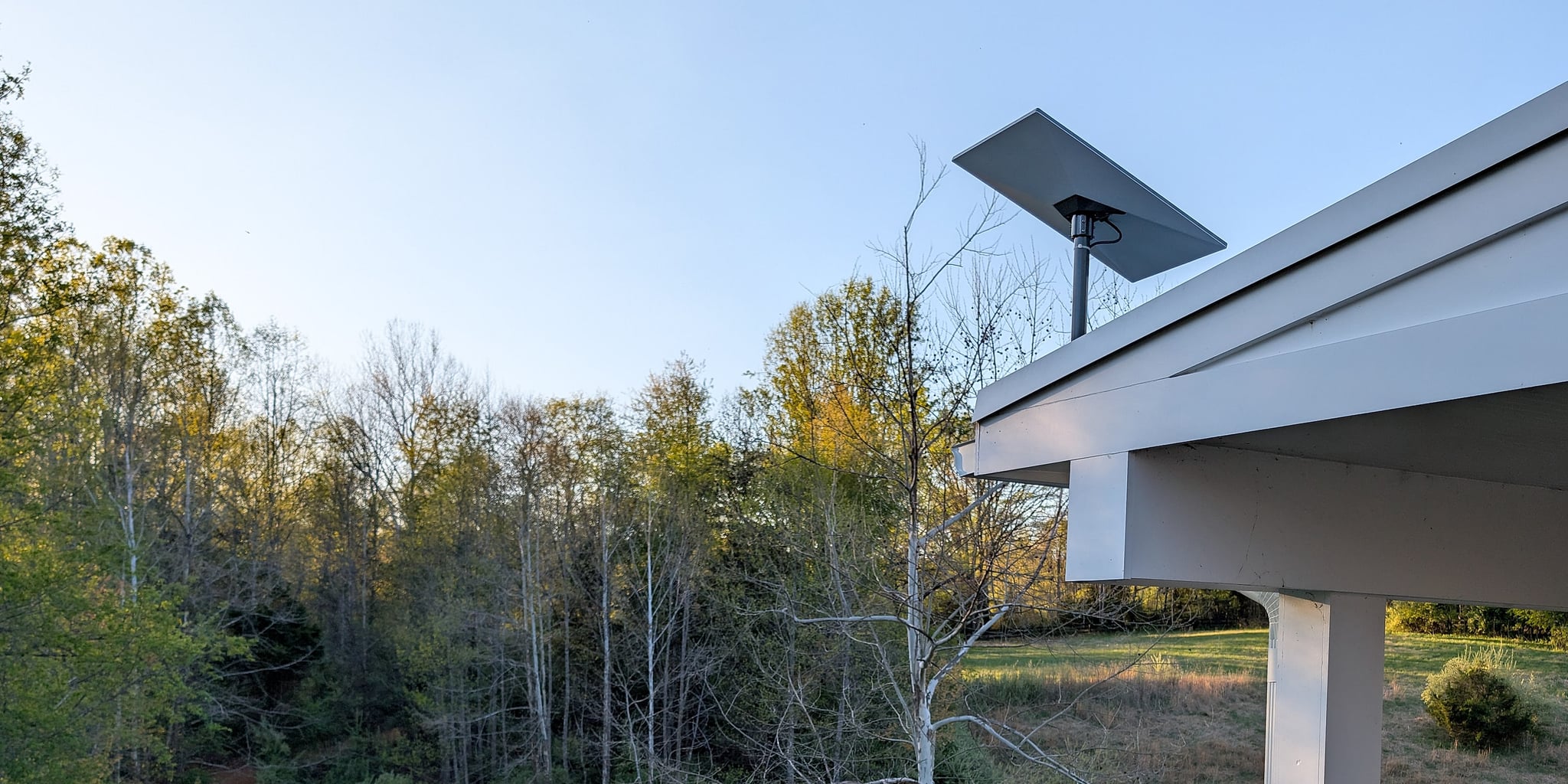
Professional Starlink Installation · Loudoun · Fauquier · Fairfax · Montgomery
Professional Starlink installation.
Starlink as the backup line in a planned network, or the main line where wired service is poor: mounted for your roof, connected to your network, tested, and documented.
The first conversation is free, and Eric Enkh replies personally.
Rated 5.0 on Google
01The installation
Your kit or ours. The same installation.
Already have a Starlink kit? We install it. No kit yet? We supply one and check it before the day. Either way, it is quoted in writing once the mount and cable route are confirmed.
Professional Starlink Installation
Using your Starlink kit.
Turnkey Starlink Installation
We supply the Starlink kit and check it before installation day.
Every installation includes
- A check of the sky view from the positions that could work
- Standard mounting hardware and materials
- Mounting suited to your roof
- Cable routing with a weather-sealed entry
- Activation and setup
- Connection to your router or mesh system, where you have one
- A performance check, a written record of the installation, and a workmanship warranty
Priced before you approve it
Lift access, trenching or conduit, drilling through concrete, specialty mounting, and extensive routing inside finished walls. If the right position needs any of these, you get a written price first.
Separate projects
More Wi-Fi access points, a connection to another building, automatic backup-internet equipment, and battery backup. None of these is part of a standard installation; here is how each one fits.
The equipment and the Starlink account are yours. Starlink bills the service plan directly.
02Where the dish goes
Four decisions, made before anything is drilled.
We explain each one before you approve the work.
- 01
A clear view of the sky
Branches in the dish’s view cause dropouts. We compare positions in the Starlink app and allow for summer leaves, not only the view on the day.
- 02
A mount that suits the roof
Chosen for the roof material, what it fastens to, and wind. Where the roof allows, the mount doesn’t go through it; any opening is sealed.
- 03
A protected cable route
Where the cable comes down and where it enters the house, chosen to keep it protected from the weather. The run is set out part by part below.
- 04
The right connection inside
Starlink feeds the router or mesh system you already use, with its own Wi-Fi off, or its router becomes your main one.
- A section through one house, from the sky to the network inside.
- Starlink satellite: Low Earth orbit.
- Starlink dish: One port, no settings of its own.
- Mount: Chosen for roof type, attachment and exposure.
- Sealed entry: Drip loop below, flashed and sealed on structure.
- Power supply: Indoors, on mains, feeding the Starlink router.
- Starlink router: Powers the dish; in bypass mode its Wi-Fi is off and your router takes over.
- Your router: Or mesh system: the network the house already uses.
- Backup equipment: Failover router, managed switch and battery backup (separate project).
- Drawn for the Standard kit: its power supply feeds the Starlink router, which powers the dish through the Starlink cable. Other kits connect differently: the Mini has its router built in, and Performance kits run the dish cable to a separate power supply first.
- Starlink cable · carries power and data
- Network cable · data, downstream of the router
- Power · from the supply to the Starlink router
- Wi-Fi · from your router, not the dish
- Separate project
Representative house · Standard kit
Four decisions
From the sky to your router
Choose a decision to see where it happens on the house.
Decision 01
A clear view of the sky
Where the dish has the widest view of the sky, including over the trees in summer.
Decision 02
A mount that suits the roof
Where the mount meets the roof and what it fastens to.
Decision 03
A protected cable route
Where the Starlink cable comes down the wall and enters the house.
Decision 04
The right connection inside
Where Starlink meets your network: through your own router in bypass mode, or with the Starlink router as the main router. Backup equipment is a separate project.
Drawn for the Standard kit: its power supply feeds the Starlink router, which powers the dish through the Starlink cable. Other kits connect differently: the Mini has its router built in, and Performance kits run the dish cable to a separate power supply first.
The cable run, part by part
- 01
Dish to the wall
Starlink cable, supplied with the kit
Down the mount, clipped along a planned path on the roof or wall, and looped below the entry so water drips away.
- 02
Through the wall to the Starlink router
Starlink cable, supplied with the kit
In through a sealed wall plate and on to the Starlink router indoors, along a protected path, kept as much out of sight as the house allows.
- 03
Starlink router to your router
Network cable
Where you have your own router or mesh system, a network cable joins Starlink to it.
In the standard installation: all three parts, as drawn.
Quoted separately, in writing before any work: trenching or conduit, drilling through concrete, or extensive routing inside finished walls. A dish placed away from the house, for example, may need a buried run to reach it.
03Completed installations
Three properties, three different problems.
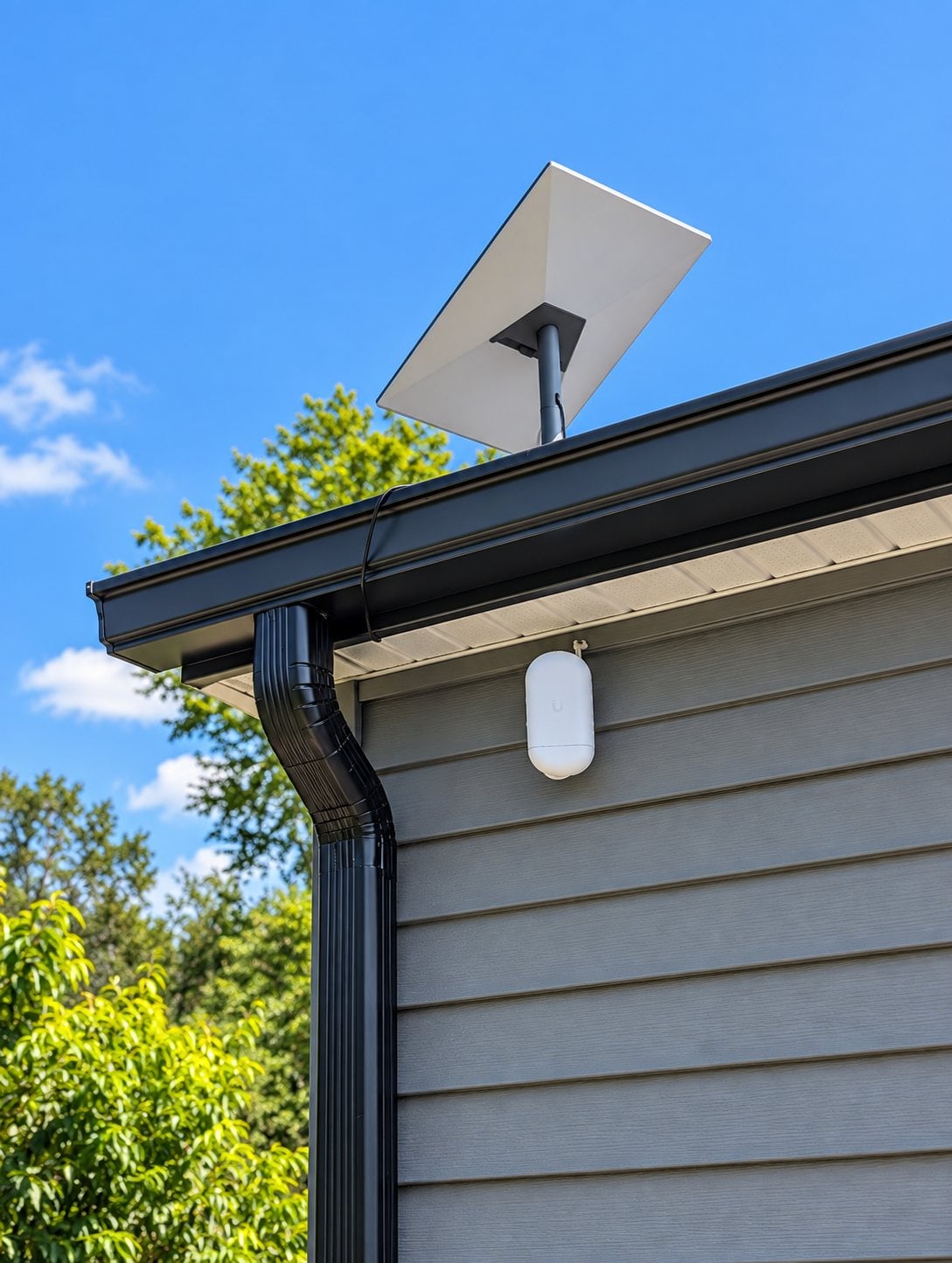
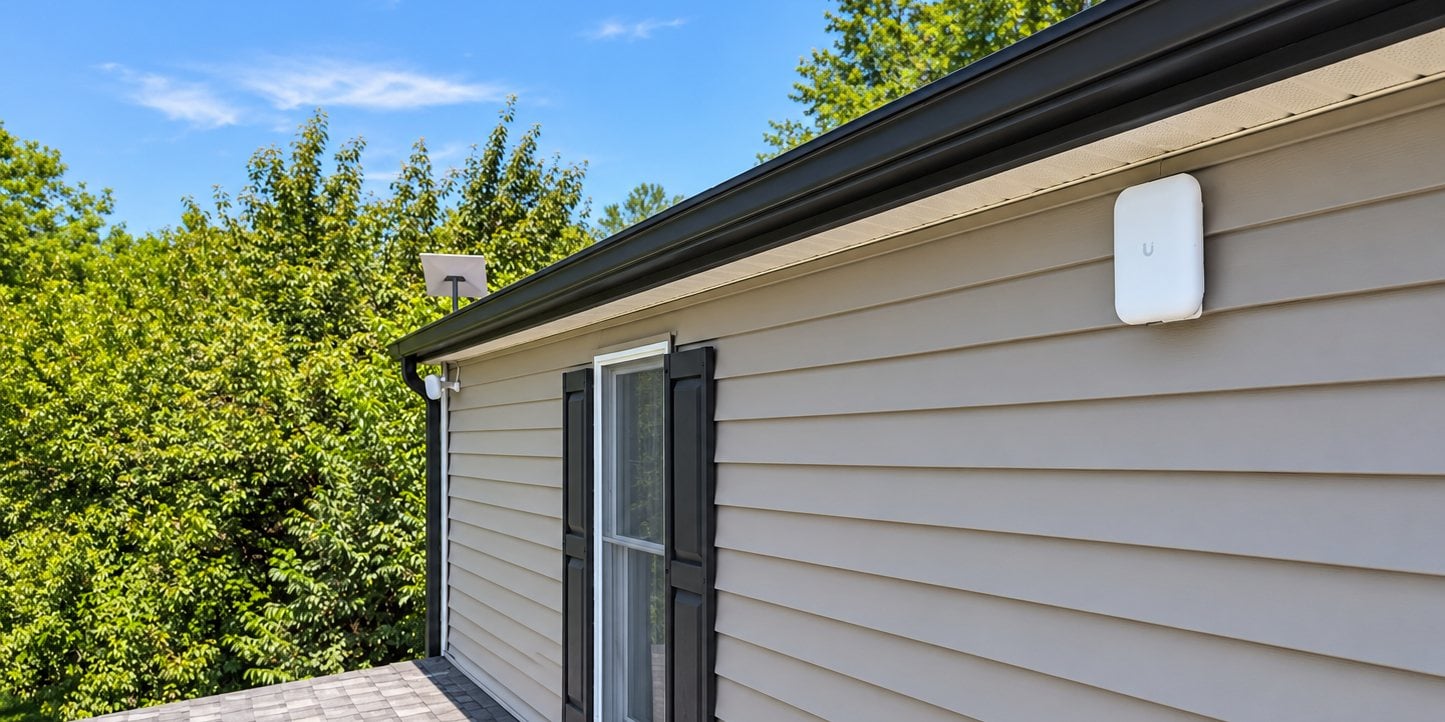
Main line · Purcellville, VA · August 2026
Starlink as the main line, with cable as the backup.
Here Starlink carries the household day to day and Xfinity takes over automatically if it drops. The dish sits on a fixed mast at the roof edge, and the same network reaches the guest house over a wireless bridge, with the guests on a network of their own.
Read the Purcellville project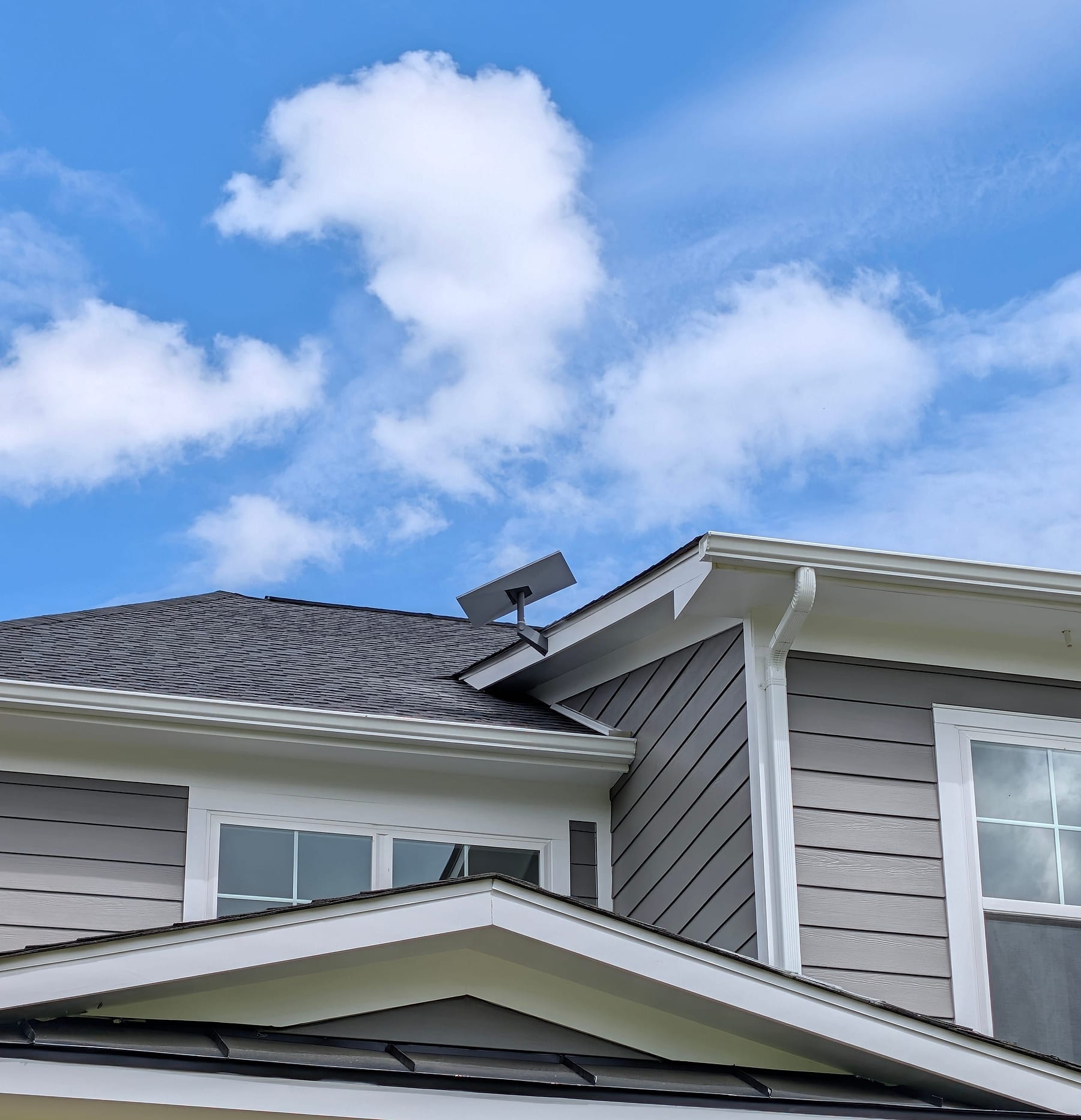
New construction · Loudoun County, VA · May 2026
Planned with the house, before the walls closed.
Starlink went on the roof peak as the second connection, with its cable path planned before the finished surfaces went in. The switch between connections was tested before handover, as part of the whole-house network.
Read the Loudoun project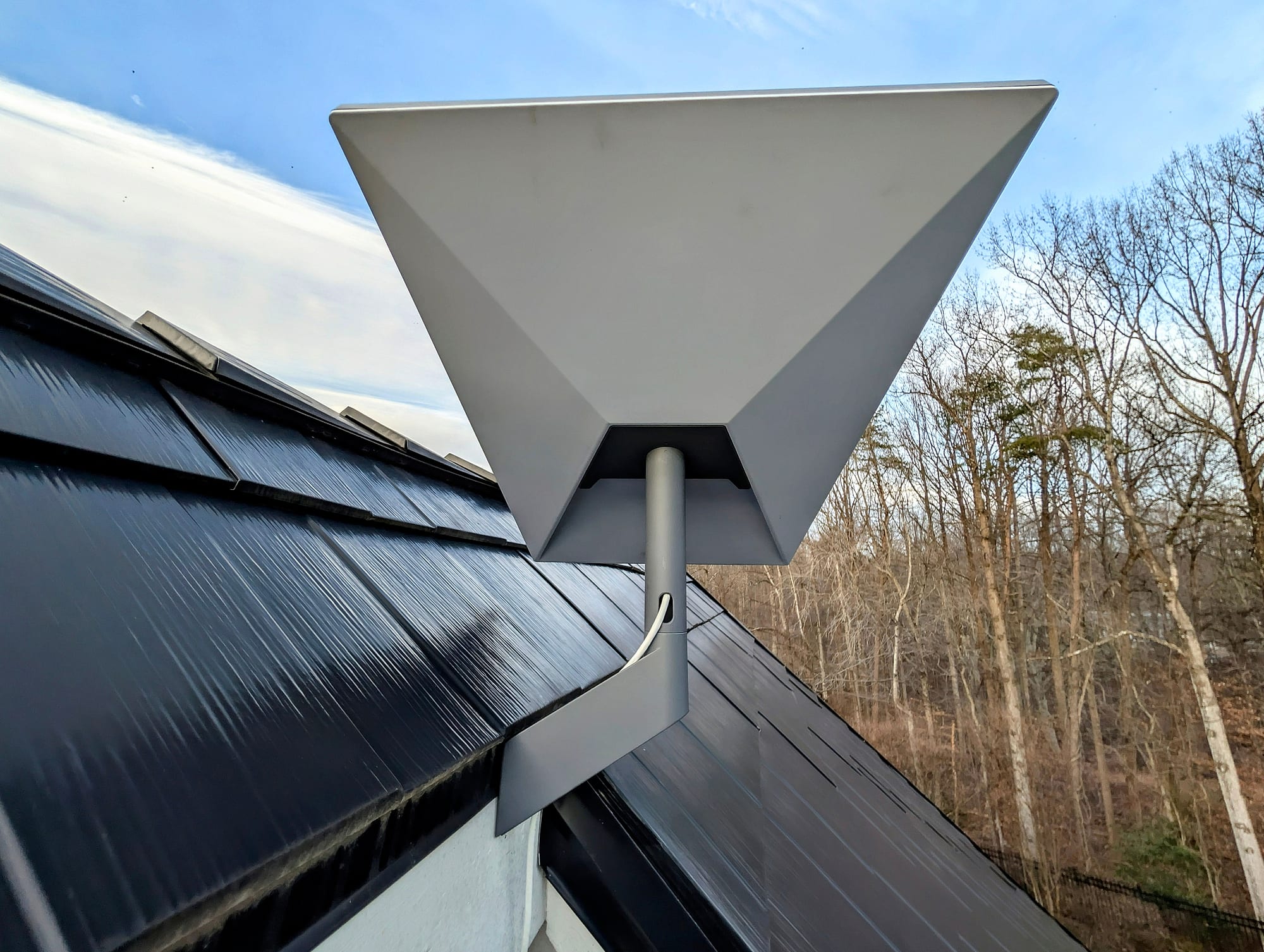
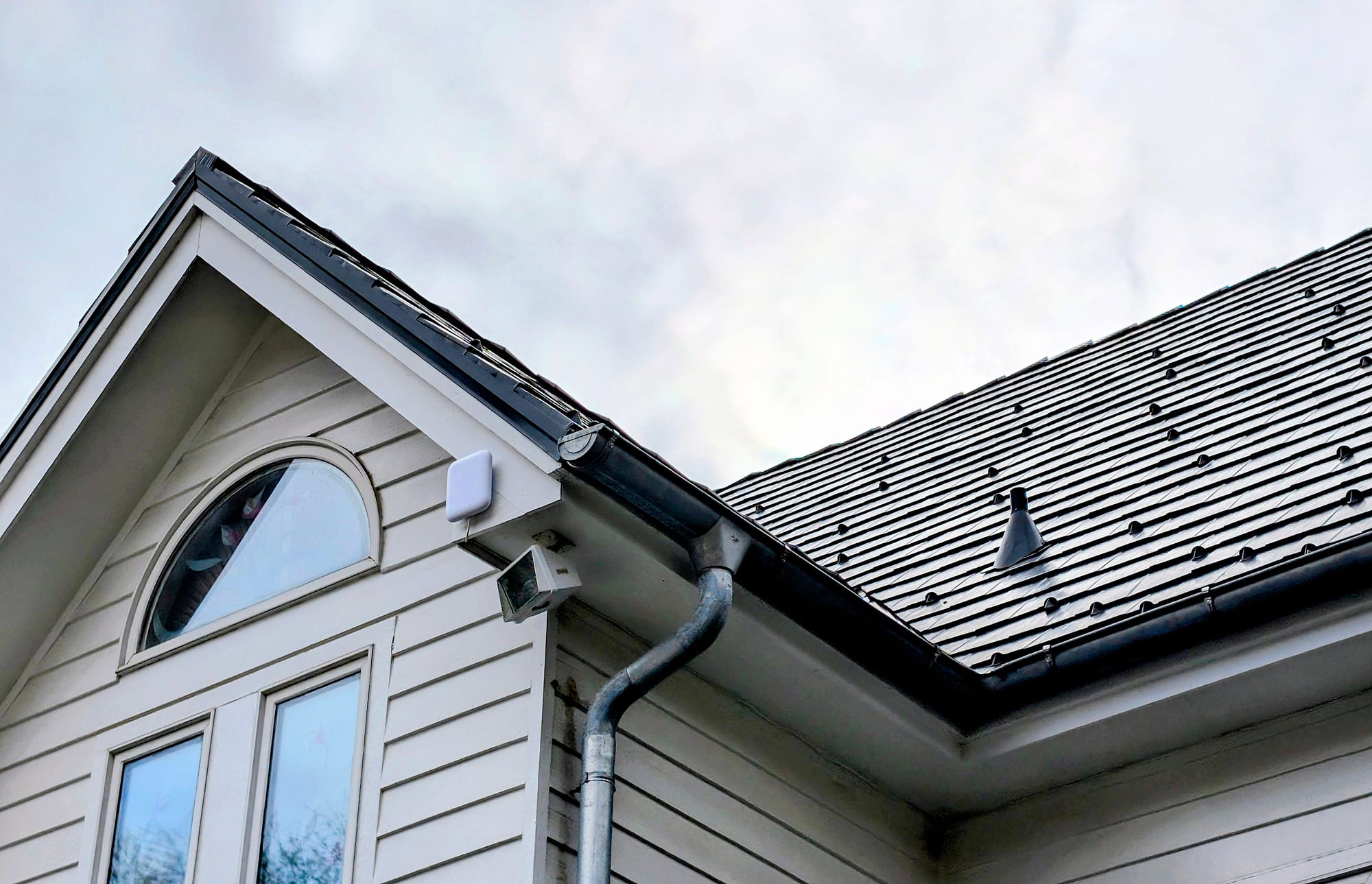
Backup internet · Potomac, MD · January 2026
Starlink as the backup line in a finished home.
Fios stays the main connection. The dish went where it had open sky and a clean cable path, and a UniFi gateway switches to Starlink automatically if Fios goes down. The switchover was tested at handover, as part of a larger network project.
Read the Potomac project04Inside the house
Starlink brings the internet in. Your network carries it to the rooms.
That is why these are separate projects, quoted on their own when you need them.
Weak Wi-Fi upstairs is a Wi-Fi problem.
A better dish position improves the connection, not how far the Wi-Fi reaches. Rooms that struggle need more access points.
Whole-Home Wi-FiA guest house or barn needs its own link.
A cable or a wireless link between the buildings carries the network there.
Estate & Multi-Building NetworksAutomatic backup needs the right router.
With a gateway that handles two connections, set up and tested, Starlink takes over when your main line fails. Calls may need to reconnect when it switches. Battery backup for the network belongs to the same project.
Home-Office Reliability
05How it works
From your description to a working connection.
- 01
Describe the property
Where it is, the roof, the trees, and whether you have a kit. Eric Enkh replies personally.
- 02
A written quote
Where the dish would go, how the cable reaches your router, the price, and the timing.
- 03
Agree the details
The position, access to the house, and a date.
- 04
Installed, tested, explained
We check the connection, show you the Starlink app and your router, and leave a written record.
A quote, or an assessment first
A standard installation goes straight to a written quote, without an assessment. When something needs diagnosing on site first, such as a dish that keeps dropping for no clear reason, we recommend the On-Site Infrastructure Assessment (approximately 60–90 minutes; the fee is confirmed with you before the visit is booked). How the assessment works
After the installation
For help later, call or email Eric Enkh directly. No recurring maintenance contract is required; later help is arranged case by case. The installation carries a workmanship warranty, with its terms set out in the written quote you accept.
06Common questions
Starlink installation questions.
Most roofs: shingle, metal, and tile, as well as chimney, eave, and pole mounts where they suit the property better. The roof and the equipment decide the mount. Where a roof allows a mount that doesn’t go through it, such as a clamp on a standing-seam metal roof, we use one; any penetration is sealed. Lift access and specialty mounting are quoted separately.
Yes. The Starlink router can hand the connection to the router or mesh system you already use, with its own Wi-Fi turned off (Starlink calls this bypass mode), or it can serve as your main router. Starlink doesn’t change how far your Wi-Fi reaches: rooms with weak Wi-Fi need the Wi-Fi itself improved, which is a separate project.
It depends on roof access, the cable route, and how Starlink joins your network. We confirm the timing with the quote, once the scope is known.
We check the view before anything is mounted. If the spot you had in mind is blocked, we recommend a better one. If that needs work outside the standard scope, such as trenching or lift access, we quote it before any work; and if no position on the property has a workable view, we tell you before anything is installed.
We install Starlink in Loudoun, Fauquier, and Fairfax counties in Virginia and in Montgomery County, Maryland. Elsewhere, including Washington, DC, Clarke County, and Prince William County, projects are considered by inquiry.
07Get in touch
Tell us about the property.
Where it is, whether you have a kit, and what Starlink needs to do. The first conversation is free, and Eric Enkh replies personally.
Mon-Sat 8am-6pm
Where we install Starlink
Loudoun, Fauquier, and Fairfax counties in Virginia, and Montgomery County, Maryland. Elsewhere, including Washington, DC, Clarke County, and Prince William County, projects are considered by inquiry.