
UniFi Networks · Northern Virginia & Montgomery County, MD
UniFi networks, planned for your property.
A new system or an upgrade to the one you have: wired access points, an organized equipment rack, separate networks where they help, and backup internet where work depends on it, planned before anything is ordered.
The first conversation is free, and Eric Enkh replies personally.
Four decisions the equipment doesn’t make.
Pick one to see where it shows up in the house, and what it can’t do.
- A house cut through from the roof to the lower level: an upper floor with a hall and an office, a main floor with the living room and kitchen, and a lower level with the utility room and a media room.
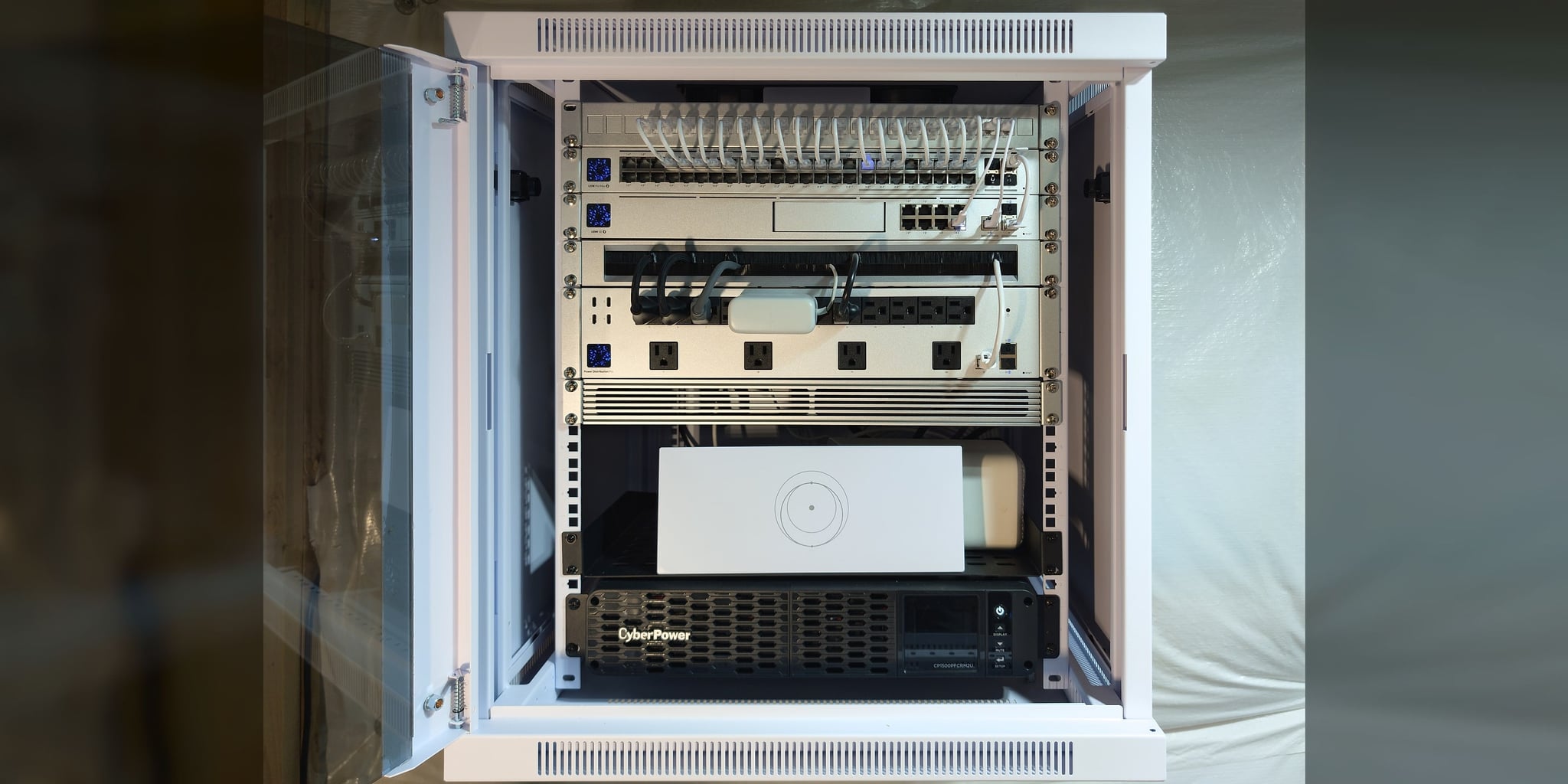
- The network core, a cabinet in the utility room: the gateway, a PoE switch, a patch panel, and a battery unit (UPS). The provider’s line comes in from the street to the gateway; Starlink is drawn as an optional second line to it.
- Cable: each run leaves the top of the cabinet on its own. Four climb a wall chase: one to an access point on the main-floor ceiling, and three through the attic, to an access point in the upper hall, a desk jack in the office, and a camera under the eave. One crosses the lower level’s ceiling to an access point in the media room.
- Coverage: each access point is placed for the area it is planned to cover on its level.
- Groups: Home / Office (desk, phones, laptops); Guest (example: internet only); Smart home (smart-home devices); Cameras (recorded locally). Phones, a laptop, a smart-home device, and a guest device join through the access points; the groups share the same switch and the same access points, and separation is configured and enforced.
Representative house · not to scale
What UniFi doesn’t decide
The whole house, roof to lower level
The network core in the utility room, a cable to each access point and wired device, and the groups every device joins. Pick a decision to see its parts.
Placement
Placed for the rooms you use
Where the access points sit, and the area each one is planned to cover.
What it won’t do
Walls, floors, and distance still shape coverage, and so does the device in your hand.
Cabling
Its own cable, from one core
Where the cables run, from the cabinet to each access point and wired device.
What it won’t do
A finished house doesn’t always leave a hidden route to every room. Where it doesn’t, the design says so before you approve it.
Separation
Kept apart by configuration
Example configured policy: guest devices reach the internet, and access to private network resources is blocked. The groups share the same switch and the same access points — separation is configured and enforced, not bought.
What it won’t do
Separation controls what can reach what. It doesn’t reserve bandwidth for anyone.
Failover
A second line, and protected power
Where the provider’s line comes in, where a second provider would join, and the protected power at the core.
What it won’t do
Calls and VPN sessions may drop and reconnect during the switch. Battery runtime depends on the load, so no figure is promised.
Representative architecture. Equipment, segmentation, camera recording, and backup options follow the approved property design.
01What we add
UniFi is the equipment. The planning is the work.
UniFi puts the gateway, switches, Wi-Fi, and separate networks in one system you manage from one app. What it does not decide is where the access points go, what the structure allows, how traffic is separated, or what happens when a provider drops. Those are design decisions, and they are the part we do.
A new UniFi system
For a house, an estate, or a select business site. We settle those four decisions first and choose the equipment after them, then install, configure, test, and document the system as one. The steps are under How it is built, below.
Already running UniFi?
An existing UniFi system can be upgraded, repaired, or extended as a planned project. Tell us what is installed and what is going wrong. We review the controller, the equipment, the cabling, and the settings. We keep what is sound and quote the changes in writing. Adding or moving an access point can be quoted directly; a system that needs a closer look starts with the On-Site Infrastructure Assessment. You keep the main account. This is planned work, not one-off device setup or basic router troubleshooting.
UniFi or Home Network Installation? When the whole house needs its network planned and wired, with cable to the rooms, the cabinet, and battery protection, that is Home Network Installation, usually built on UniFi. This page is for UniFi itself. A guest house, barn, or second building is Estate & Multi-Building Networks. Not sure which fits? Start with a Project Review.
02Mesh or UniFi
A mesh system, or a planned UniFi network?
A good mesh system suits many homes. Here is what planning adds, decision by decision.
| Decision | A mesh system | A planned UniFi network |
|---|---|---|
| Where the access points go | Units placed near outlets, close enough to reach each other | Positions planned from the floor plan, the materials, and the rooms and outdoor areas in use |
| The link back to the router | Usually wireless between units; many systems also accept a cable | A cable to each access point where the structure allows |
| Keeping devices apart | A guest network, and more on some systems | Separate networks for work, guests, cameras, and smart-home devices, with rules between them |
| A second internet line | Depends on the product | Two providers on the gateway where the approved design includes it, tested at commissioning |
| Setup and record | Set up in the app, often by the owner | Checked against the plan, and written down at handover |
Where the access points go
- A mesh system
- Units placed near outlets, close enough to reach each other
- A planned UniFi network
- Positions planned from the floor plan, the materials, and the rooms and outdoor areas in use
The link back to the router
- A mesh system
- Usually wireless between units; many systems also accept a cable
- A planned UniFi network
- A cable to each access point where the structure allows
Keeping devices apart
- A mesh system
- A guest network, and more on some systems
- A planned UniFi network
- Separate networks for work, guests, cameras, and smart-home devices, with rules between them
A second internet line
- A mesh system
- Depends on the product
- A planned UniFi network
- Two providers on the gateway where the approved design includes it, tested at commissioning
Setup and record
- A mesh system
- Set up in the app, often by the owner
- A planned UniFi network
- Checked against the plan, and written down at handover
When a mesh system is enough: in a compact home with no outbuildings, where a few well-placed units cover the rooms you use and nothing needs a network of its own, a mesh system is often enough, and we will say so. UniFi earns its place when the access points need their own cables, work and smart-home devices need separate networks, or outbuildings and outdoor areas belong on one system.
03Method
How it is built.
One organized core, and everything branches from it: the provider’s line feeds the gateway, the gateway feeds a PoE switch, and each access point, wired desk, and camera gets its own port and its own cable.
The cabinet, and what runs from it.
- 01
Walk the property
Construction, floor plan, the devices in use, and where coverage fails today, noted before anything is specified.
- 02
Plan before ordering
The design, with room to grow, settled in the written quote before any hardware is ordered.
- 03
Install and configure
Cables run, the equipment mounted, and the gateway, switches, and access points set up as one system.
- 04
Test and write it down
Each area you use checked, the app handed over, and the layout, cabling, and settings written down.
04Projects
Six UniFi homes, and what was checked in each.
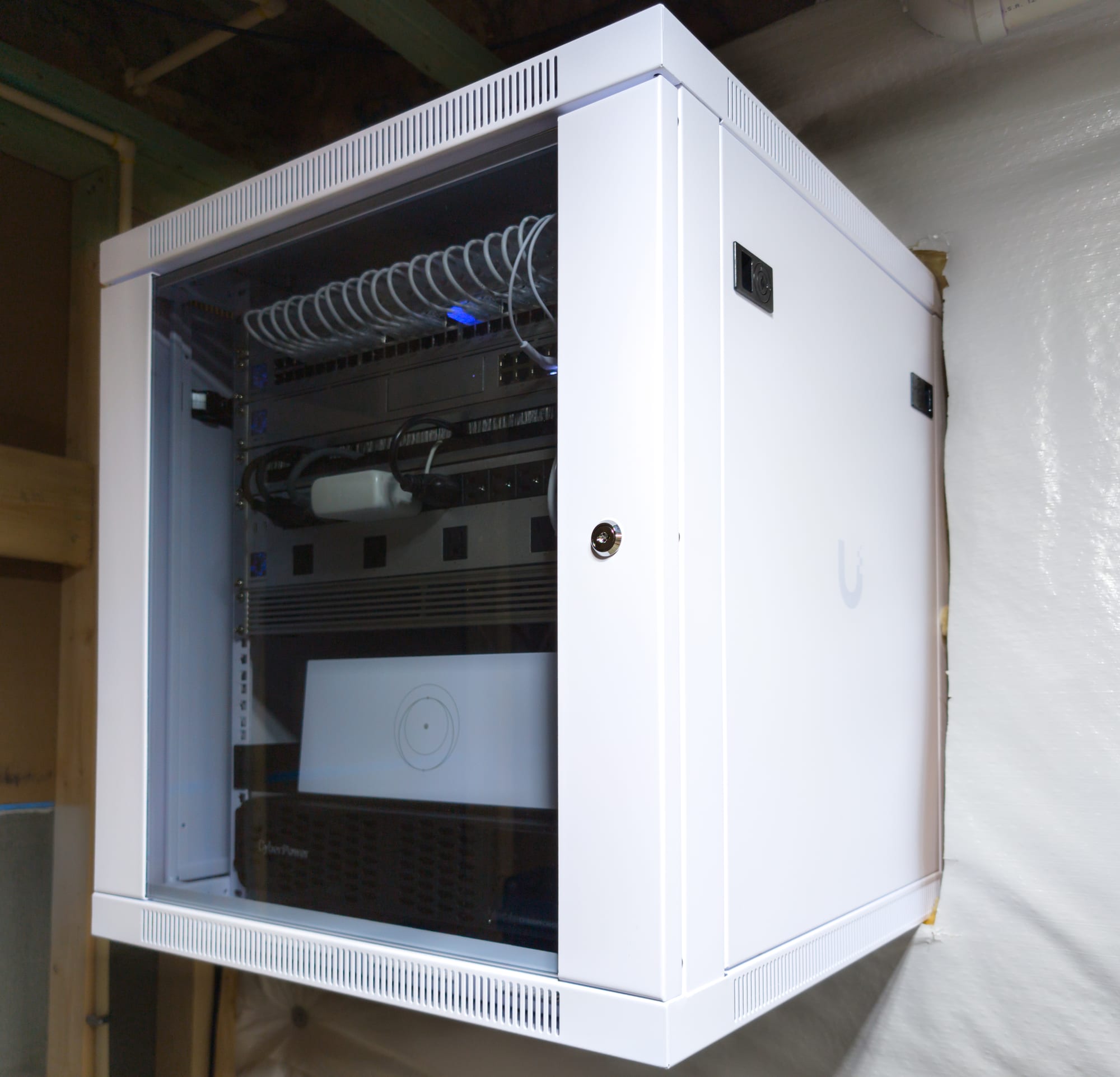
Each links to its project record. The photographs are from the new house in Loudoun County.
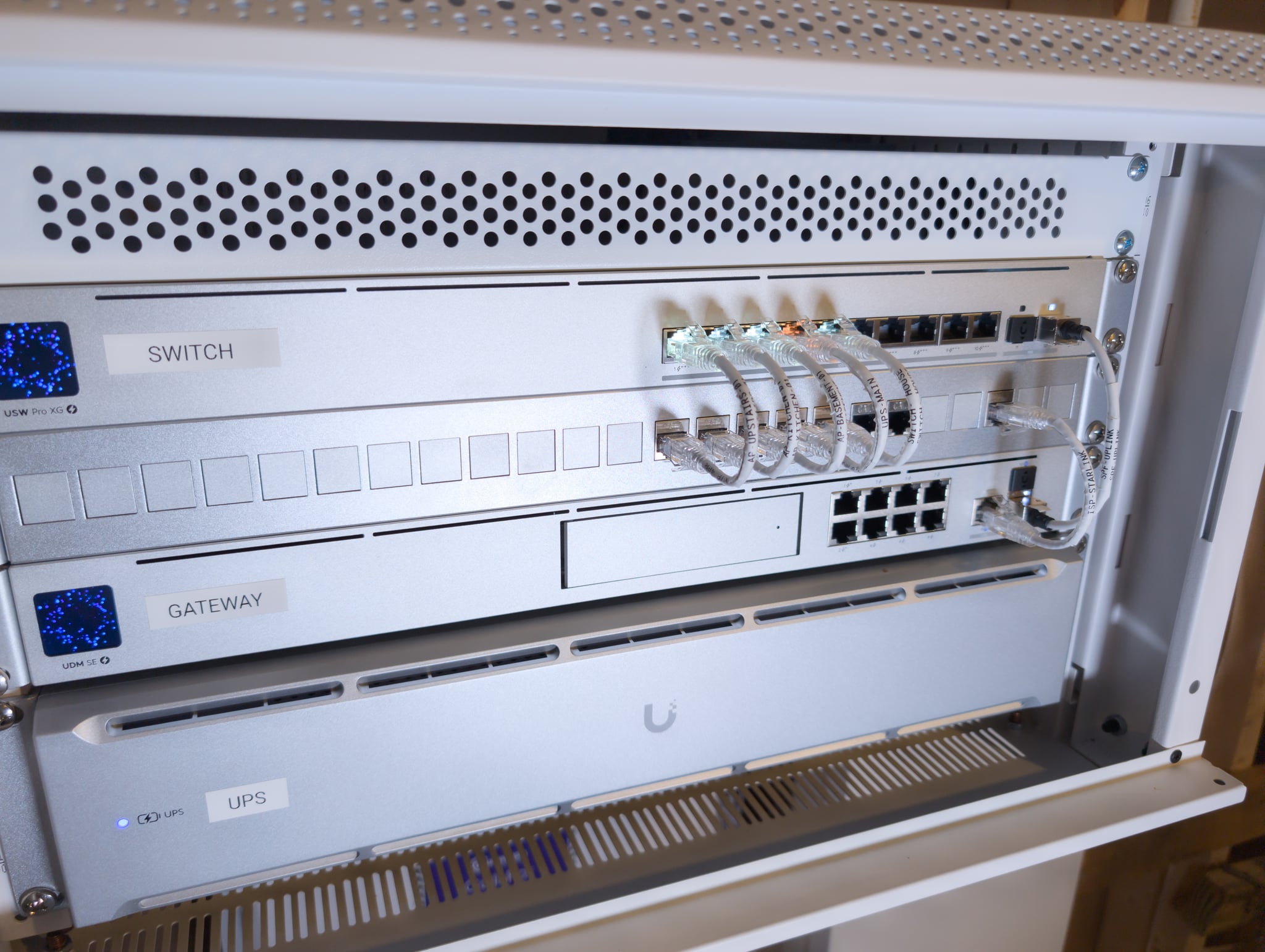
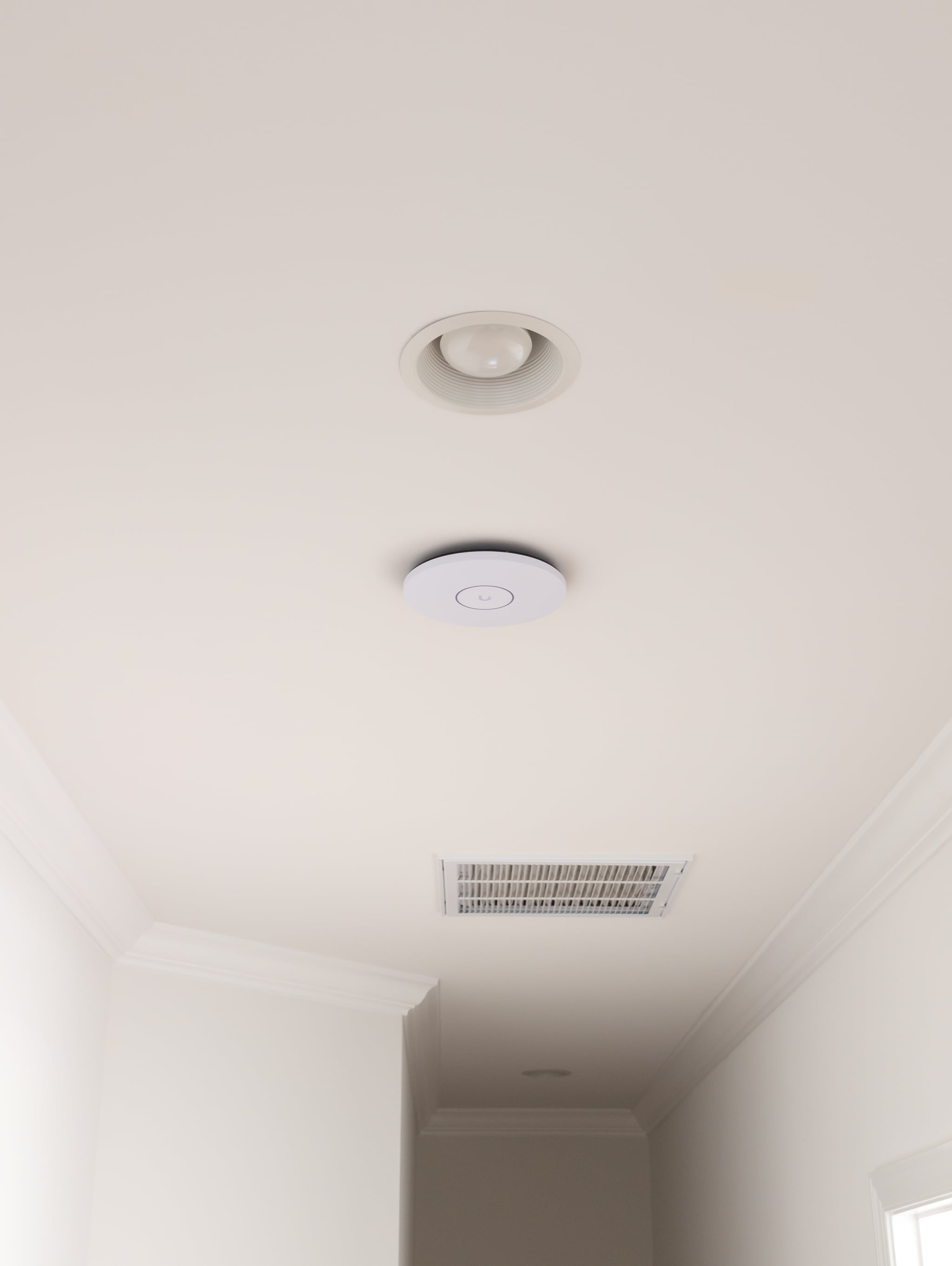
- Loudoun County, VAA new house, wired before the walls closed: a UniFi Dream Machine SE, a 10 GbE PoE switch, three Wi-Fi 7 access points, and every cable labeled to match its port.Checked: Failover between Starlink and the main provider tested before handover.Read the Loudoun project
- Alexandria, VAA full UniFi rebuild of an occupied home, in phases: a separate office network, Starlink behind Fios, and four wired Wi-Fi 7 access points.Checked: 4.70 Gbps measured at the gateway on the Fios line; Starlink failover tested at handoff.Read the Alexandria project
- Great Falls, VAA finished home with dead zones in the basement and upstairs: a UniFi Dream Machine SE, three Wi-Fi 7 access points, and Starlink as the backup line.Checked: Failover tested at commissioning by disconnecting the main line; coverage checked at handoff.Read the Great Falls project
- Partlow, VAAn occupied home where the household works from home: a basement cabinet with a UniFi gateway and switch, four Wi-Fi 7 access points on their own cables, and Starlink on standby.Checked: Every device and port verified against the management console; Starlink connected and tested.Read the Partlow project
- Lorton, VAA three-floor home set up without the owner on site: four Wi-Fi 7 access points on their own cables, a wall-mounted UniFi core, and Starlink on standby behind Fios.Checked: Every device and port verified against the management console and written into a 20-page guide.Read the Lorton project
- Castleton, VAA return visit after the outdoor access point serving a cabin failed: three outdoor Wi-Fi 7 access points on one network name across the house, pavilion, and cabin.Checked: Coverage and roaming verified between the house, pavilion, and cabin at commissioning.Read the Castleton project
05Equipment
The UniFi equipment we install.
Chosen for the property, not a standard package. The exact models are listed in the written quote.
Gateways
- Dream Machine Pro / SE / Pro Max
- Cloud Gateway Ultra
- Cloud Gateway Max
Access points
- U7 Pro / U7 Pro Max (Wi-Fi 7)
- U6 Pro / U6+ / U6 Enterprise
- Outdoor access points for patios and grounds
Switching
- Pro Max 16 / 24 PoE
- Flex Mini for remote locations
- Industrial PoE for outdoor installs
Links and cabling
- Wireless bridges between buildings
- Cat6 / Cat6A cabling
- Network racks and UPS units
06Questions
Common UniFi questions.
Yes. Cable reaches each access point through the attic, basement, crawl space, or garage, by routes kept out of sight where the structure allows. Each route is confirmed before the design is approved, not assumed.
Yes. Starlink hands its connection to the UniFi gateway with its own Wi-Fi turned off (Starlink calls this bypass mode), so the property runs one network instead of two. Starlink can be the main line or the backup to another provider; the design follows the property and how much depends on staying online.
Yes. Great Falls, McLean, and Vienna are in Fairfax County and Ashburn is in Loudoun County, all inside the area we serve: Fairfax County, Alexandria, Falls Church, Loudoun County, Arlington County, and Fauquier County in Virginia, and Montgomery County in Maryland. Washington, DC, Clarke County, and Prince William County are considered by inquiry, and select projects further out are considered individually.
The number and placement of access points depend on wall materials, floor plan, ceiling height, interference, device density, outdoor zones, and detached structures. Square footage alone is not enough. We confirm placement and cable paths on the property before choosing any equipment.
07Scope & Price
Quoted after review, and defined before approval.
UniFi networks are quoted after review, with no fixed starting price: two homes of the same size can need different access points, cable routes, and gateways. These five things set the scope. Some are clear from the Initial Project Review; where construction, cable paths, or failover must be confirmed on site, the On-Site Infrastructure Assessment establishes them. Either way, the scope and its price are in writing before you approve any work.
- 01
Size and construction
Plaster, brick, stone, and the way the floors are laid out change how many access points it takes.
- 02
Where coverage matters
Which rooms, outdoor areas, and outbuildings need to work, and how well.
- 03
Cable paths the structure allows
Backhaul is planned from the routes the building permits — attic, basement, crawl space, or conduit. A missing route is priced, not ignored.
- 04
How many separate networks
More separate networks, or stricter rules between them, can call for a different gateway and switches.
- 05
Continuity and power requirements
Whether the property needs a second provider path, automatic failover, and protected power — or one well-built path.
The equipment and the account are yours
We supply the new equipment, and it becomes yours with the project, along with system access and the written record. You hold the main UniFi account; any support access we keep is a separate account, and you can remove it.
Recurring costs are named first
UniFi network management carries no mandatory platform subscription. Any optional or third-party recurring service is named before you approve the work.
Afterward
Call or email Eric Enkh directly. Later help is arranged case by case, and the installation carries a workmanship warranty, with its terms in the written quote you approve.
The Initial Project Review is free and non-binding. Describe the property and what you want from the network, and Eric Enkh replies with a recommended next step: a direct quote for defined work, the On-Site Infrastructure Assessment when something needs diagnosing on site (its fee is confirmed before it is booked), an Infrastructure Architecture Plan for complex or in-construction properties, or no further work if you don’t need it.
The first conversation is free, and Eric Enkh replies personally.