
Home-Office Continuity Network
Comcast + Starlink Failover • 48-Port PoE Core • Every Endpoint Home-Run to the Basement Rack
A work-from-home continuity network for an occupied, finished home in Partlow, Virginia. Comcast primary with Starlink installed as the automatic backup path, four WiFi 7 access points, and a 12U basement cabinet where every access point and wired device terminates on its own cable. Installed August 21, 2026 and verified against the management console three days later.
At a Glance
A household that works from home full time needed a network that stays up when the primary line does not. Orbit Tech installed Starlink as an automatic backup behind Comcast, four WiFi 7 access points, and a 12U basement cabinet where every endpoint terminates on its own cable — then documented the whole system so it can be serviced by someone who did not build it.
- Where
- An occupied, finished home with a basement in Partlow, Spotsylvania County, VA, where the household works from home full time.
- The problem
- One Comcast line carried every work call, and there was no central point where cabling, switching, and protected power came together.
- Constraints
- Finished walls, a core the owner wanted in the basement, and a Starlink position that needed a clear sky view and a clean path down to it.
- What we did
- A 12U basement cabinet with a UniFi Dream Machine SE, Comcast on the primary port and Starlink (supplied and installed by Orbit Tech) on failover-only standby, a 48-port PoE switch on a 10 Gbps fiber uplink, four Wi-Fi 7 access points on their own cables, and a metered PDU with a pure sine-wave UPS.
- What we observed
- Comcast showed no outage in the console reading at commissioning, and Starlink was connected, tested, and left on standby. The rack draws about 193 W, and 35 of 48 switch ports are free for future wired points.
- How it was checked
- Every device, port, and outlet was verified against the management console on August 24, 2026 and recorded in the owner guide.
- Limits of this record
- The console reading of August 23, 2026 covers a sample of unrecorded length, so no availability percentage is published, and it is not an uptime commitment. No switchover time or battery runtime was recorded.
- Related service
- Home-Office Reliability · Discuss Your Project
Full-Time Remote-Work Household • Occupied Finished Home • Basement Core Requested
Partlow, VA
Occupied finished home with basement
Spotsylvania County
Timeline: Installed August 21, 2026
Verified against the management console August 24, 2026
The Orbit ProtocolWhat the property needed
The household supports full-time remote work, so the network had to do more than provide fast wireless. It needed a planned second internet path, consistent coverage as people move through the home, and an equipment core organized enough to be serviced without guesswork. The home was occupied and finished — walls closed, attic access available — and the owner asked for the core to live in the basement.
A single Comcast line carried every work call, and there was no central point where cabling, switching, and protected power came together. Cable routes had to respect a finished interior, the Starlink backup needed a clear view of the sky and a clean path into the basement, and the whole system had to fail over on its own — without anyone at home touching a plug.
What we did
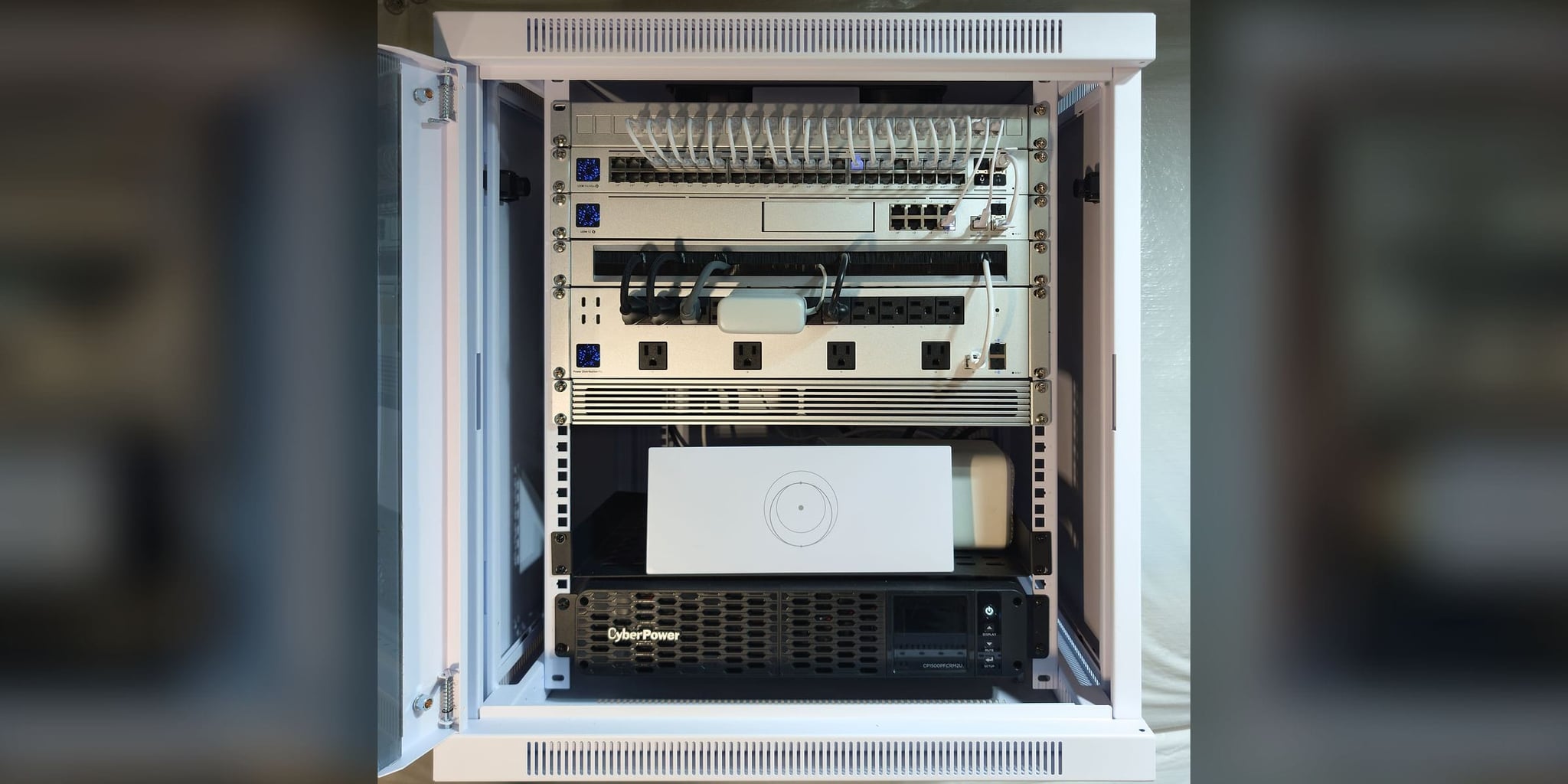
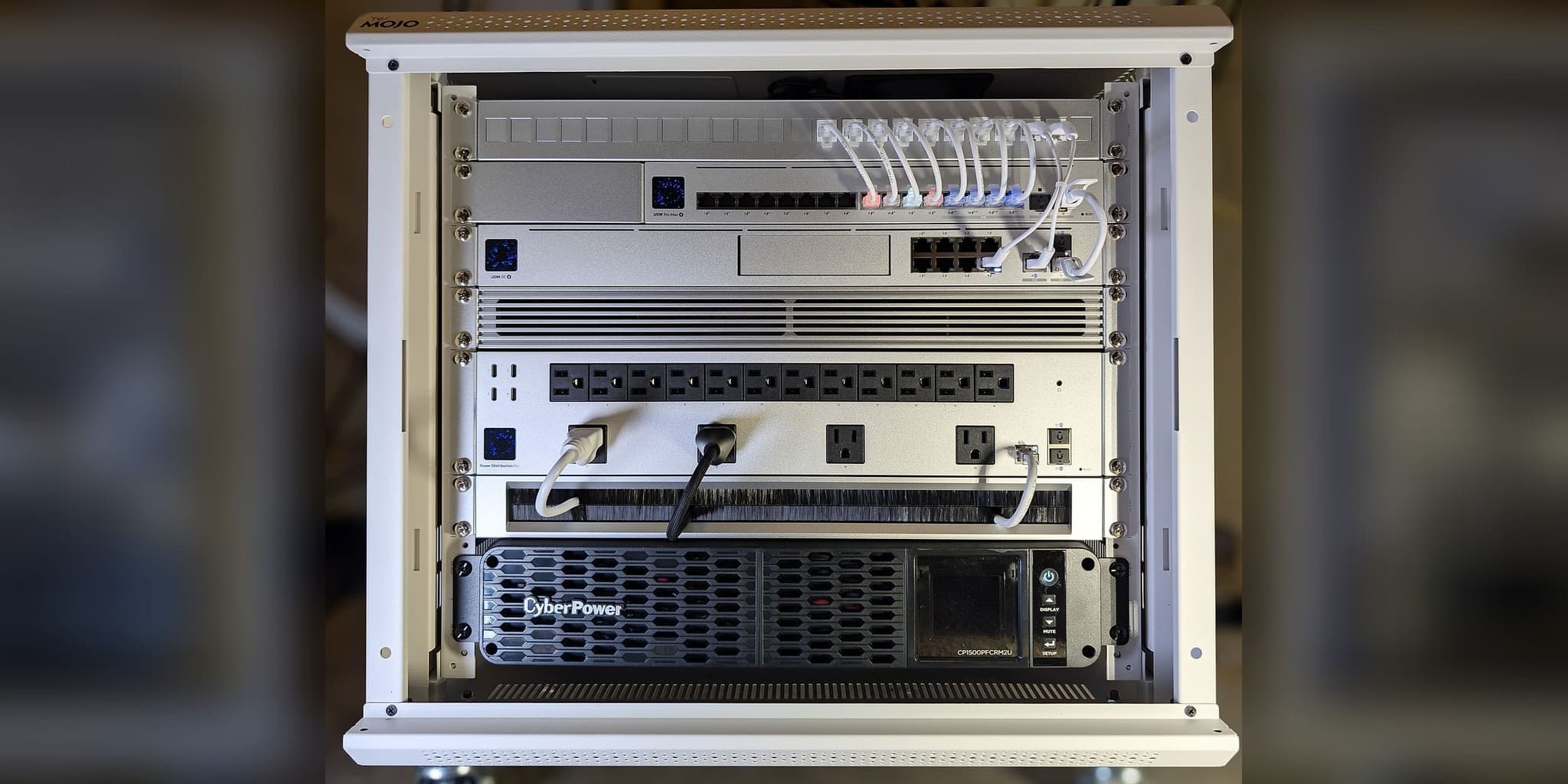
The system was built around a 12U wall-mount cabinet in the basement. A UniFi Dream Machine SE runs the network with Comcast on the primary WAN port and Starlink — supplied, mounted, activated, and integrated by Orbit Tech — on the second, held in failover-only standby. A 10 Gbps fiber link feeds a USW Pro Max 48 PoE switch, and every endpoint runs home to it on a dedicated cable: three U7 Pro access points in the office, living room, and basement, and a U7 Outdoor at the rear. A metered UniFi Power Distribution Pro and a CyberPower pure sine-wave UPS are installed in the cabinet, and thirteen of forty-eight switch ports are in use, leaving thirty-five for future wired points.
How it connects
Partlow Residence — Infrastructure Topology
Internet
- Comcast XfinityPrimary WAN
- StarlinkBackup WAN · Standby
- Comcast Xfinity to UDM SE: everyday path
- Starlink to UDM SE: standby line
Core
- UDM SEGateway · Dual-WAN
- Power Distribution ProMetered · Switched Outlets
- CyberPower UPS1500VA Pure Sine Wave
- CyberPower UPS to Power Distribution Pro: battery power
- Power Distribution Pro to UDM SE: battery power
- UDM SE to USW Pro Max 48 PoE: everyday path · 10 Gbps
Distribution
- USW Pro Max 48 PoE10 Gbps Fiber Uplink
- USW Pro Max 48 PoE to U7 Pro: cable that also powers its device
- USW Pro Max 48 PoE to U7 Outdoor: cable that also powers its device
Access
- U7 Pro ×3Office · Living Room · Basement
- U7 OutdoorRear Exterior
- Everyday path
- Standby line
- Cable that also powers its device
- Battery power
13 of 48 ports in use · Comcast + Starlink · Failover-only standby
Comcast and Starlink feed a UDM SE held in failover-only mode; a 10 Gbps fiber link carries the core to a 48-port PoE switch that powers every access point and wired device over its own home-run cable.
Working from home on a single internet line?
A second path, protected rack power, and hardwired coverage start with a no-charge Initial Project Review to confirm scope and recommend the right next step.
Discuss Your ProjectThe Orbit ProtocolHow the project ran, phase by phase
Every project follows the same four steps: look at the property, design, install, then test, explain, and hand over.
Understand the property
The review confirmed an occupied, finished home with attic access, a single Comcast line, and an owner request for the equipment core in the basement. Access-point positions were planned against the office, living room, basement, and rear exterior, and the Starlink mount was planned for clear sky and a clean cable path down to the rack.
Recommend a plan
Continuity first: Comcast as the primary WAN with Starlink integrated as a failover-only backup, a 12U basement cabinet as the single home-run point, a 48-port PoE core sized for future wired rooms rather than the current count, and metered rack power with a battery unit. Every endpoint was given its own cable so a fault stays with that device.
Install with care
The cabinet, patch panel, brush panel, and power chain went in first, then the home-run cabling to four access points and the other wired devices, terminated and patched to numbered switch ports. Starlink was mounted, activated, and integrated on the second WAN port, and the system was brought up and tested before handoff.
Test, explain, and hand over
The owner received a network guide with a first-response table, restart steps, an outlet schedule, and the full equipment and port record, verified against the management console on August 24, 2026. The owner holds the primary UniFi account; Orbit Tech holds a separate, revocable administrator account for support.
What was installed
UDM-SE
Basement cabinet · routing, firewall, local recording · Comcast WAN1, Starlink WAN2
48-port · 10 Gbps SFP+ uplink
Basement cabinet · 13 of 48 ports in use
WiFi 7
Office, living room, basement
WiFi 7 · outdoor-rated
Rear exterior
Primary WAN
Carries all traffic under normal conditions
Backup WAN · failover-only
Supplied, installed, and integrated · no traffic while Comcast is healthy
Locking glass door · rack fan
Basement
USP PDU Pro · switched, metered
Cabinet · 5 of 20 AC outlets in use
CP1500PFCRM2U · 1500VA
Cabinet base
What changed, and how it was checked
In the console reading of August 23, 2026, Comcast showed no outage and used roughly a tenth of its capacity at peak, and Starlink was connected, tested, and left on standby — observations for this line, not commitments. Every device and port was verified against the management console on August 24, 2026 and recorded in the owner guide. The rack draws about 193 W across five metered outlets, and 35 switch ports, spare power-distributor outlets, and the patch panel remain open for the next wired point.
Limits of this record: The console reading of August 23, 2026 covers a sample of unrecorded length, so no availability percentage is published, and it is not an uptime commitment. No switchover time or battery runtime was recorded.
Before and after
| Metric | Before | After |
|---|---|---|
| Internet path | Comcast only, no standby service | Comcast primary, Starlink automatic failover |
| Equipment core | No central home-run point | 12U basement cabinet with labeled patch panel |
| Rack power | No protected power chain | Metered PDU + 1500VA pure sine-wave UPS |
| Ports in reserve | N/A | 35 of 48 PoE ports free for future wired points |
Thirty-five switch ports, spare power-distributor outlets, and open panel positions are held in reserve so the next wired point is a cable pull, not a rebuild.
From the installation
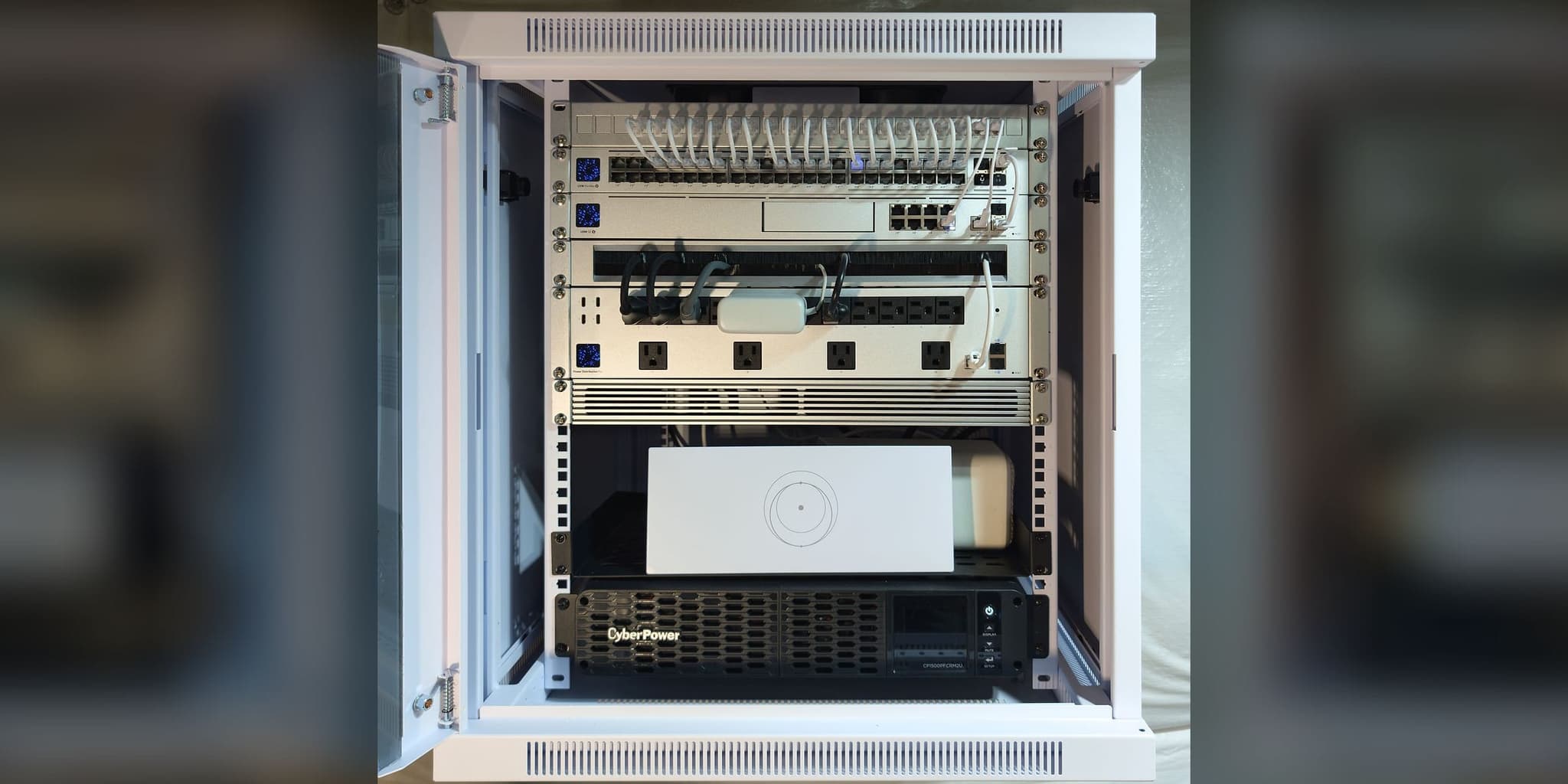
The basement core: patch panel, 48-port PoE switch, UDM SE, metered PDU, Starlink router, and UPS in one locking cabinet
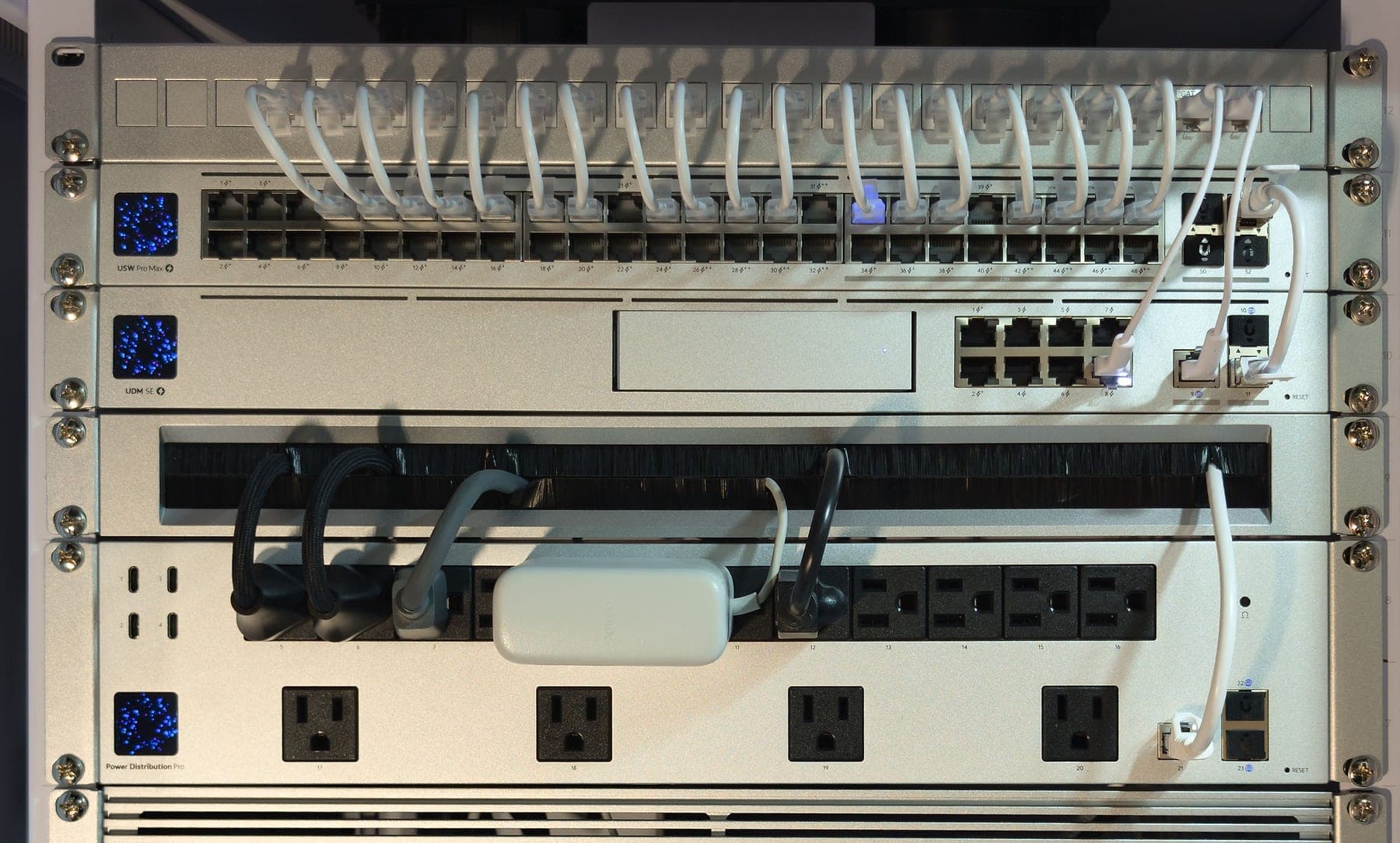
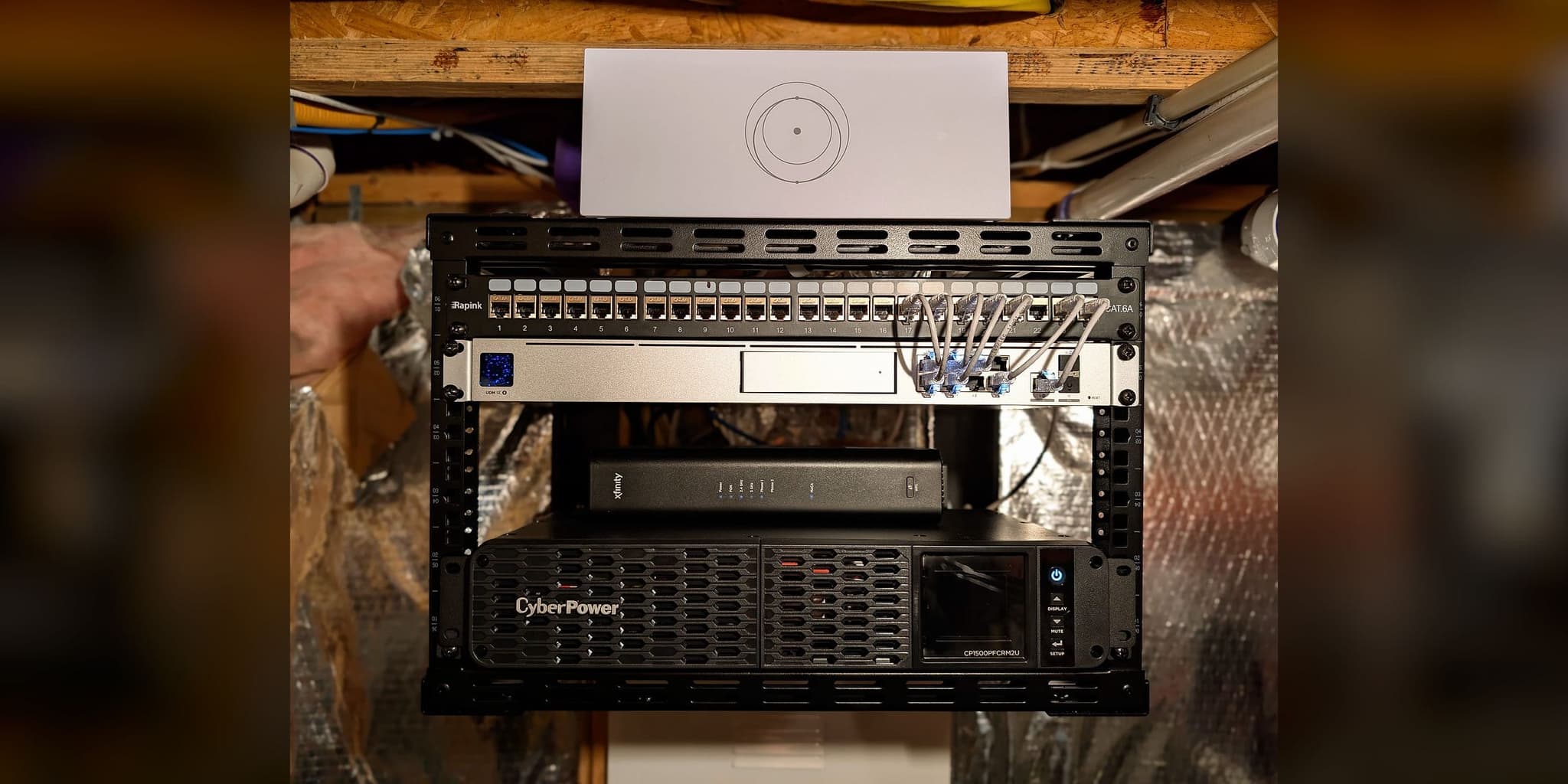
Every run terminates on the panel and patches down to a numbered switch port that matches the guide
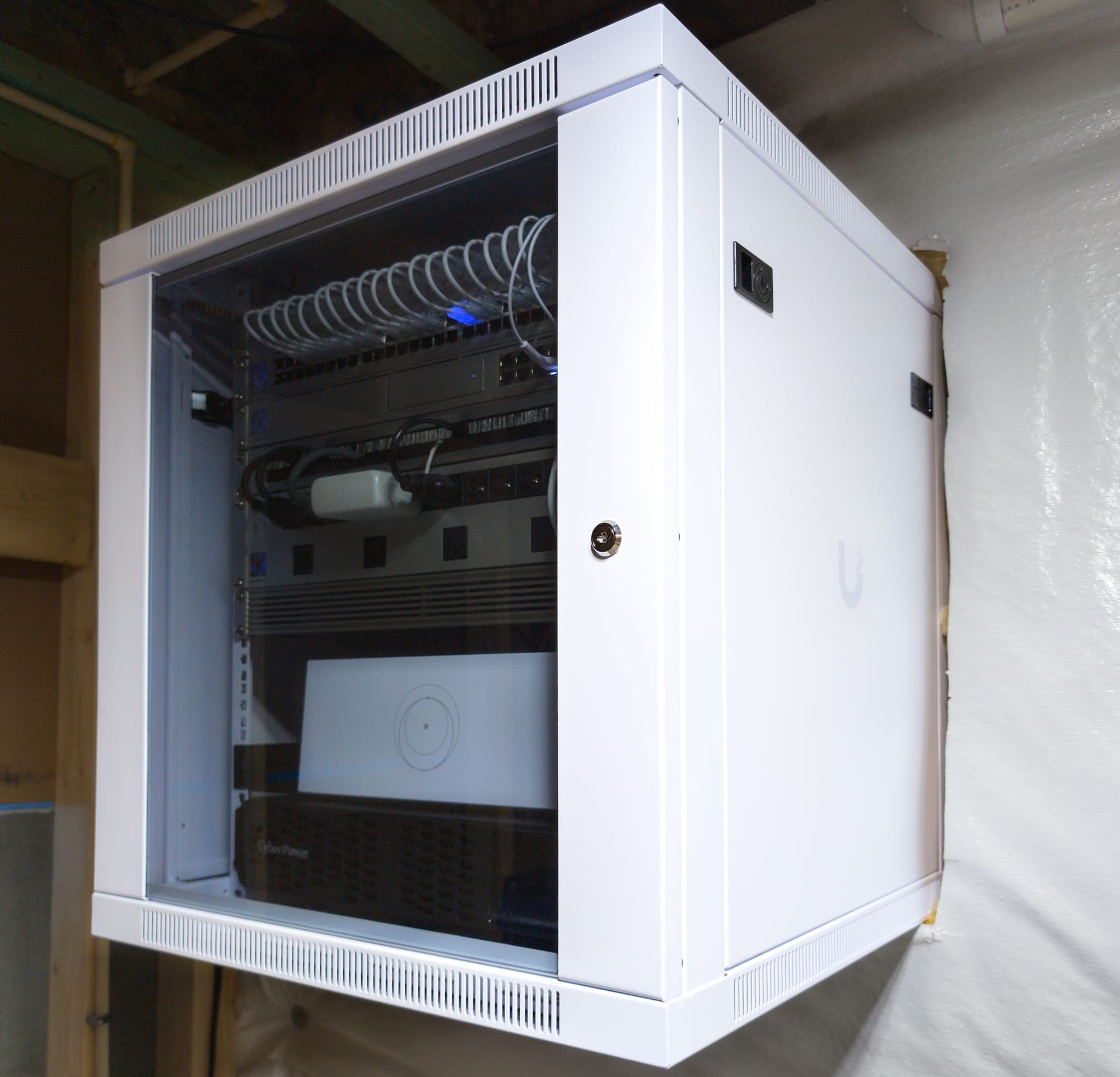
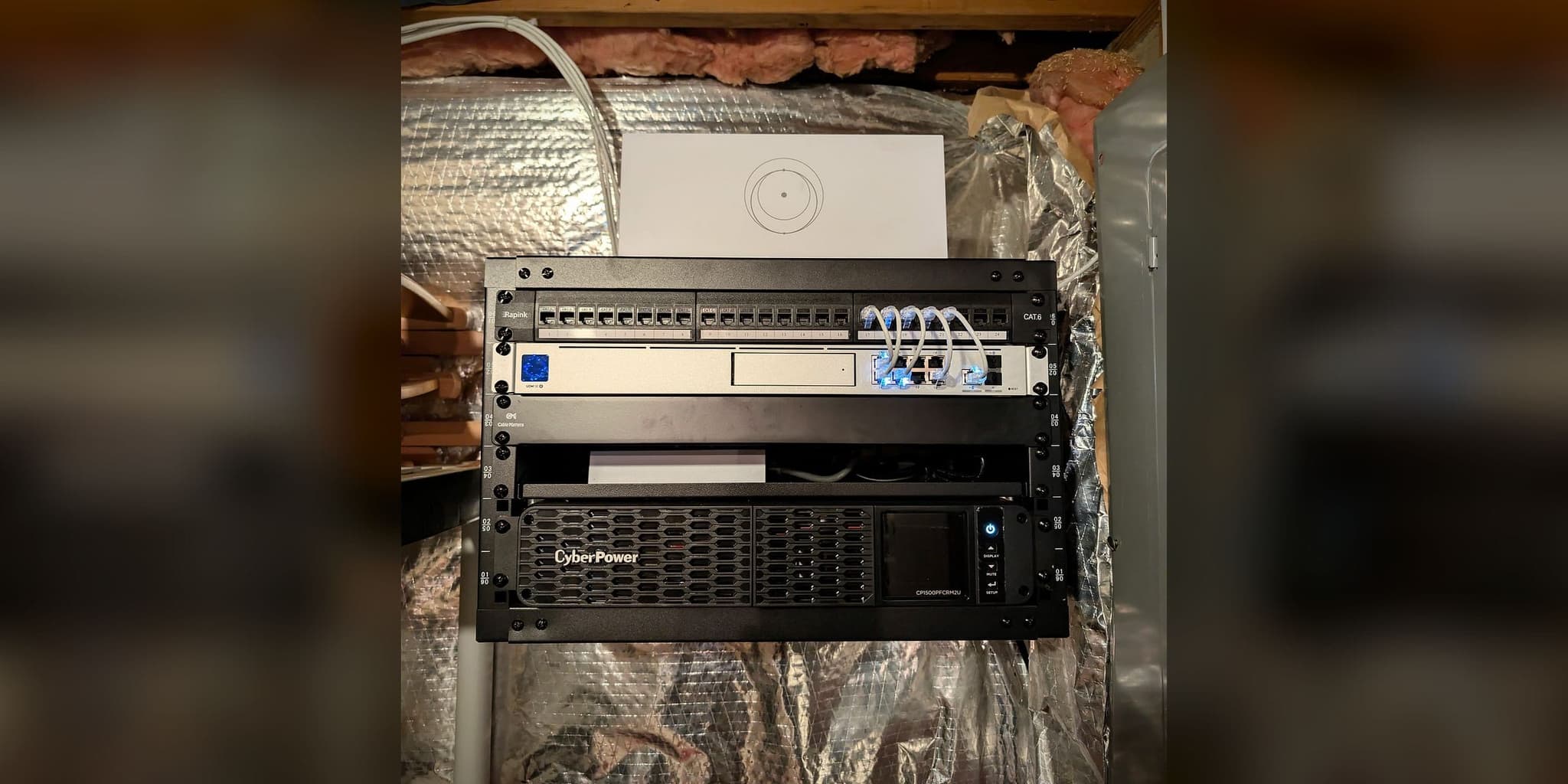
Closed and locked — the door protects the core without hiding its status lights
This deployment applies architecture documented across our service methodology:
Services Deployed
Related Case Studies
Planning something similar?
Tell us how the property is built, where service breaks down, and what has to stay online. We'll recommend the next step, and a paid assessment only if the property needs one.
The first conversation is free, and Eric Enkh replies personally.