
Estate Network Infrastructure
WiFi 7 • Dual-WAN Failover • UPS-Protected Network Core
Dual-WAN failover architecture with three WiFi 7 access points for a Great Falls executive residence. Verizon Fios primary with Starlink automatic failover, three-zone wireless deployment, and a battery-protected network core provide a tested recovery path.
At a Glance
The owner runs multiple businesses from a Great Falls residence and could not tolerate the dead zones and single-ISP dependency of the consumer setup. Orbit Tech rebuilt the network around a UDM SE with Fios primary and Starlink automatic failover, three WiFi 7 zones, and a UPS-protected 6U rack — validated with a live ISP-disconnect test and configured for remote management before handoff.
- Where
- A 4,000+ sq ft home in Great Falls, Fairfax County, VA, used for several businesses.
- The problem
- One Verizon connection with no backup, dead zones in the basement and on the second floor, and a network that went down with every power flicker.
- Constraints
- A finished home, and a Starlink position with a clear sky view on the garage roof.
- What we did
- A UniFi Dream Machine SE with Fios primary and Starlink as automatic backup, three Wi-Fi 7 access points, and the network core in a 6U rack on a UPS.
- What we observed
- Failover to Starlink was tested at commissioning with a live disconnect of the primary line.
- How it was checked
- A live ISP-disconnect test at commissioning in March 2026, with coverage and the UPS also checked at handoff.
- Limits of this record
- One test on this system, not a promise for another. No switchover time or battery runtime is published: neither was recorded with a method and a load reading.
- Related service
- Home-Office Reliability · Discuss Your Project
Businesses Run From Home • Great Falls Residence • Redundant Connectivity Requirement
Timeline: 1.5 days
The Orbit ProtocolWhat the property needed
The owner runs several businesses from a Great Falls house of more than 4,000 square feet: client video calls, large file transfers, and smart-home systems that stay on. The setup was one Verizon line and a consumer router. Wi-Fi faded in the basement gym and the second-floor bedrooms, a Dominion power flicker took the whole network down, and nobody could see what was on it. When a Verizon outage cut off a client call mid-sentence, the owner asked for a network that keeps working when one line fails.
The residence depended on a single Verizon connection with no redundancy path. WiFi coverage dropped in the basement and far corners of the second floor. A single power event would take the entire network offline — no internet, no smart home, no communication. There was no centralized management, no failover logic, and no way to recover from an ISP drop without manual intervention.
What we did
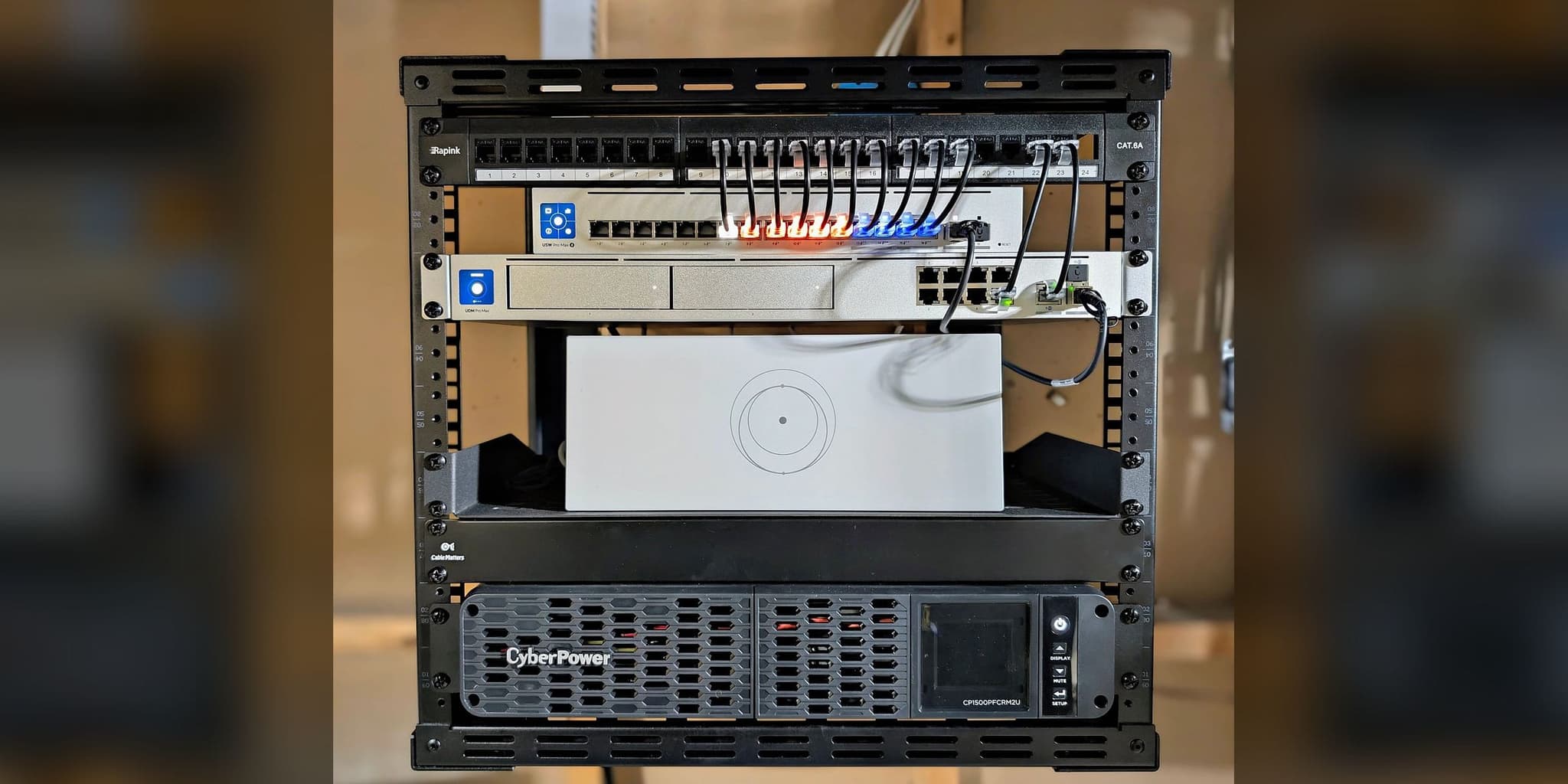
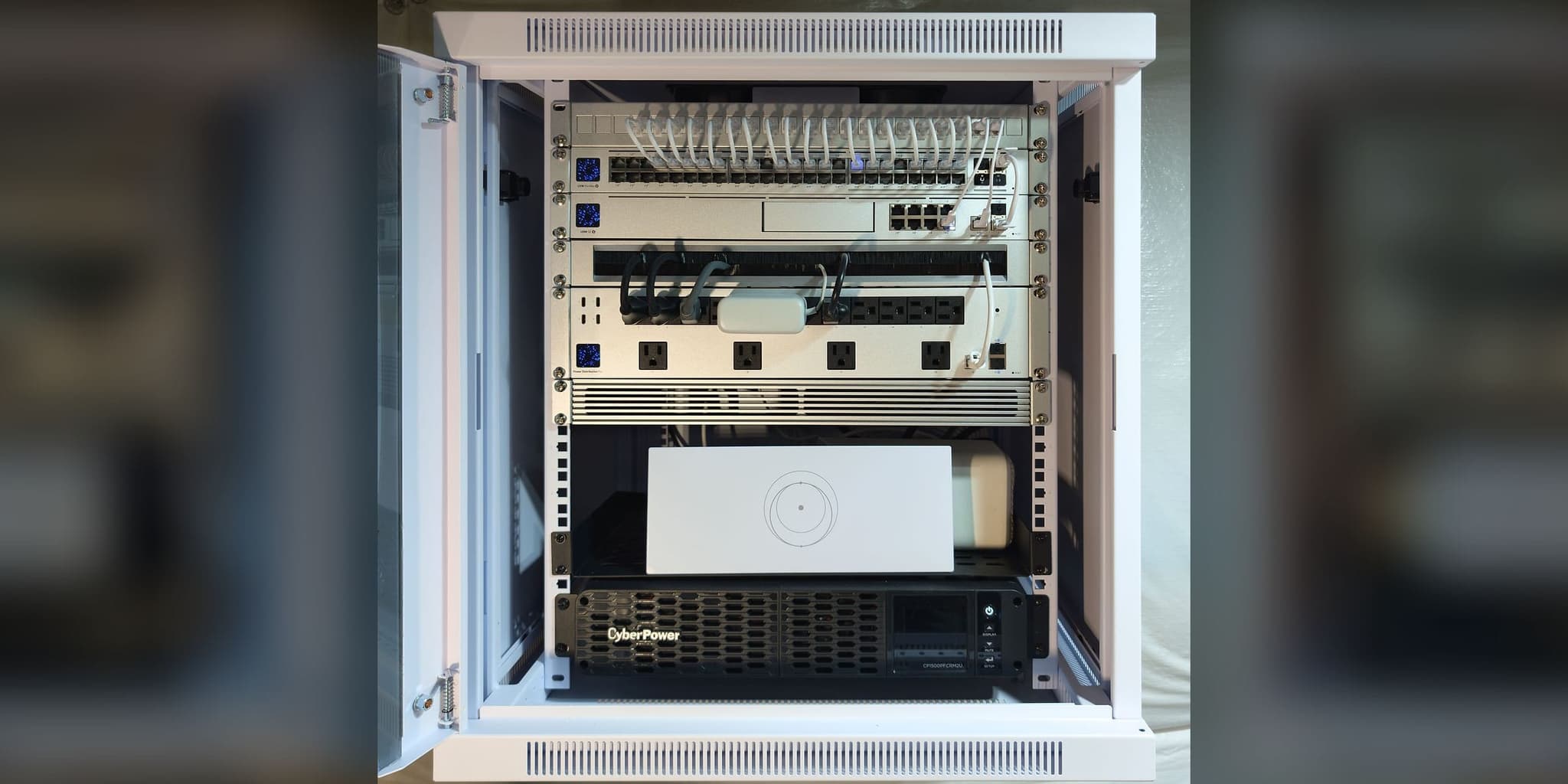
Following the same continuity design as our Potomac deployment, the network was rebuilt around a UniFi Dream Machine SE with dual-WAN failover: Verizon Fios as the primary path and Starlink Gen 3 as automatic backup. Three WiFi 7 access points — two ceiling-mounted U7 Pro units covering the second floor and the basement, plus a U7 Pro Wall beside the living-room fireplace — covered the zones that had been failing. The entire network core was rack-mounted in a 6U mini enclosure in the second floor office, on a UPS so a power flicker does not restart it. Remote management was enabled so status checks and firmware updates do not need a site visit.
How it connects
Great Falls Estate — Infrastructure Topology
Internet
- Verizon Fios FiberPrimary WAN
- Starlink Gen 3Failover WAN · Garage Roof
- Verizon Fios Fiber to UDM-SE: everyday path
- Starlink Gen 3 to UDM-SE: standby line
Core
- UDM-SEGateway · Dual-WAN Controller
- UPS BatteryCyberPower 1500VA
- UPS Battery to UDM-SE: battery power
- UDM-SE to U7 Pro Wall: cable that also powers its device
- UDM-SE to U7 Pro: cable that also powers its device
- UDM-SE to U7 Pro: cable that also powers its device
Access
- U7 Pro WallLiving Room · Wall
- U7 Pro2nd Floor · Ceiling
- U7 ProBasement · Ceiling
- Everyday path
- Standby line
- Cable that also powers its device
- Battery power
7 devices · 6 links
Running a business from a house with one internet line?
Dual-WAN failover, whole-property WiFi 7, and a UPS-protected core start with a no-charge Initial Project Review to confirm scope and recommend the right next step.
Discuss Your ProjectThe Orbit ProtocolHow the project ran, phase by phase
Every project follows the same four steps: look at the property, design, install, then test, explain, and hand over.
Understand the property
Founder-led site assessment of the 4,000+ sq ft residence mapped the floor plan, identified coverage dead zones in the basement and upper hallway, documented the existing single-path ISP dependency, evaluated roof access for Starlink positioning, and located the optimal rack placement in the second floor office with proximity to power and the primary ISP entry point.
Recommend a plan
The design started from the outage: dual-WAN failover first, then three-zone WiFi 7 placed around the rooms in use rather than at equal spacing, and one rack with the network core on a UPS. Access point models were selected for zone fit — ceiling-mount U7 Pro units for the second floor hallway and the finished basement, wall-mount U7 Pro Wall beside the living-room fireplace.
Install with care
The 1.5-day deployment included mini rack assembly with structured cabling, Starlink dish installation on the garage roof with clear sky exposure, ceiling-mounted access points in the second floor hallway and the basement, a wall-mounted AP beside the living-room fireplace, UPS commissioning, and a live failover validation by physically disconnecting the primary ISP to confirm the automatic switchover.
Test, explain, and hand over
Handover included a comprehensive infrastructure guide with equipment inventory, network credentials, port map, status indicators, troubleshooting procedures, and warranty documentation. Remote management access was configured so the system’s status can be checked and its firmware updated without a site visit.
What was installed
UDM-SE
2nd floor office, rack-mounted
WiFi 7
2nd floor hallway ceiling, basement ceiling
WiFi 7
Living room wall, beside the fireplace
Fiber
Primary WAN
Gen 3
Garage roof mount — failover WAN
6U
2nd floor office
CyberPower CP1500PFCRM2U
2nd floor office, rack-mounted
What changed, and how it was checked
Failover was tested at commissioning by disconnecting the primary line, and Wi-Fi coverage and the UPS were checked at handoff.
Limits of this record: One test on this system, not a promise for another. No switchover time or battery runtime is published: neither was recorded with a method and a load reading.
Before and after
| Metric | Before | After |
|---|---|---|
| ISP Redundancy | Single ISP, zero failover | Dual-WAN with automatic failover, tested at commissioning |
| WiFi Coverage | Dead zones in basement and 2nd floor | Coverage across the planned areas, 3 WiFi 7 access points |
| Power Resilience | Full network loss on outage | Network core on UPS battery backup |
| Device Capacity | Consumer router, congestion at 15+ devices | Network sized for 60+ devices |
| Network Management | No visibility, no remote access | Full dashboard + remote management |
Remote management was configured at handoff, so the system’s status can be checked and its firmware updated without a site visit. That is access to the system, not a monitoring service.
From the installation
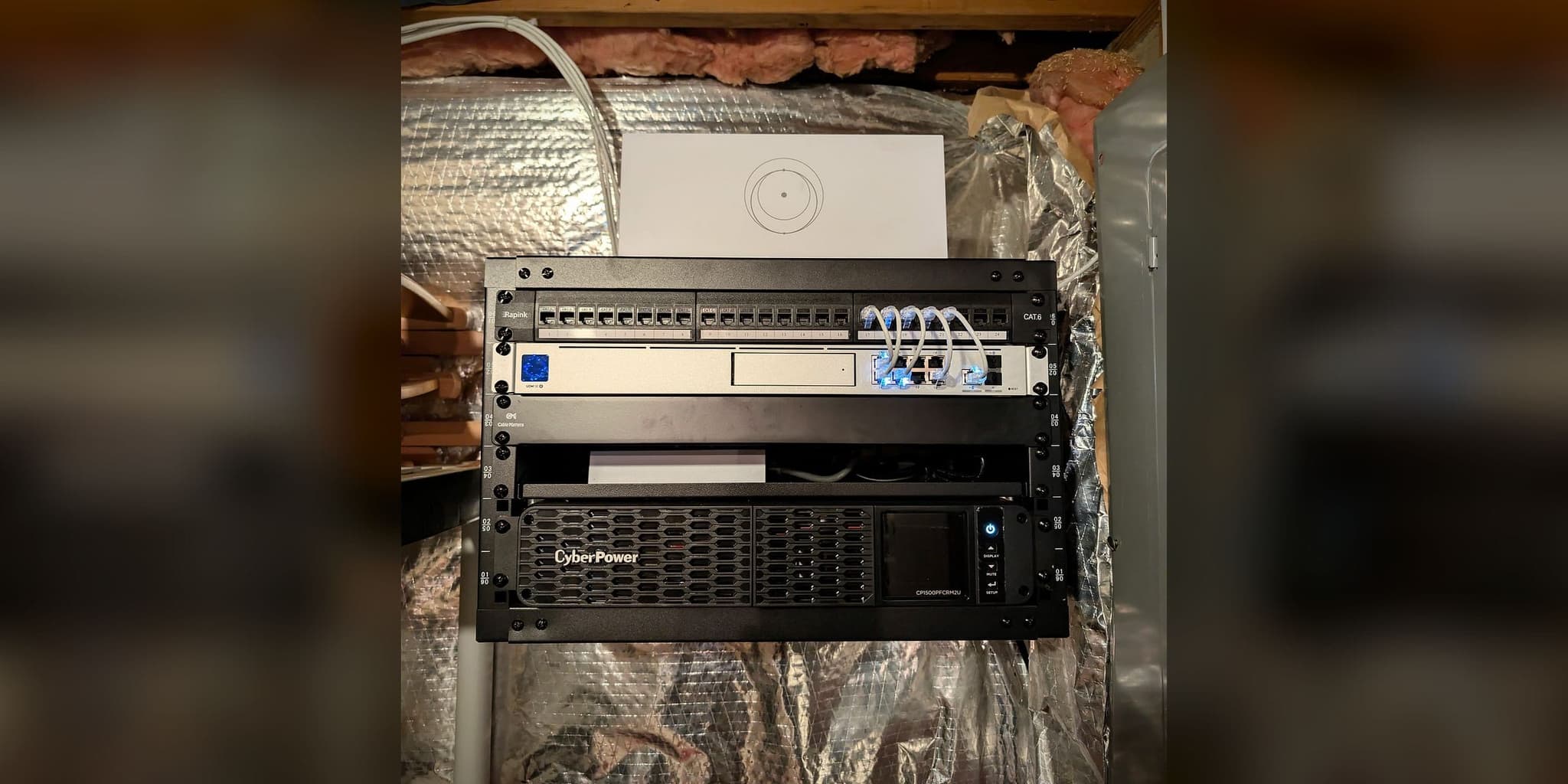
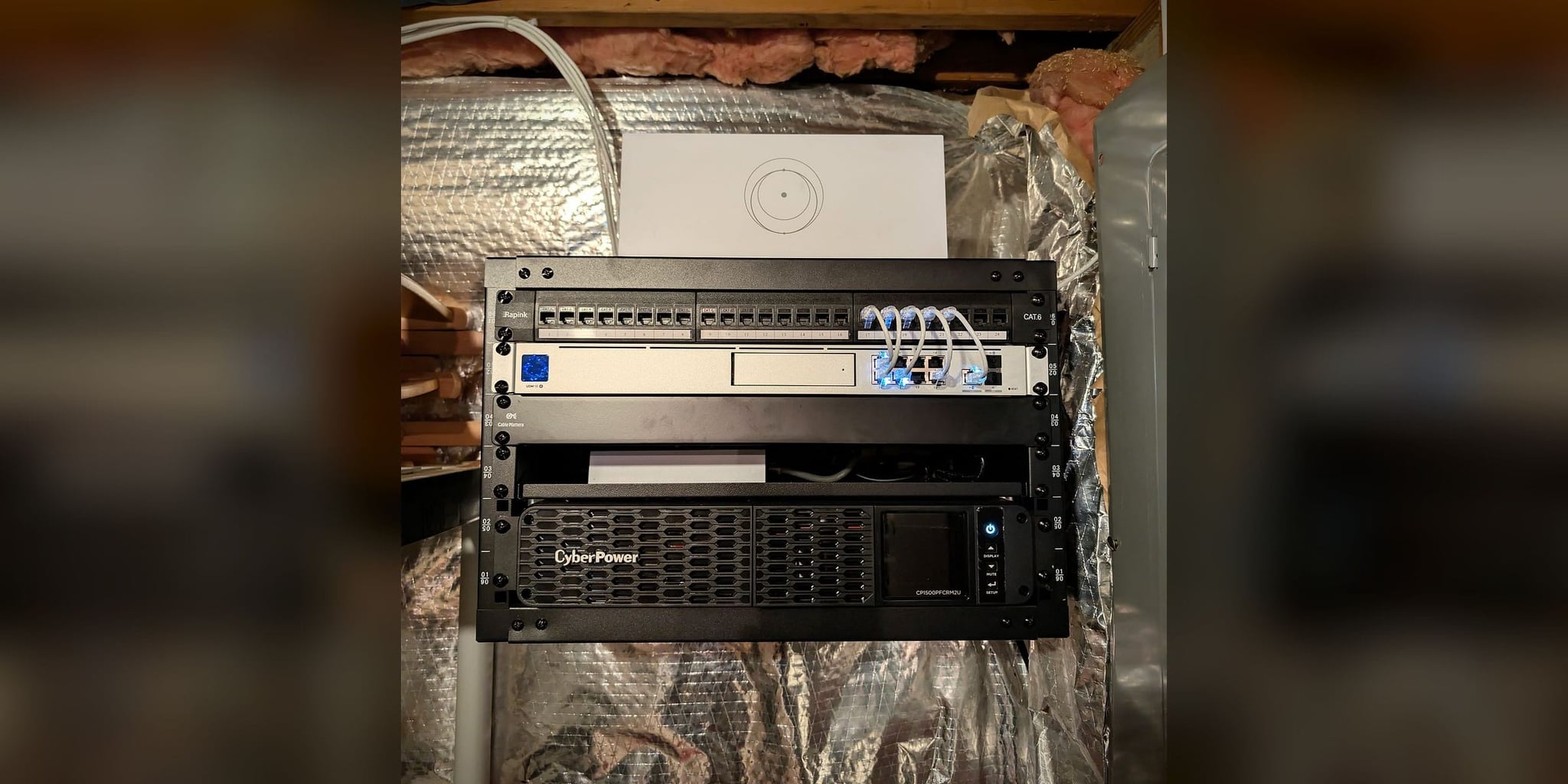
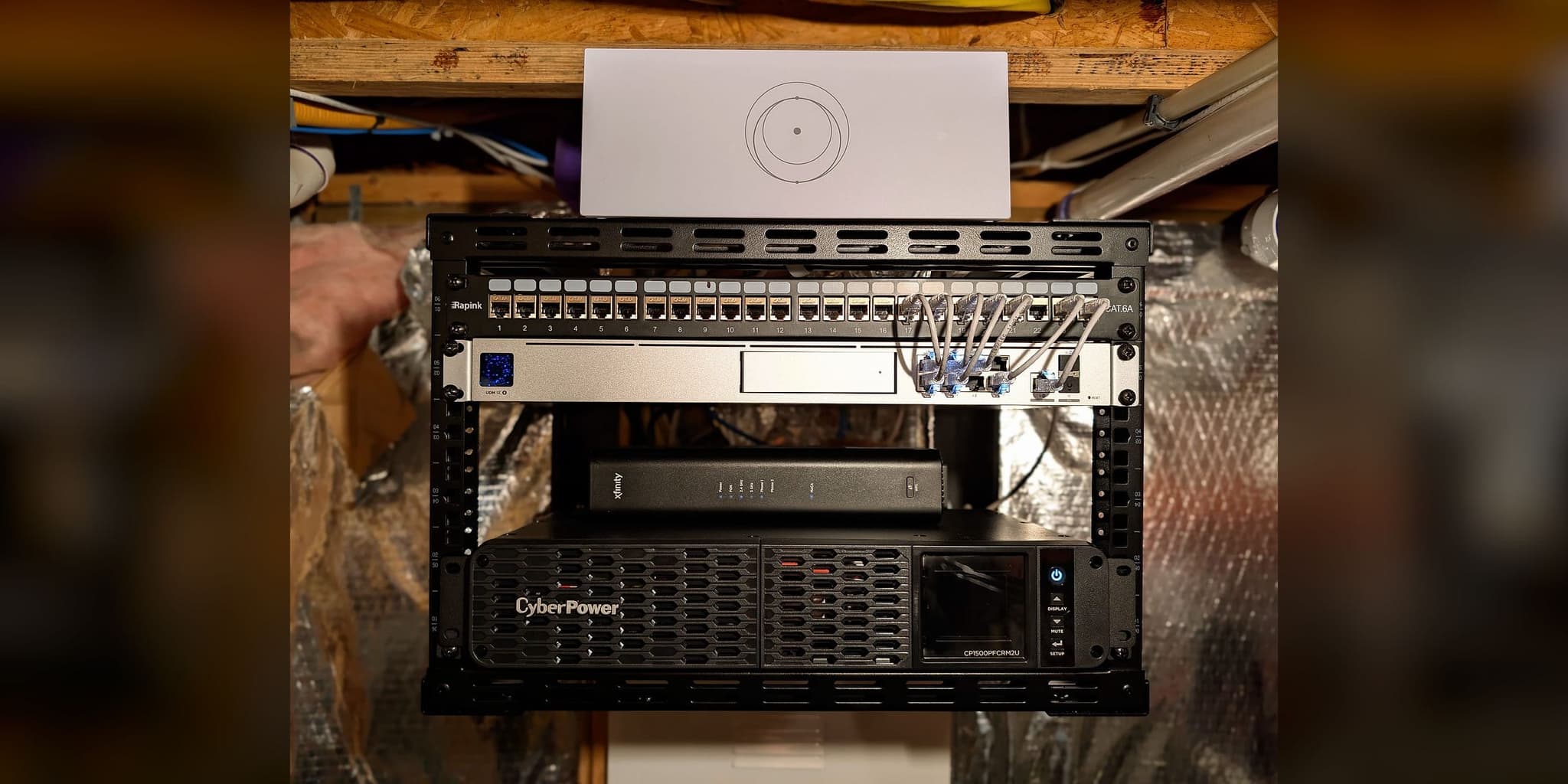
The network core: UDM SE, Cat6 patch panel, Starlink router, and UPS on an open-frame rack
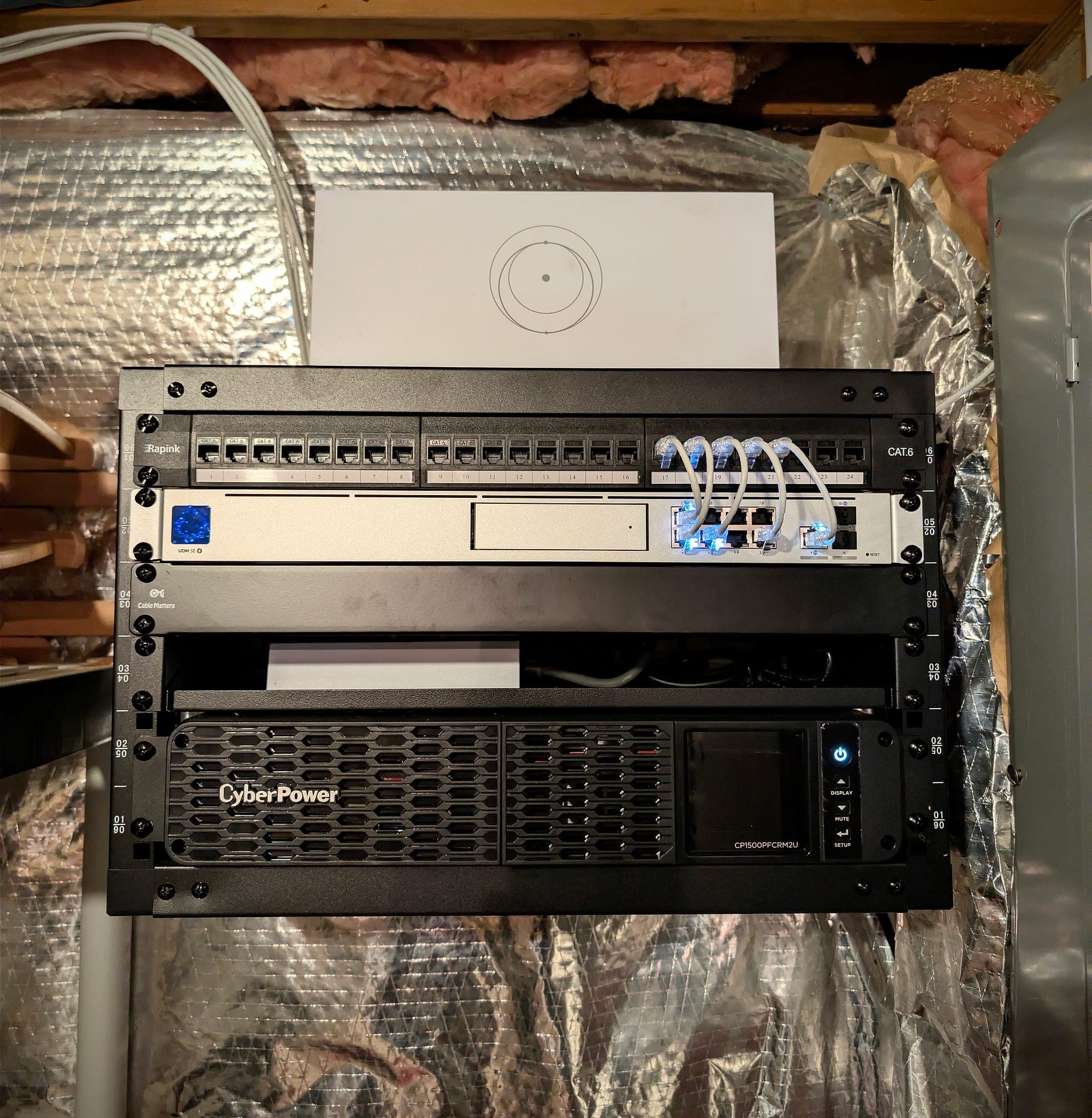
Gateway, patch panel, and battery backup in one serviceable location
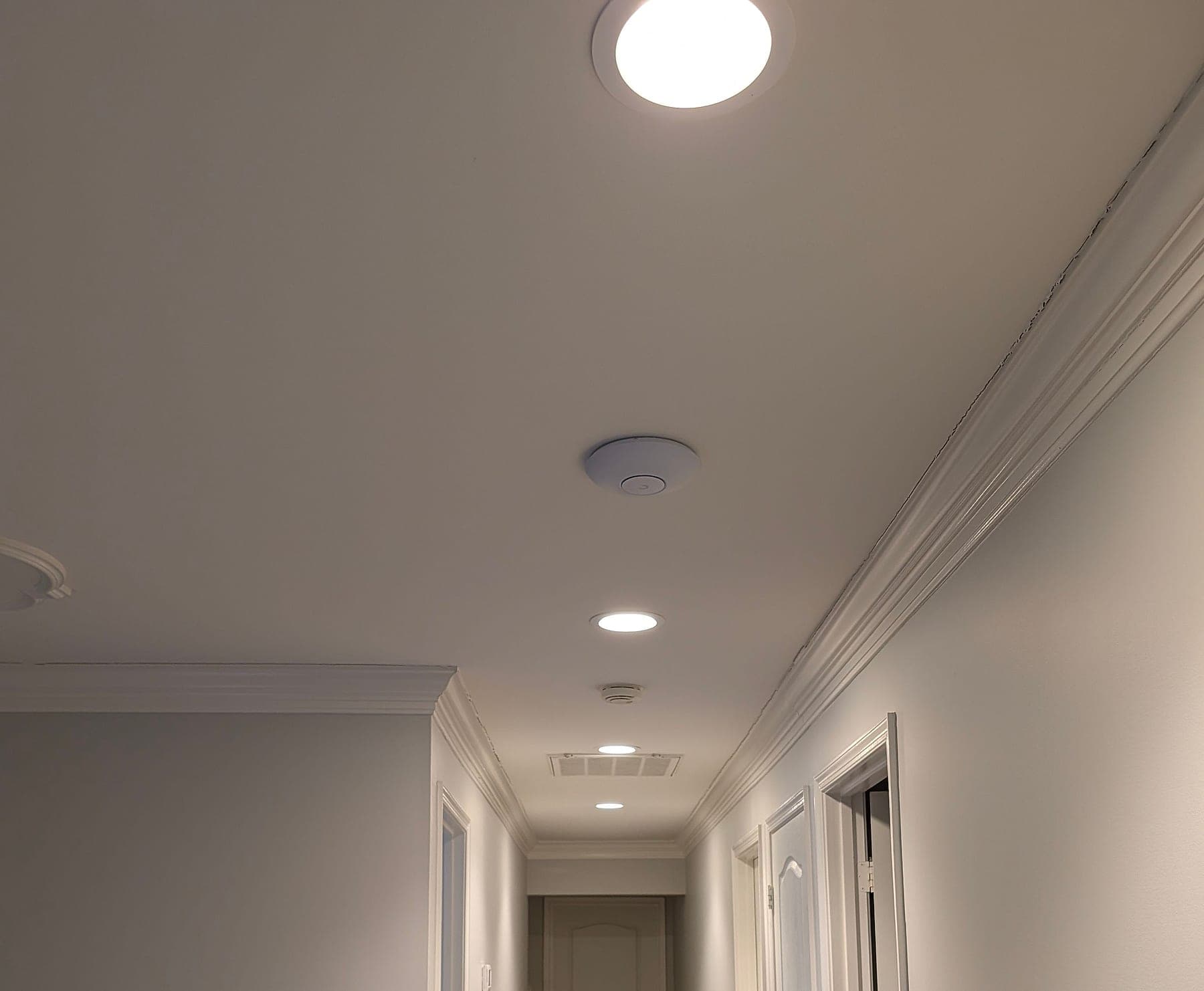
Second-floor hallway access point during installation
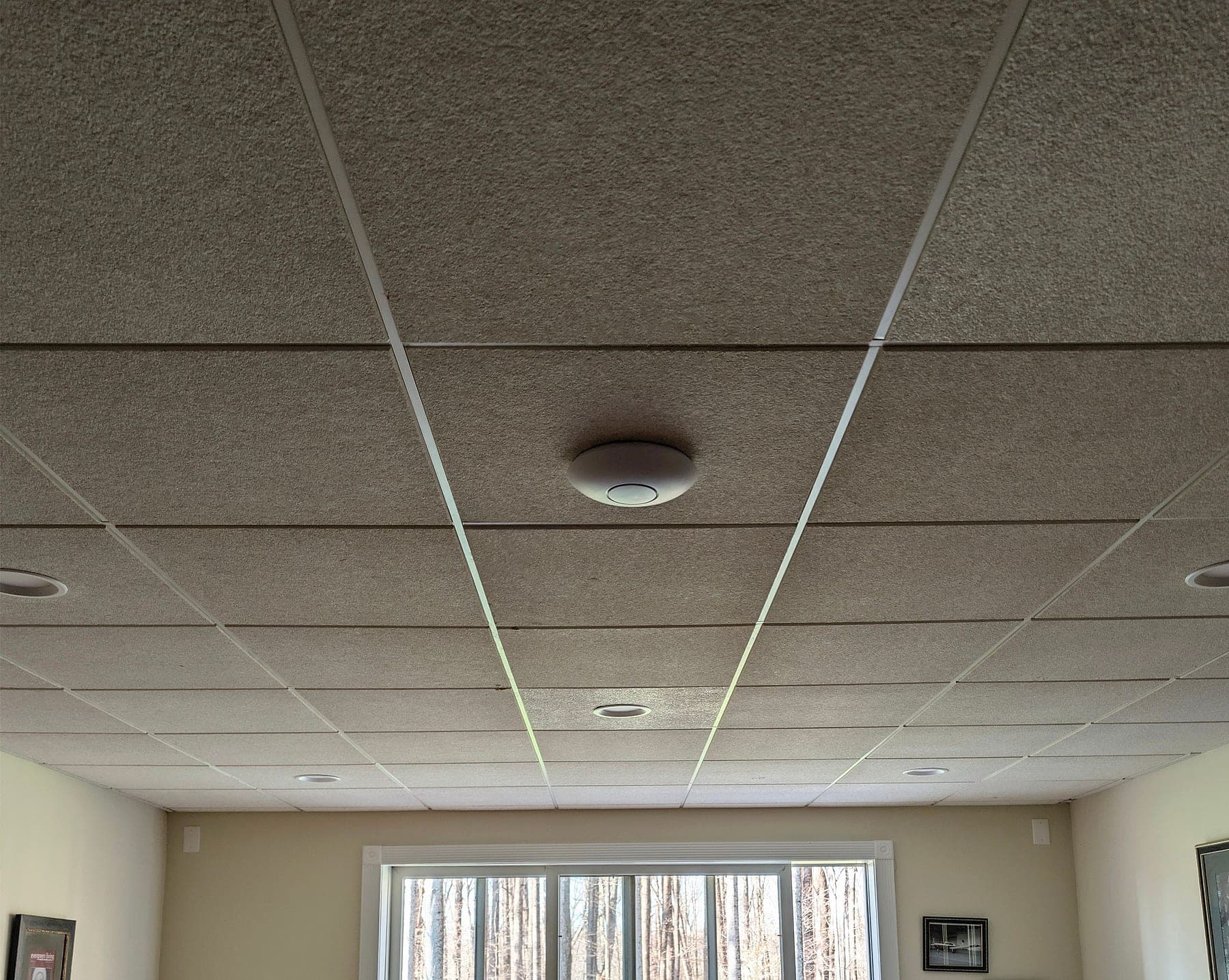
Basement zone access point
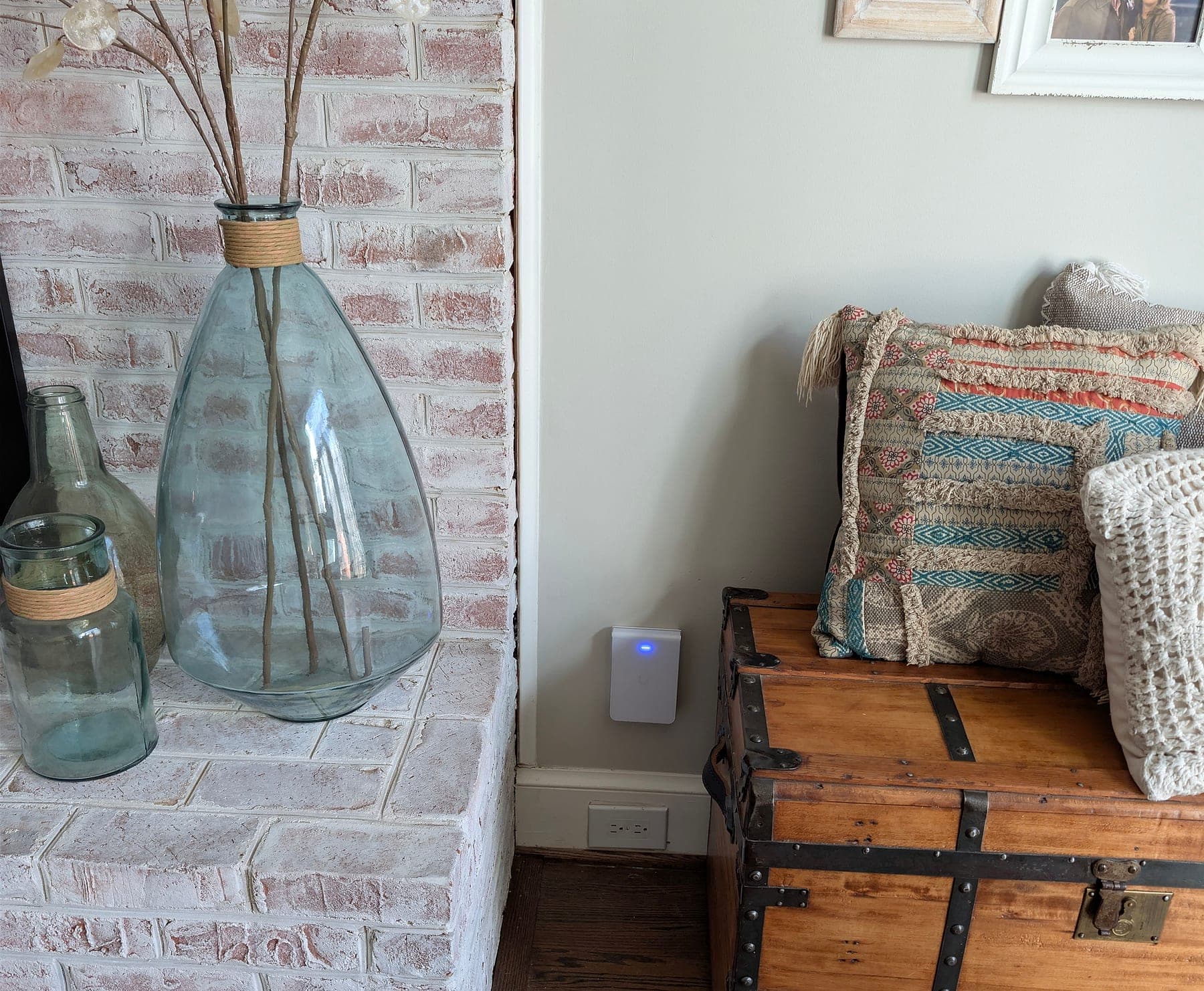
Living-room access point placed against the brick mass it has to cover
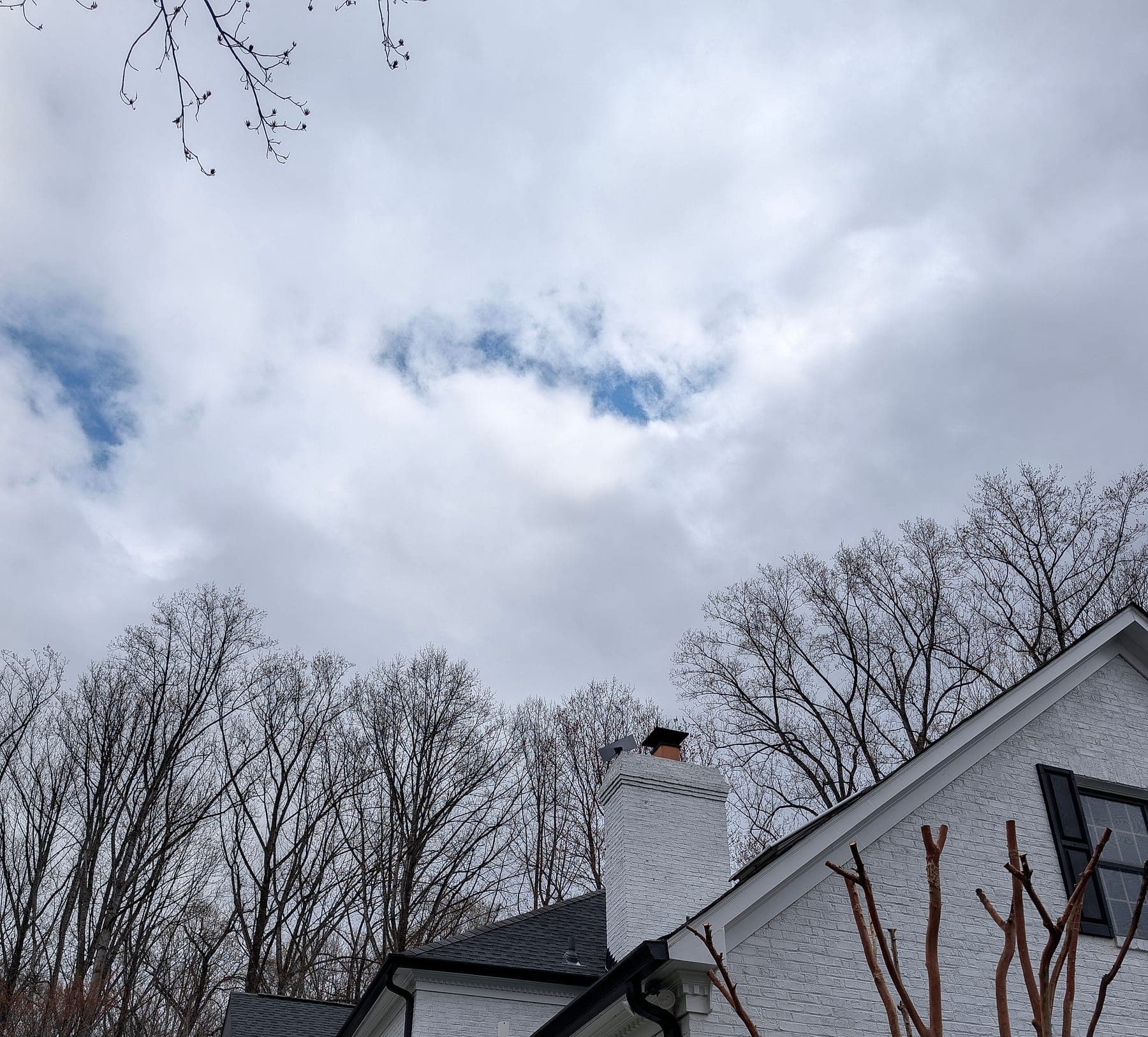
Starlink Gen 3 on the roof — the failover WAN
This deployment applies architecture documented across our service methodology:
Services Deployed
Related Case Studies
Planning something similar?
Tell us how the property is built, where service breaks down, and what has to stay online. We'll recommend the next step, and a paid assessment only if the property needs one.
The first conversation is free, and Eric Enkh replies personally.