.png&w=96&q=75)
Potomac, Maryland · Montgomery County
Potomac home network installation, planned around the office in a finished house.
Start with the room where the work happens: its own access point, a switch with ports left for later, and a backup line that was tested rather than assumed. All of it comes from a finished Potomac residence of about 4,800 square feet, completed in January 2026.
The first conversation is free, and Eric Enkh replies personally. (571) 999-6915
- Gateway
- Dream Machine Pro Max
- Switch
- 16-port Pro Max PoE
- Access points
- Five, one of them outdoors
- Lines
- Fios, Starlink as backup

01The office sets the plan
The office came first; the rest of the house followed.
A finished residence in Potomac, Montgomery County, about 4,800 square feet, with a home office used for telemedicine, research, and consulting. When work like that happens at home, the plan starts with the room it happens in.
Before the work, as reported
- One internet provider and a residential router.
- Weak Wi-Fi in the office and the study.
- Nothing to keep the core running through a power or provider outage.
- The constraint
- A finished home: new cable had to be run through closed walls.
Where the five access points went
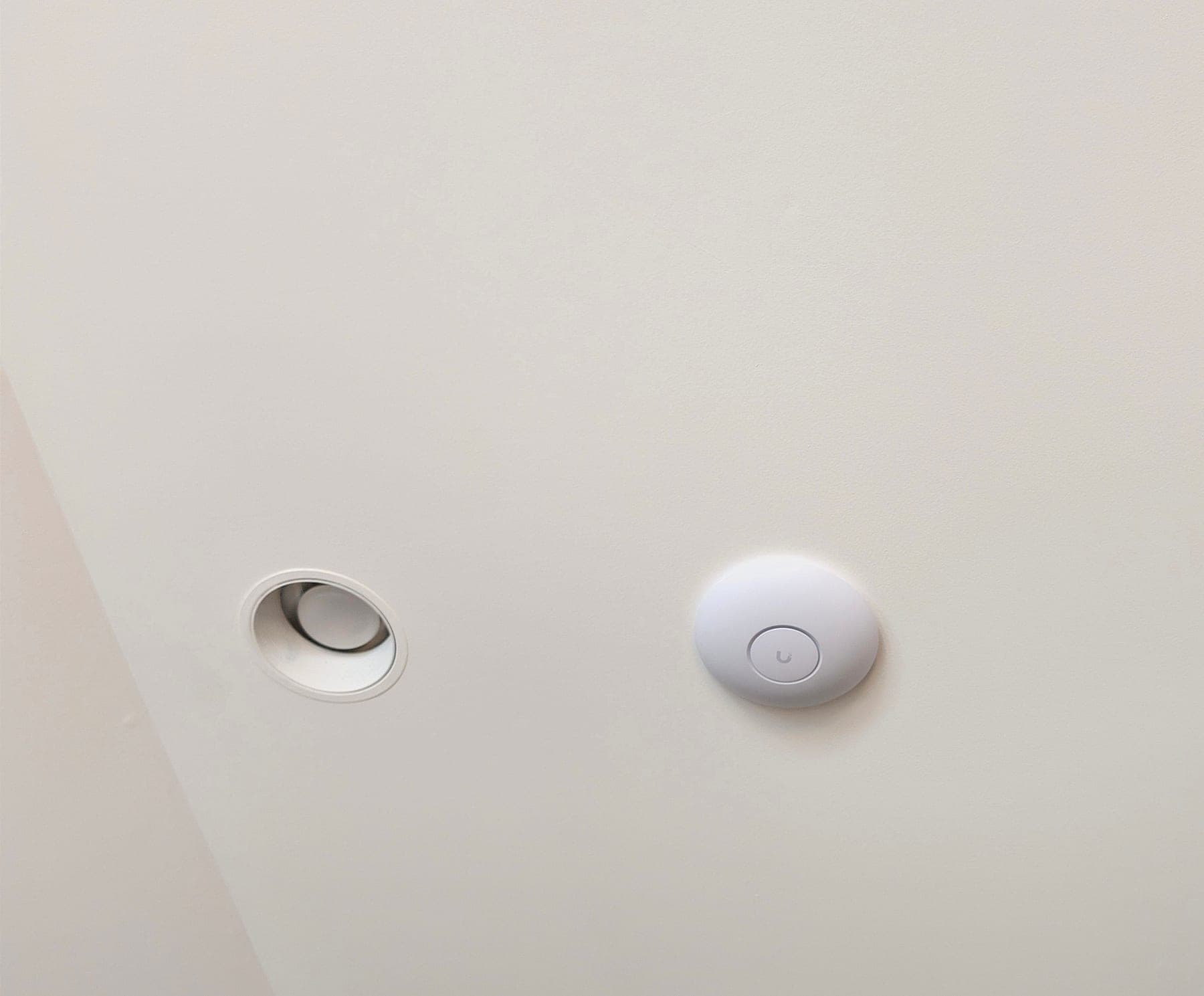
- OfficeWall unit, on its own cableThe room the plan was built around.
- HallwayIndoor unit
- Second floorIndoor unit
- Living roomIndoor unit
- OutdoorsOutdoor unit, on the same network
02A core with room left
A switch with ports still open at handover.
A UniFi Dream Machine Pro Max gateway feeds a 16-port UniFi Pro Max PoE switch, with a 24-port Cat6A patch panel patched to numbered switch ports. Each access point has a switch port of its own, and six copper ports were still open when the system was handed over.
- Verizon Fios, the main line, and Starlink, the automatic backup, both reach the gateway, a UniFi Dream Machine Pro Max.
- The gateway connects to the switch, a 16-port UniFi Pro Max PoE, on port 17.
- A 24-port Cat6A patch panel is patched to numbered switch ports.
- A 1500VA pure sine-wave rack battery carries the gateway and the switch.
Port schedule
| Ports | Connected | Link |
|---|---|---|
| 01–06 | OpenCopper | Copper |
| 07 | Outdoor access pointGbE · PoE | GbE · PoE |
| 08–12 | In use, other devicesCopper | Copper |
| 13–16 | Indoor access points: hallway, second floor, office (wall unit), living room2.5 GbE · PoE | 2.5 GbE · PoE |
| 17 | Gateway link10 GbE · SFP+ | 10 GbE · SFP+ |
| 18 | No device listedSFP+ | SFP+ |
Drawn from the owner guide’s port map, January 15, 2026. Port positions simplified; not to scale.
- The indoor units
- The four indoor access points take the switch’s higher-speed PoE ports; the outdoor unit takes a standard one.
- The gateway link
- Gateway and switch are joined through one of the switch’s two SFP+ ports, outside the copper row.
- Room to add
- Six copper ports were open at handover, so a new desk or access point needs a cable run, not another switch.
03The backup line
Tested at commissioning, and written down as tested.
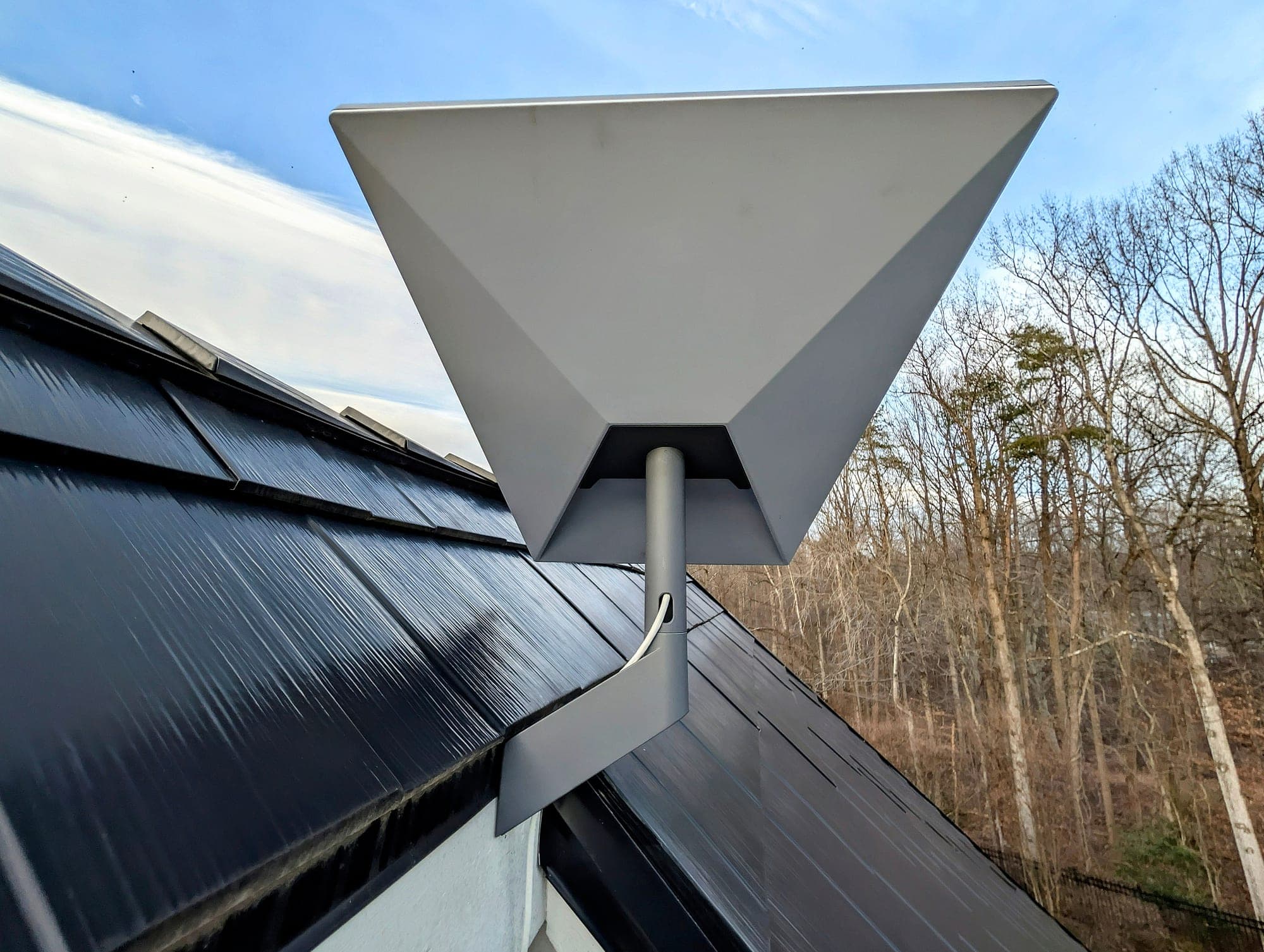
The house runs on Verizon Fios. Starlink sits on the same gateway as the automatic backup, so the office keeps a second path when Fios goes down.
The failover was tested at commissioning in January 2026. No switchover time was recorded, so this page gives none: a tested line is one that was run and worked, while a timed one has a measurement written beside it.
In Potomac, as in Bethesda and Chevy Chase, mature canopy is the usual obstacle for the dish, so its position is settled after checking the view of the sky. With a wired line already at the house, Starlink earns its place as the backup rather than the main connection.
A CyberPower 1500VA pure sine-wave battery carries the rack. Its runtime under this load was not measured.
For the dish itself: Starlink installation in Montgomery County
04On record
What the record holds, and what it doesn’t.
The owner guide was completed on January 15, 2026. The access-point rooms and the port map come from it; the equipment models come from the project record and the installation photographs.
In the owner guide
- An overview of the system
- Daily use
- Troubleshooting
- The port map
- A maintenance schedule
Not in the record
- A switchover time for the failover test
- A battery runtime at this load
- Coverage readings for each room
A reading appears here only when it was measured and written down with its method and date.
05The project
The Potomac residence, from the first problem to the handover.
Home office · Potomac, MD · January 2026
- The problem
- A residential router on one provider, weak Wi-Fi where the work happened, and no way to keep the core running through an outage.
- The decision
- A Pro Max gateway and switch, a wall access point for the office on its own cable, four more access points across the house and outdoors, and Starlink as the automatic backup.
- The result
- Five access points on their own switch ports, six copper ports open, failover tested at commissioning, and a written owner guide.
“The network just works — I never think about it during telemedicine consults anymore. The failover is invisible. This is what infrastructure should feel like.”
06Related services
Where to go next, depending on the house.
Scope and price
Price follows the rooms, the routes through finished walls, and the equipment. Where a budget figure helps, the Home Network Installation page carries the planning range for complete installations.
07Questions
Asked about a Potomac house.
Can a home office get its own access point in a finished house?
Usually. Cable reaches the office through attics, basements, closets, or existing paths, and a wall unit mounts over a single box at the end of that run. The Potomac office has a wall unit on its own cable. If the office has no practical route, that comes up in the review, not halfway through the work.
Why leave switch ports open?
So a later desk, office, or access point plugs into a port that already exists rather than a new switch. The Potomac switch had six copper ports open at handover. How many to keep free depends on what you expect to add.
Do you work in Potomac and elsewhere in Montgomery County?
Yes. Our area is Northern Virginia, Washington, DC, and Maryland, worked from Reston, Virginia, and Montgomery County, Maryland, is part of it. Select projects outside the core service area may be considered based on scope and scheduling.
What does the rack battery keep running?
Whatever is plugged into it. On the Potomac rack that is the gateway and the switch, and through the switch, the access points it powers. How long depends on the load; the provider’s equipment stays up only if it is on the battery as well.
Can the yard be on the same network as the house?
Yes, with an outdoor access point cabled like the indoor ones. The Potomac house has one on its own switch port, so the yard and the rooms are one network, managed in one place.
Can you work from the cable already in the walls?
Often, if it tests sound. Existing runs are tested before the plan relies on them, and one that fails or connects slowly is replaced or noted. In the Potomac house new runs went through closed walls, which takes longer and shows in the quote.
08Initial Project Review
Start with the room you work from.
Describe the office, the rest of the house, and what happens to your work when the connection fails. The reply recommends a next step, and sometimes that step is small.
Mon-Sat 8am-6pm
We install home networks across Northern Virginia, Washington, DC, and Maryland, from Reston, Virginia; Potomac is in Montgomery County, Maryland. Select projects outside the core service area may be considered based on scope and scheduling.