
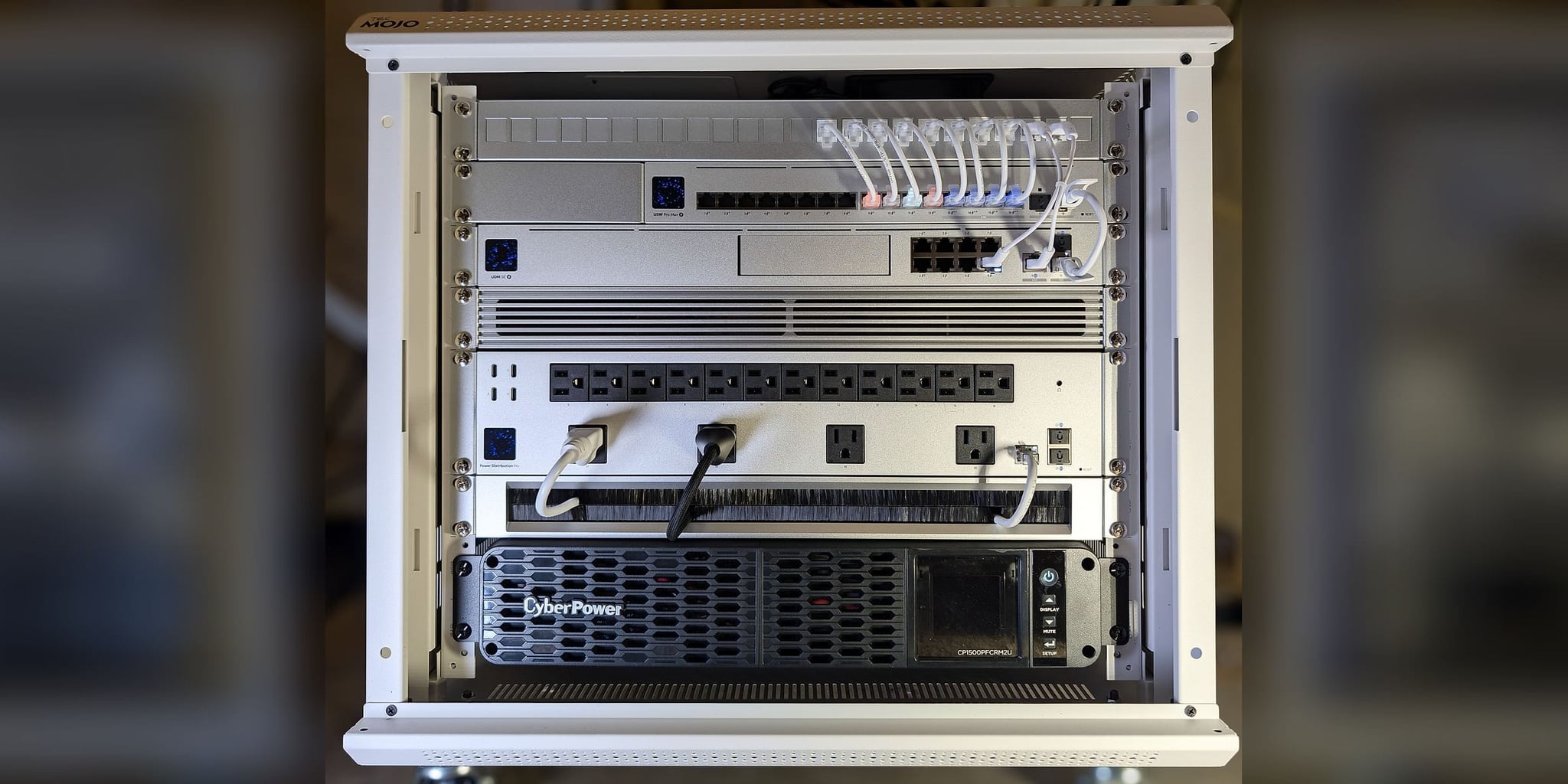
Executive Continuity Residence
Fios + Starlink Failover • Four WiFi 7 Zones • Commissioned Without the Owner on Site
A continuity network for a three-story Lorton, Virginia residence, designed and commissioned without the owner on site. Verizon Fios primary with Starlink held in standby, four WiFi 7 access points on dedicated runs, a wall-mounted UniFi core, and a 20-page infrastructure guide written for the family and for whoever services the system next.
At a Glance
The owner could not be present for the installation, so the system had to be built, commissioned, and explained without them in the room. Orbit Tech delivered Fios-plus-Starlink failover, four WiFi 7 zones, a wall-mounted core, private remote access through the gateway, and a guide that lets anyone at the property — or the next technician — run the system from the document alone.
- Where
- A three-floor, 4,320 sq ft home with an attached garage in Lorton, Fairfax County, VA.
- The problem
- Verizon Fios with no standby service, no secure way to reach the system remotely, and no written record of how anything was connected.
- Constraints
- The system was installed and commissioned without the owner on site, so every decision had to make sense without the installer or the owner present.
- What we did
- A UniFi Dream Machine SE with Fios 1 Gbps primary and Starlink on failover-only standby, a 16-port PoE switch on a 10 Gbps fiber uplink, four Wi-Fi 7 access points on dedicated runs, a metered PDU and a pure sine-wave UPS in the rack, and UniFi Teleport for private remote access with no port forwarding.
- What we observed
- At commissioning, Fios measured about 5 ms round-trip latency and Starlink about 44 ms, with Starlink held in standby behind Fios.
- How it was checked
- Measured at commissioning in August 2026 and written into a 20-page infrastructure guide, with every device, port, and outlet verified against the management console.
- Limits of this record
- Latency readings from commissioning day, not commitments. No availability percentage is published: the guide does not record how long its sample ran. Items still to close, including confirming the rack battery, are in the guide's open-items register.
- Related service
- Home-Office Reliability · Discuss Your Project
Owner Off Site During Installation • Family at the Property • Designated Site Contact
Lorton, VA
4,320 sq ft · three floors · attached garage
Fairfax County
Timeline: Commissioned August 13, 2026
Installed with the owner off site and a designated site contact at the property
The Orbit ProtocolWhat the property needed
The owner could not be at the property for the installation, so the system would be installed and commissioned with a designated site contact there instead. The brief was not headline speed. It was a stable, documented network the family could use every day, that the owner could reach securely when away from home, and that nobody at the property would need technical knowledge to keep running.
Nobody who would live with the system had watched it being built. Every decision had to survive without the installer or the owner present: which outlet restarts the gateway, which device not to touch, what an expected behavior looks like versus a fault. Coverage had to hold across three floors, an attached garage, and the rear outdoor area, each absorbing signal differently, and the owner needed a private way to reach the system while away, without port forwarding.
What we did
A UniFi Dream Machine SE runs routing and firewall from a wall-mounted rack, with Verizon Fios 1 Gbps on the primary WAN and Starlink on the second, held in failover-only standby. A 10 Gbps fiber link carries the core to a USW Pro Max 16 PoE switch, and every endpoint has its own cable back to it: three U7 Pro access points on the main floor, second floor, and garage, a U7 Outdoor at the rear living area, and a 2.5 GbE switch downstream in the office. A metered UniFi Power Distribution Pro and a CyberPower pure sine-wave UPS are installed in the rack, and UniFi Teleport gives the owner a private route in with no port forwarding.
How it connects
Lorton Residence — Infrastructure Topology
Internet
- Verizon FiosPrimary WAN · 1 Gbps
- StarlinkBackup WAN · Standby
- Verizon Fios to UDM SE: everyday path
- Starlink to UDM SE: standby line
Core
- UDM SEGateway · Dual-WAN
- Power Distribution ProMetered · Switched Outlets
- CyberPower UPS1500VA Pure Sine Wave
- CyberPower UPS to Power Distribution Pro: battery power
- Power Distribution Pro to UDM SE: battery power
- UDM SE to USW Pro Max 16 PoE: everyday path · 10 Gbps
Distribution
- USW Pro Max 16 PoE10 Gbps Fiber Uplink
- USW Flex 2.5G 5Office · Downstream
- USW Pro Max 16 PoE to USW Flex 2.5G 5: everyday path · 2.5 GbE
- USW Pro Max 16 PoE to U7 Pro: cable that also powers its device
- USW Pro Max 16 PoE to U7 Outdoor: cable that also powers its device
Access
- U7 Pro ×3Main · 2nd Floor · Garage
- U7 OutdoorRear Outdoor Area
- Everyday path
- Standby line
- Cable that also powers its device
- Battery power
8 of 16 ports in use · Fios + Starlink · Teleport remote access
Fios and Starlink feed a UDM SE held in failover-only mode; a 10 Gbps fiber link carries the core to a 16-port PoE switch that powers each access point and wired device over its own cable, with a 2.5 GbE switch downstream in the office.
Away while the property still has to run?
Start with a no-charge Initial Project Review — a continuity system can then be designed, installed, and handed over to a site contact while you are traveling.
Discuss Your ProjectThe Orbit ProtocolHow the project ran, phase by phase
Every project follows the same four steps: look at the property, design, install, then test, explain, and hand over.
Understand the property
The review established a three-story finished home of about 4,320 sq ft with an attached garage and rear outdoor living area, a single Verizon Fios line, and a hard constraint: the owner would not be on site at any point in the installation. Access-point zones were planned floor by floor with the garage wall and floor assemblies in mind, and a site contact was designated to confirm mounting points within the accepted zones.
Recommend a plan
Continuity over headline speed. Fios as the primary WAN with Starlink integrated in failover-only standby, one wall-mounted equipment location, every access point and wired device on its own cable so a fault stays local, metered rack power with a battery unit, and UniFi Teleport for remote reach without port forwarding. The design assumed that nobody who lives with the system saw it built.
Install with care
The rack, patch panel, brush panel, and power chain went in first, followed by home-run cabling to four access points, the other wired devices, and a downstream office switch, each patched to a numbered switch port. The UDM SE was brought up with both WANs, the 10 Gbps fiber link to the switch was verified, and the site contact received the walkthrough at handoff.
Test, explain, and hand over
The owner received a 20-page infrastructure guide: a first-response table, a restart order tied to labeled PDU outlets, what is normal versus a fault, coverage and gaps by zone, the outlet schedule, full port assignment, spare capacity, and an open-items register — plus a quick-reference card for the household. The owner holds the primary UniFi account; Orbit Tech holds a separate, revocable support account.
What was installed
UDM-SE
Wall-mount rack · routing, firewall, local recording · Fios WAN1, Starlink WAN2
16-port · 10 Gbps SFP+ uplink
Wall-mount rack · 8 of 16 ports in use
2.5 GbE downstream switch
Home office
WiFi 7 · 2.5 GbE
Main floor, second floor, garage
WiFi 7 · outdoor-rated
Rear exterior · outdoor living area
Fiber · 1 Gbps
Primary WAN
Backup WAN · failover-only
Standby · no traffic while Fios is healthy
Patch panel, brush panel, labeled leads
Single documented equipment location
USP PDU Pro · switched, metered
Rack · outlets labeled to the guide
CP1500PFCRM2U · 1500VA
Rack base
What changed, and how it was checked
At commissioning Fios measured about 5 ms round-trip latency and Starlink about 44 ms — readings for this line on that day, not commitments. Every device and port was recorded in the guide against the management console, and eight switch ports, 141 W of PoE budget, and 226 addresses remain in reserve. Items still to close, including confirming the rack battery on site, were written into the open-items register in the guide rather than left to memory.
Limits of this record: Latency readings from commissioning day, not commitments. No availability percentage is published: the guide does not record how long its sample ran. Items still to close, including confirming the rack battery, are in the guide's open-items register.
Before and after
| Metric | Before | After |
|---|---|---|
| Internet path | Fios only, no standby service | Fios primary, Starlink automatic failover |
| Reaching the system remotely | No secure route in | UniFi Teleport private connection, no port forwarding |
| System record | None | 20-page guide, labeled rack, outlet and port schedule |
| Capacity in reserve | N/A | 8 switch ports, 141 W PoE, 226 addresses |
The guide was written on the assumption that the person who built the system will not be in the room when it is needed.
From the installation
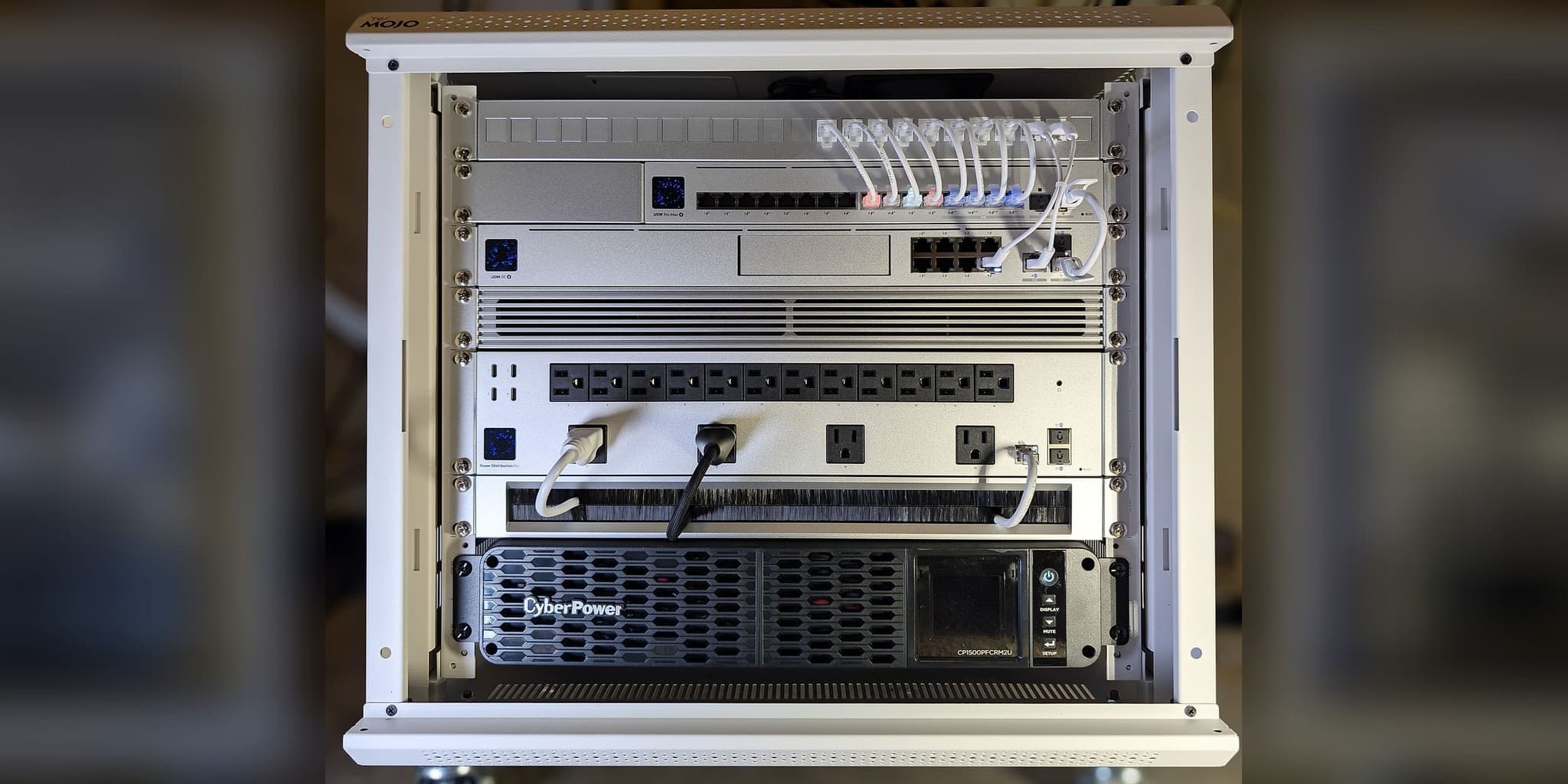
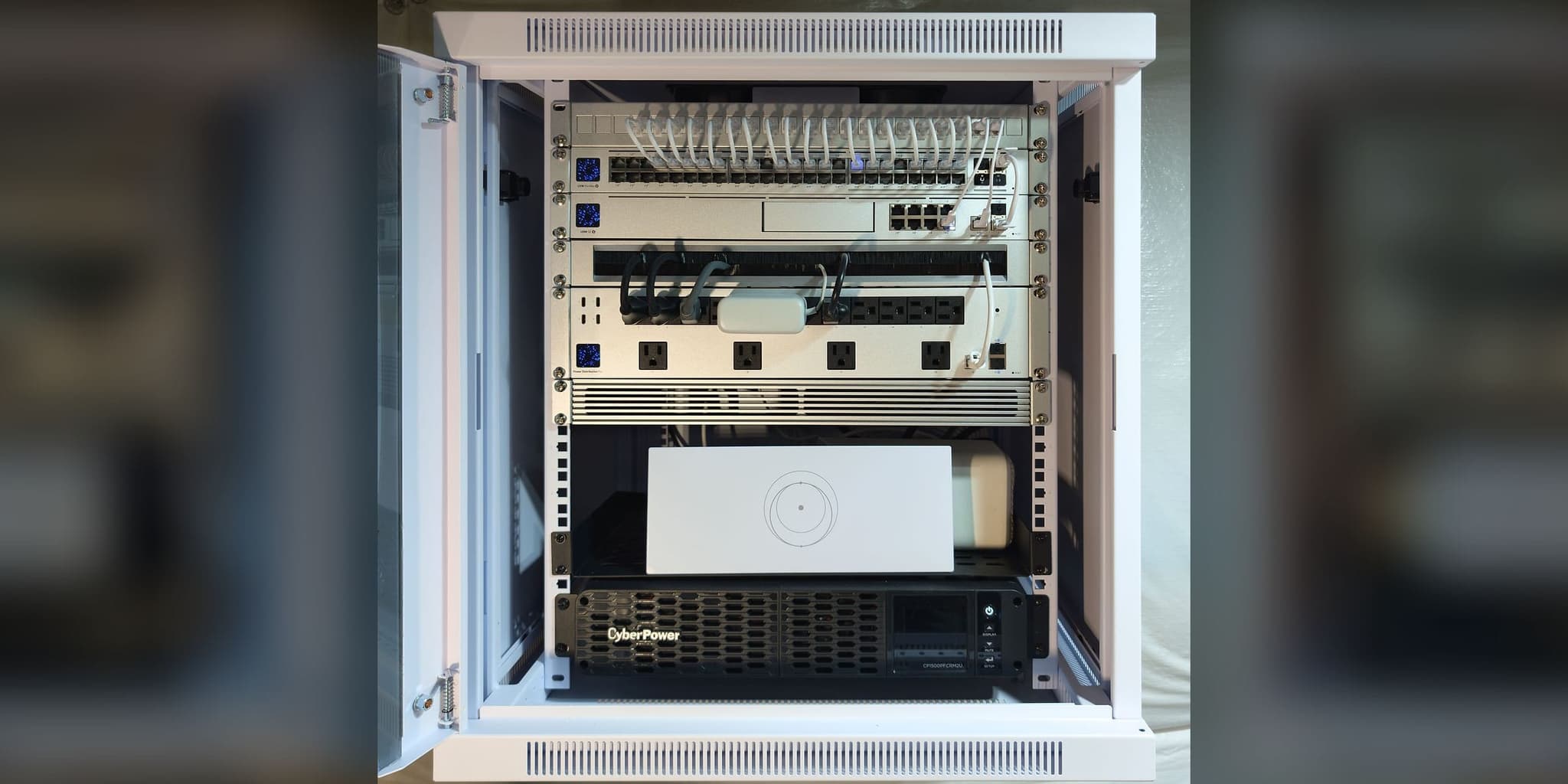
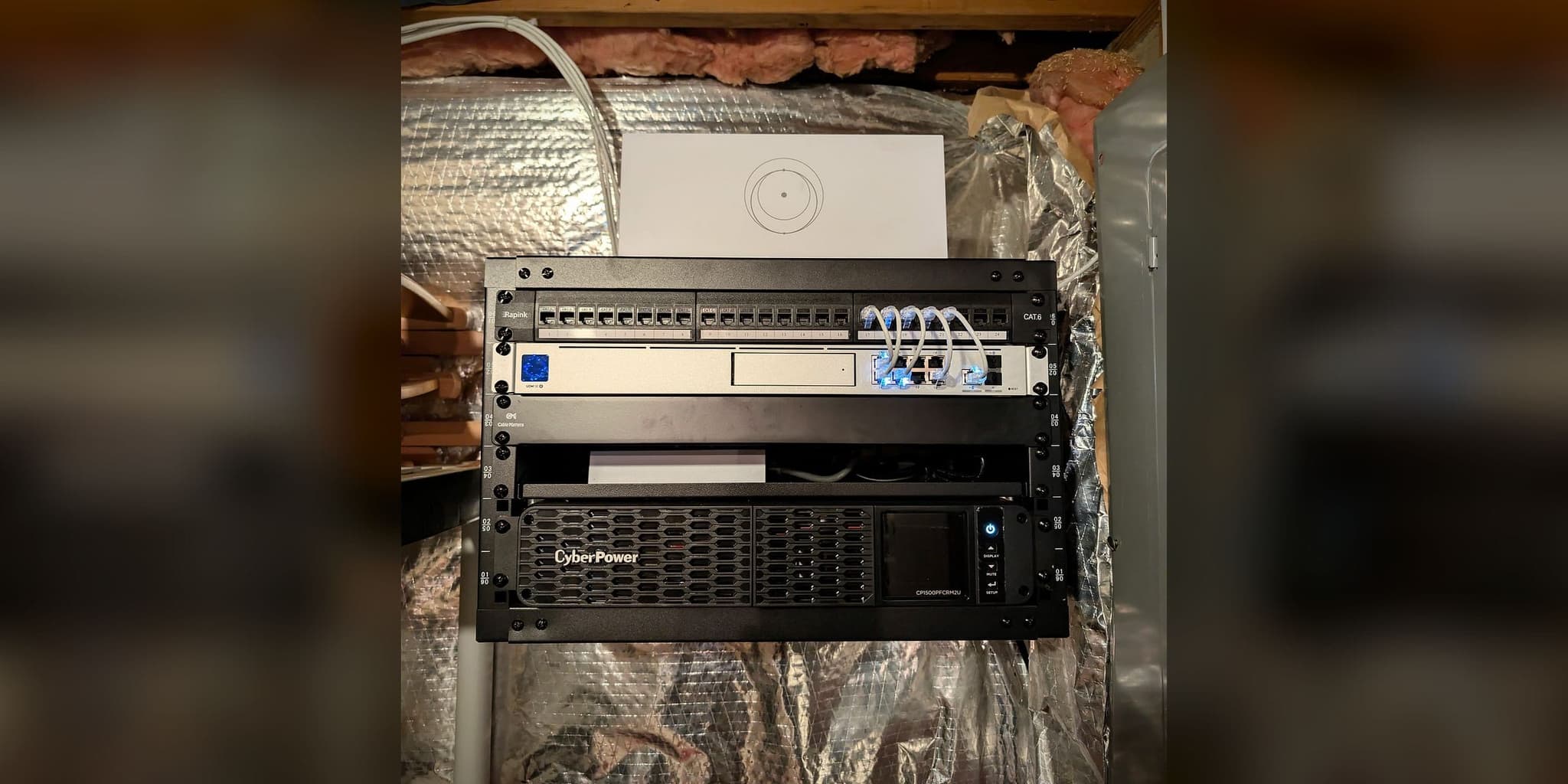
The core as handed over: patch panel, 16-port PoE switch, UDM SE, metered power distribution, and UPS in one wall-mount enclosure
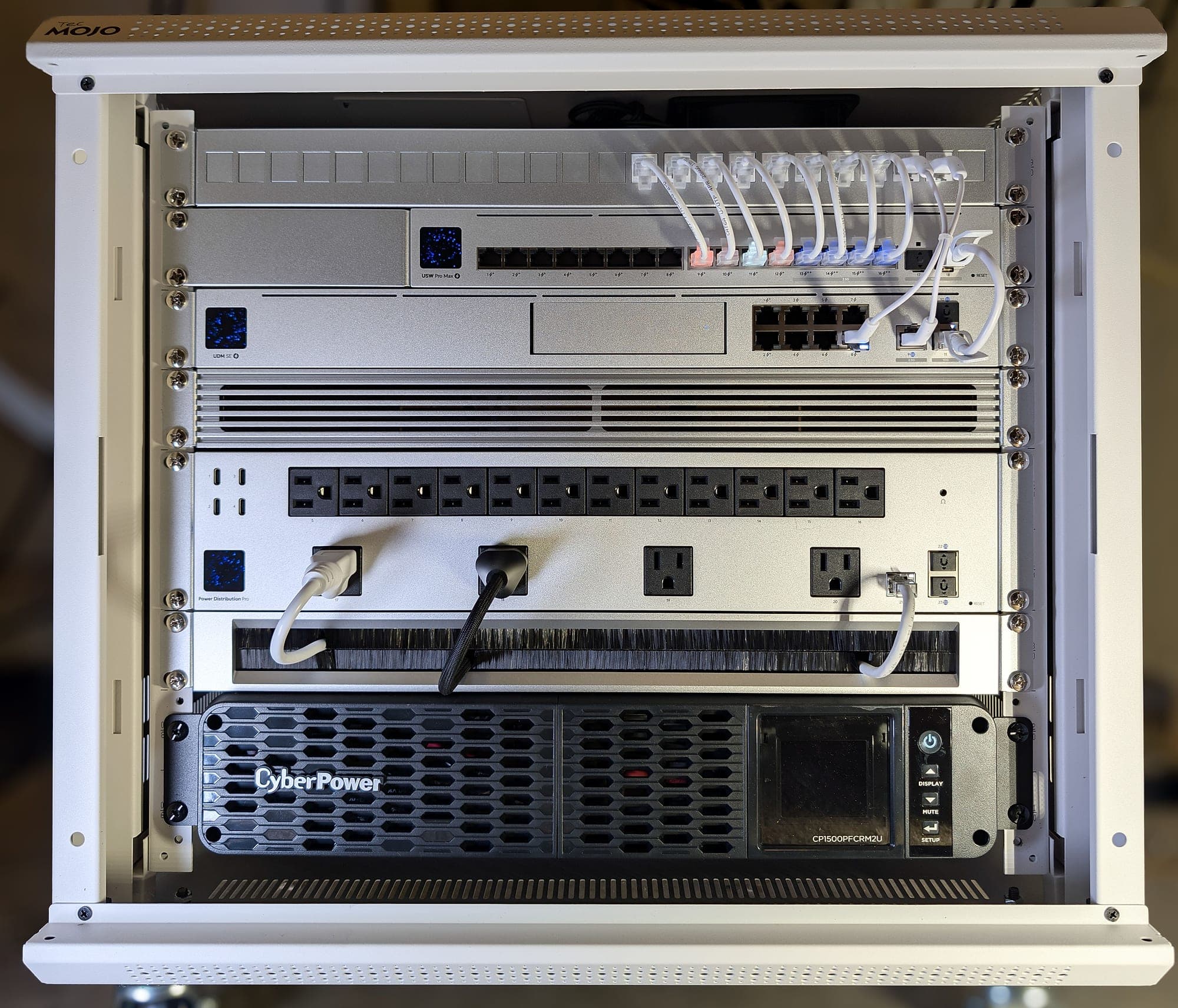
Every patch lead dressed and labeled so the rack reads the same as the guide
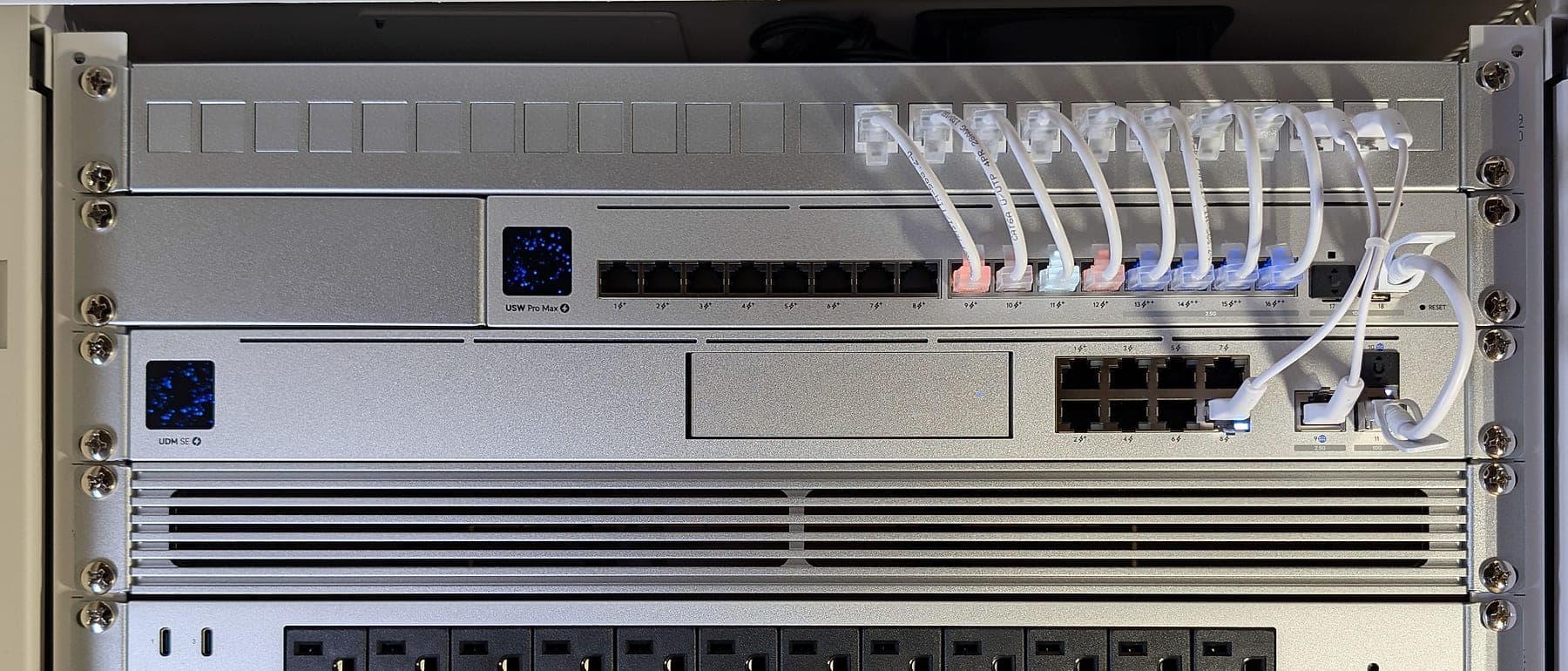
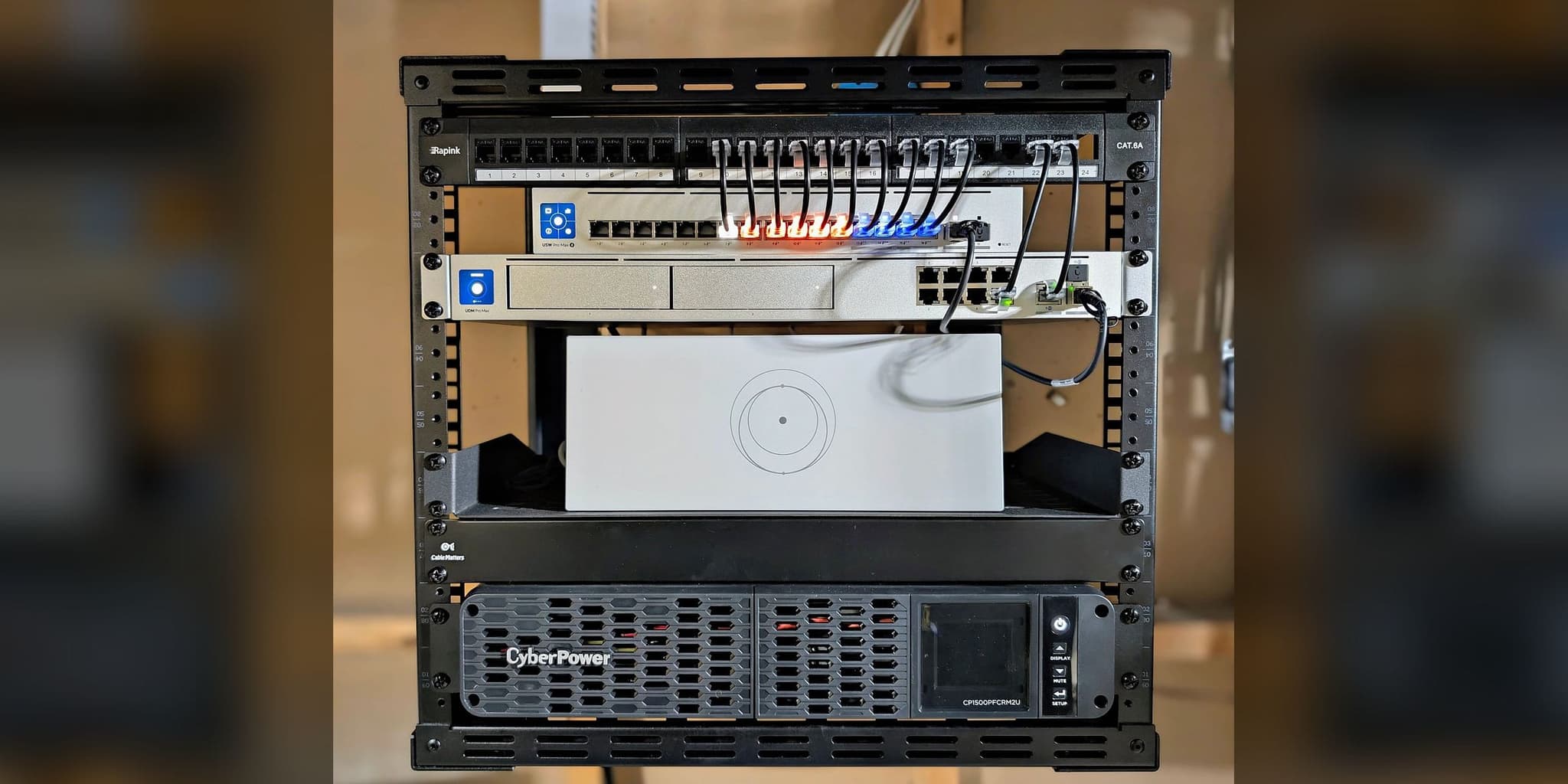
Eight ports in use, eight held in reserve; the gateway and switch share a 10 Gbps fiber link
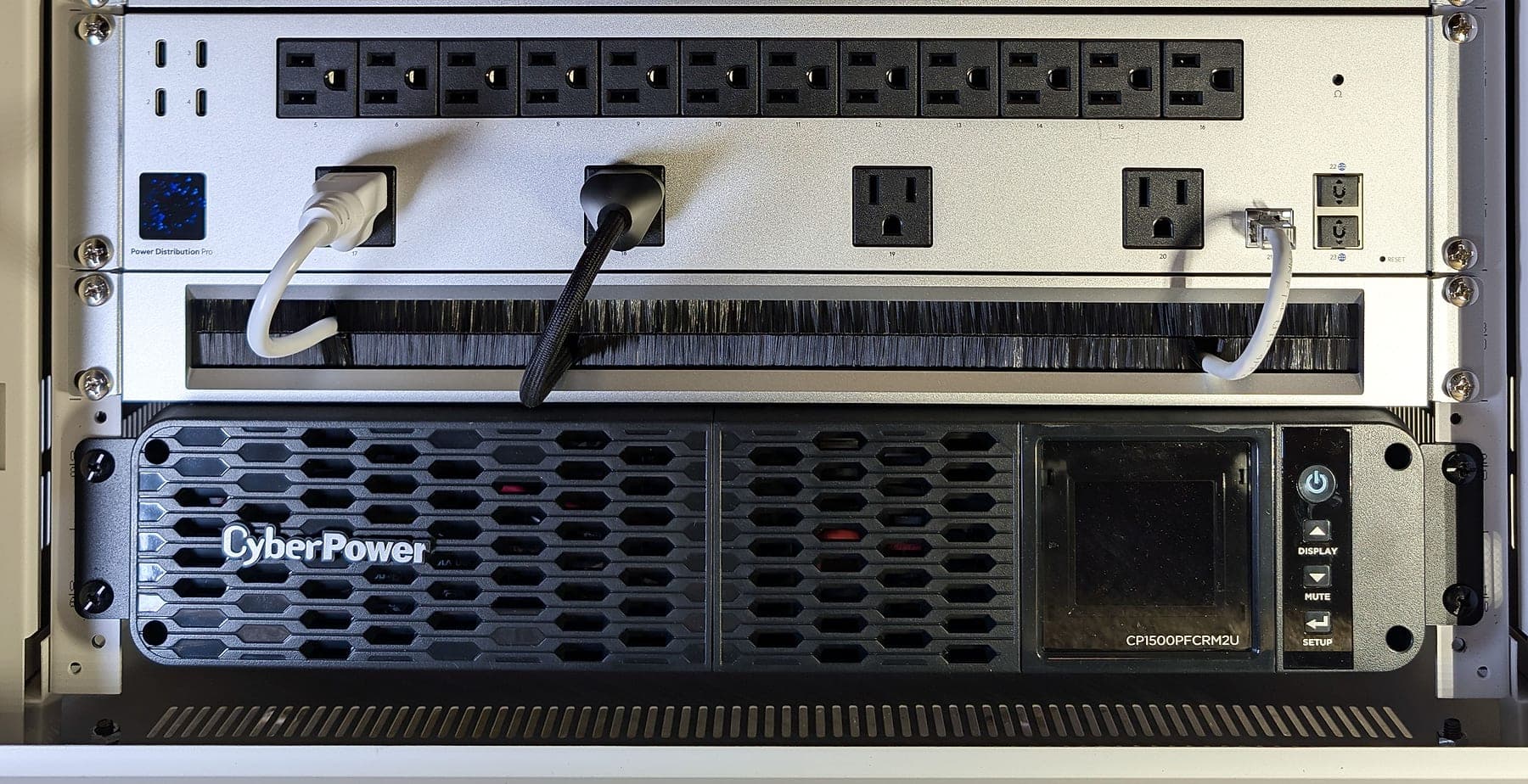
Individually switched and metered outlets, backed by a pure sine-wave UPS
This deployment applies architecture documented across our service methodology:
Services Deployed
Related Services
Related Case Studies
Planning something similar?
Tell us how the property is built, where service breaks down, and what has to stay online. We'll recommend the next step, and a paid assessment only if the property needs one.
The first conversation is free, and Eric Enkh replies personally.