.png&w=96&q=75)
Residence & Guest House Network
Starlink + Xfinity Failover • Wireless Bridge to the Guest House • Isolated Guest Network
A whole-property network for a Purcellville, Virginia home and its new short-term-rental guest house. Starlink is the primary connection with Xfinity as automatic backup, WiFi 7 covers every floor of the main house and the yard, a dedicated wireless bridge carries the network to the guest house, and rental guests get their own network, kept separate from the owner’s devices — all run from one wall-mount enclosure.
At a Glance
The owner works from home and was adding a rental guest house with no internet and no wired path to it. Orbit Tech put both buildings on one UniFi system: Starlink with automatic Xfinity backup, WiFi 7 on every floor and outdoors, a dedicated wireless bridge to the guest house, and a guest network kept apart from the owner’s devices.
- Where
- A 3,000–4,000 sq ft home and a new short-term-rental guest house on one property in Purcellville, Loudoun County, VA.
- The problem
- One Xfinity router on the second floor of a home the owner works from every day, and a guest house with no internet at all.
- Constraints
- There was no conduit between the buildings and the site work between them was already finished, so the guest house had to be reached wirelessly, and rental guests had to stay off the owner’s network.
- What we did
- A UniFi Dream Machine SE with Starlink primary and Xfinity as automatic backup, a 16-port PoE switch, a ceiling-mounted U7 Pro on each of three floors, a U7 Pro Outdoor and a U7 Outdoor outside, a NanoBeam 5AC Gen2 bridge to the guest house with its own switch and U7 Pro, a separate guest network, and a pure sine-wave UPS.
- What we observed
- Both buildings run as one UniFi system, with two internet paths and rental guests on their own network.
- How it was checked
- Described from the accepted scope and field photographs taken in August 2026.
- Limits of this record
- No availability, latency, switchover, bridge link rate, or coverage readings were recorded for this system, so none are published.
- Related service
- Whole-Home Wi-Fi · Discuss Your Project
Works From Home Daily • Short-Term Rental Guest House • Two Buildings
Purcellville, VA
3,000–4,000 sq ft residence · new guest house
2 structures
Timeline: Installed August 2026
Two buildings brought onto one system, with the guest house linked wirelessly
The Orbit ProtocolThe Scenario
The owner works from home every day, and the house ran on a single Xfinity router on the second floor, leaving much of a 3,000–4,000 sq ft home with weak or unreliable WiFi. A new guest house was being built on the property for short-term rental, with no internet and no wired path back to the main house. The owner was also opening a new Xfinity account, so the system could be designed from a clean start rather than around inherited equipment and settings.
Challenge Identified
Three requirements had to live on one system. The workday could not depend on a single line, so the property needed a second internet path that takes over without anyone restarting equipment. The guest house needed a real connection, but there was no conduit between the buildings and the site work between them was already finished, so the link had to travel wirelessly. And rental guests needed fast WiFi that could not see or reach anything on the owner’s network.
Solution Design
A UniFi Dream Machine SE handles routing, firewall, and network separation from a lockable wall-mount enclosure, with Starlink as the primary internet path and the owner’s new Xfinity line configured as automatic backup. A USW Pro Max 16 PoE switch feeds a ceiling-mounted U7 Pro on each of the main house’s three floors, a U7 Pro Outdoor on the exterior wall for the patio, yard, and guest-house approach, and a U7 Outdoor beneath the eave. A matched pair of NanoBeam 5AC Gen2 antennas, one on each building, carries the network to the guest house, where a Switch Lite 8 PoE in a weatherproof enclosure powers its own U7 Pro. Rental guests join a separate network isolated from the owner’s devices, and a CyberPower pure sine-wave UPS backs the core.
Infrastructure Topology
Primary WAN
Backup WAN · Automatic Failover
Gateway · Dual-WAN · Guest Isolation
1500VA Pure Sine Wave
Main House
Point-to-Point Bridge
Guest House
One Per Floor · Main House
Patio · Yard · Approach
Main-House Eave
Guest House · Guest Network
Starlink and Xfinity feed a UDM SE with automatic failover; a 16-port PoE switch powers the main-house and outdoor access points, and a point-to-point bridge carries the network to the guest house, where its own switch powers a U7 Pro.
Deliverables
Quantified Improvement
| Metric | Before | After |
|---|---|---|
| Internet path | One Xfinity line, one router | Starlink primary, Xfinity automatic backup |
| Main-house WiFi | One router on the second floor | A ceiling access point on each floor |
| Guest house | No internet, no wired path | Wireless bridge, own switch and access point |
| Rental guests | No guest network | Separate network, isolated from the owner’s devices |
Adding a guest house or rental to the property?
Start with a no-charge Initial Project Review — a second building can be planned into the same system, with its own guest network kept separate from yours.
Start with an Initial Project ReviewMethodology Applied
Every deployment follows the same four-phase field process so the finished system reflects planning and documentation, not on-site improvisation.
Terrain & RF Survey
The review found a 3,000–4,000 sq ft home served by one Xfinity router on the second floor, a guest house under construction for short-term rental with no internet planned, and no conduit between the buildings. The owner was opening a new Xfinity account, so the system could be designed from a clean start.
Architecture Design
One gateway for both buildings. Starlink as the primary path with Xfinity configured as automatic backup, an access point on each floor instead of one router covering the house, and a separate guest network so rental guests and the owner stay on different networks. Conduit in the open sewer trench between the buildings was proposed at one stage; once that site work was finished, a matched point-to-point bridge became the cleanest path, with no new digging.
Precision Deployment
The wall-mount enclosure, patch panel, switch, gateway, and UPS went in at the main house, with Starlink on a mast at the roof edge and access points on each floor and outside. The bridge pair was mounted between the buildings, and the guest house received its own switch and access point in a weatherproof enclosure.
Test, explain, and hand over
Both internet services are the owner’s own accounts, billed directly by the providers, with the new Xfinity line opened in the owner’s name. The core sits in one lockable wall-mount enclosure in the main house, and the guest house’s equipment in its own weatherproof enclosure.
Equipment Architecture
UDM-SE
Wall-mount enclosure · routing, firewall, guest isolation · Starlink primary, Xfinity backup
16-port PoE
Wall-mount enclosure · main-house distribution
WiFi 7 · ceiling-mounted
One per floor, main house
WiFi 7 · outdoor-rated
Main-house exterior wall · patio, yard, guest-house approach
WiFi 7 · outdoor-rated
Main-house eave
Point-to-point 5 GHz bridge
One on each building
USW-Lite-8-PoE
Guest house · weatherproof enclosure
WiFi 7
Guest house · rental guest network
Gen 3 Standard · mast mount
Primary WAN · roof edge
Cable · owner’s account
Backup WAN · automatic failover
Lockable glass door · patch panel
Main house · single equipment location
CP1500PFCRM2U · 1500VA
Rack base
Guest-house network equipment
Guest house
Measurable Results
Both buildings now run as one UniFi system from a single gateway. The workday has two internet paths, with Xfinity standing by behind Starlink; the main house is covered floor by floor, the yard and exterior from two outdoor access points, and the guest house from its own switch and access point across the bridge. Rental guests connect to their own network, separate from the owner’s devices.
The guest house is a rental. Its network was planned so guests stay on their own network and off the owner’s.
Installation Gallery
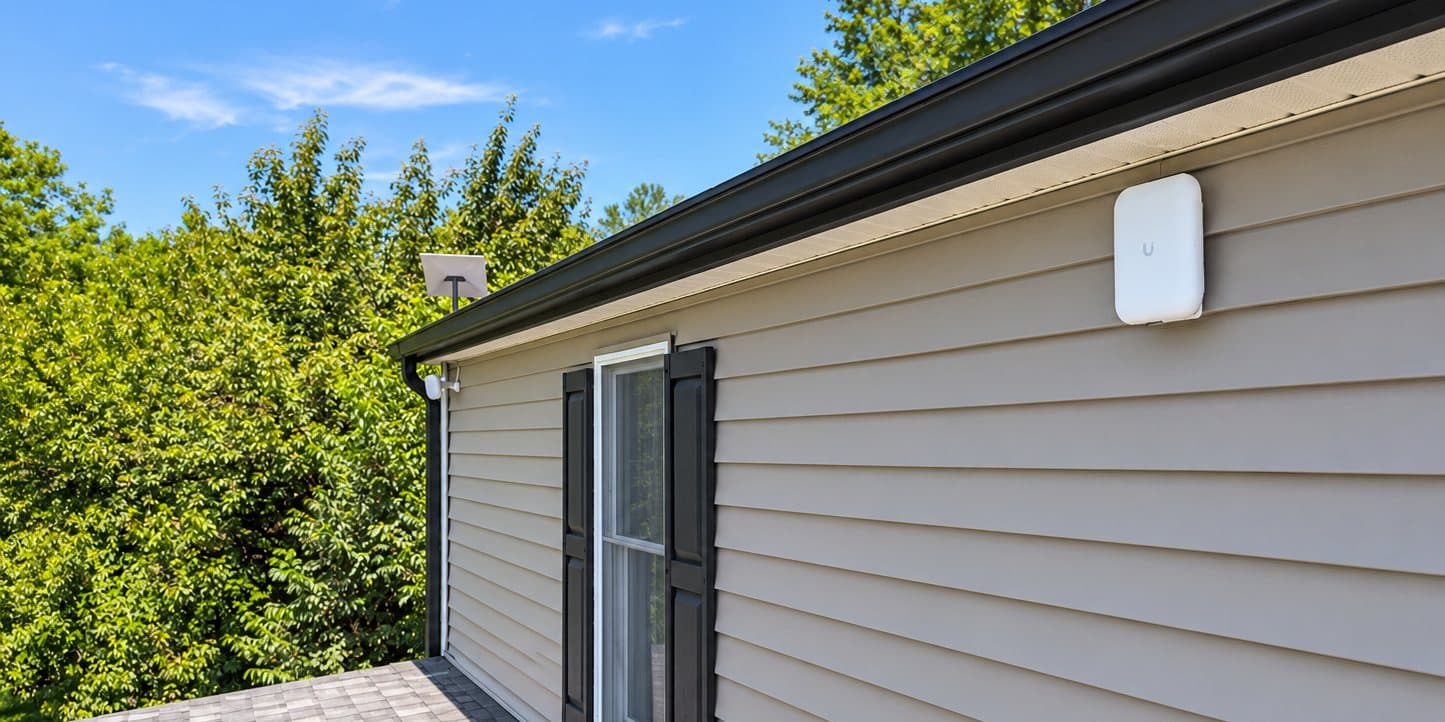
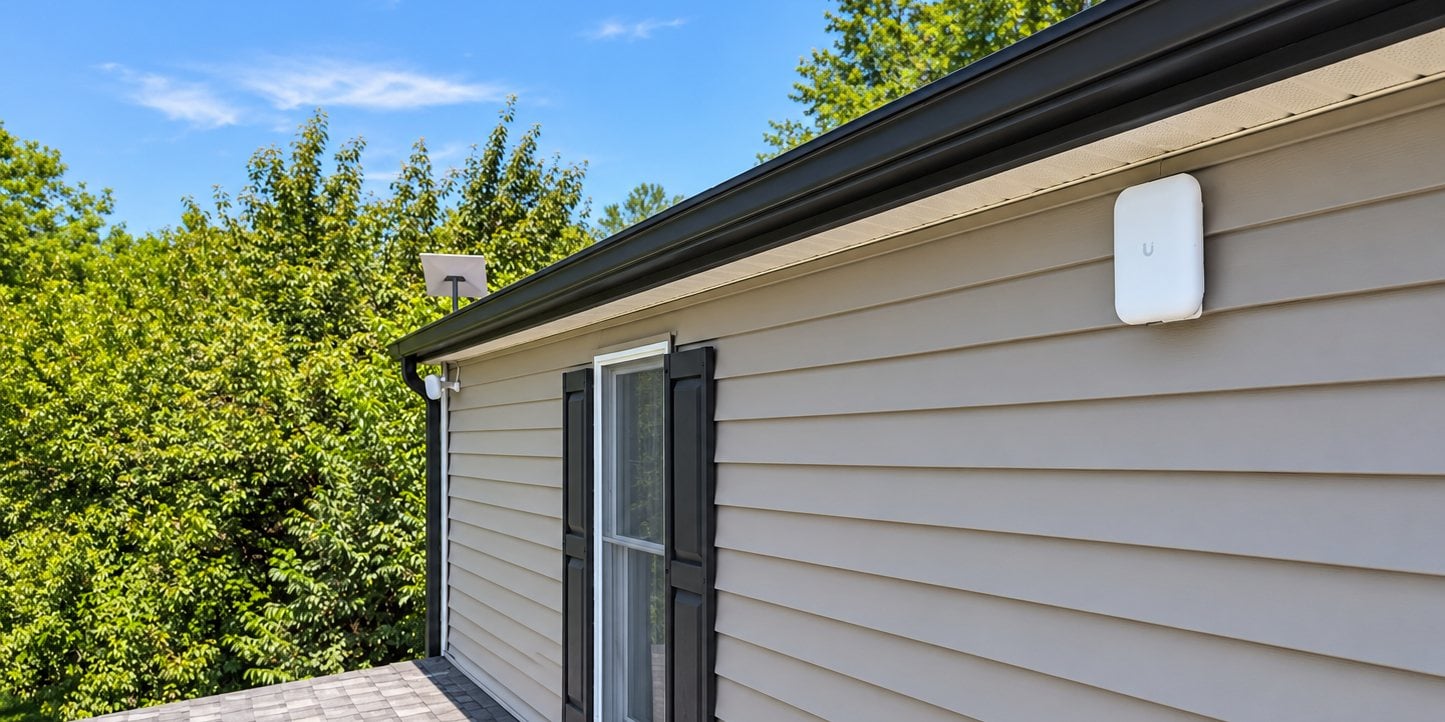
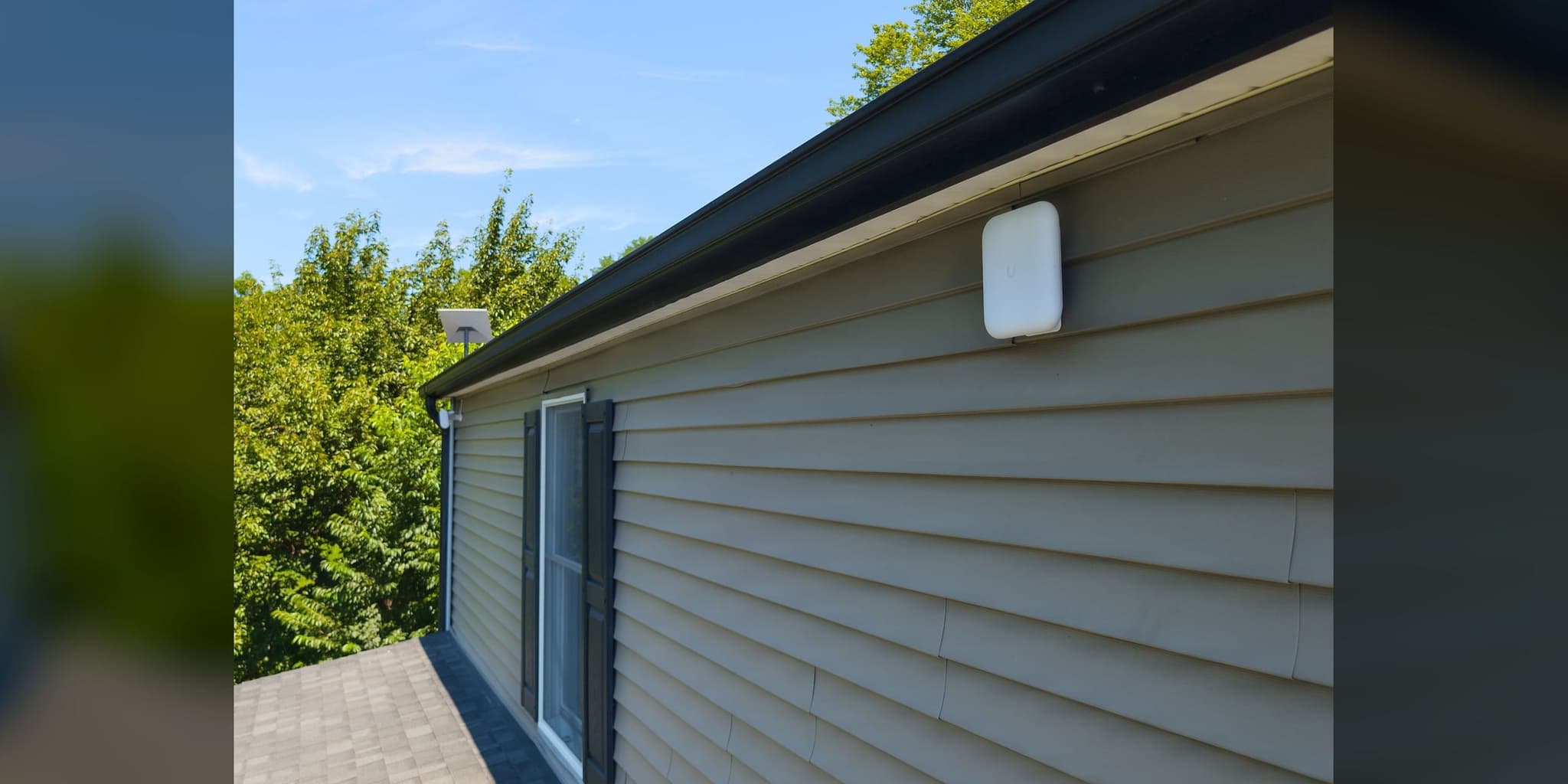
Outdoor coverage from the main house: a U7 Pro Outdoor on the siding, with the Starlink mast and a U7 Outdoor at the far corner
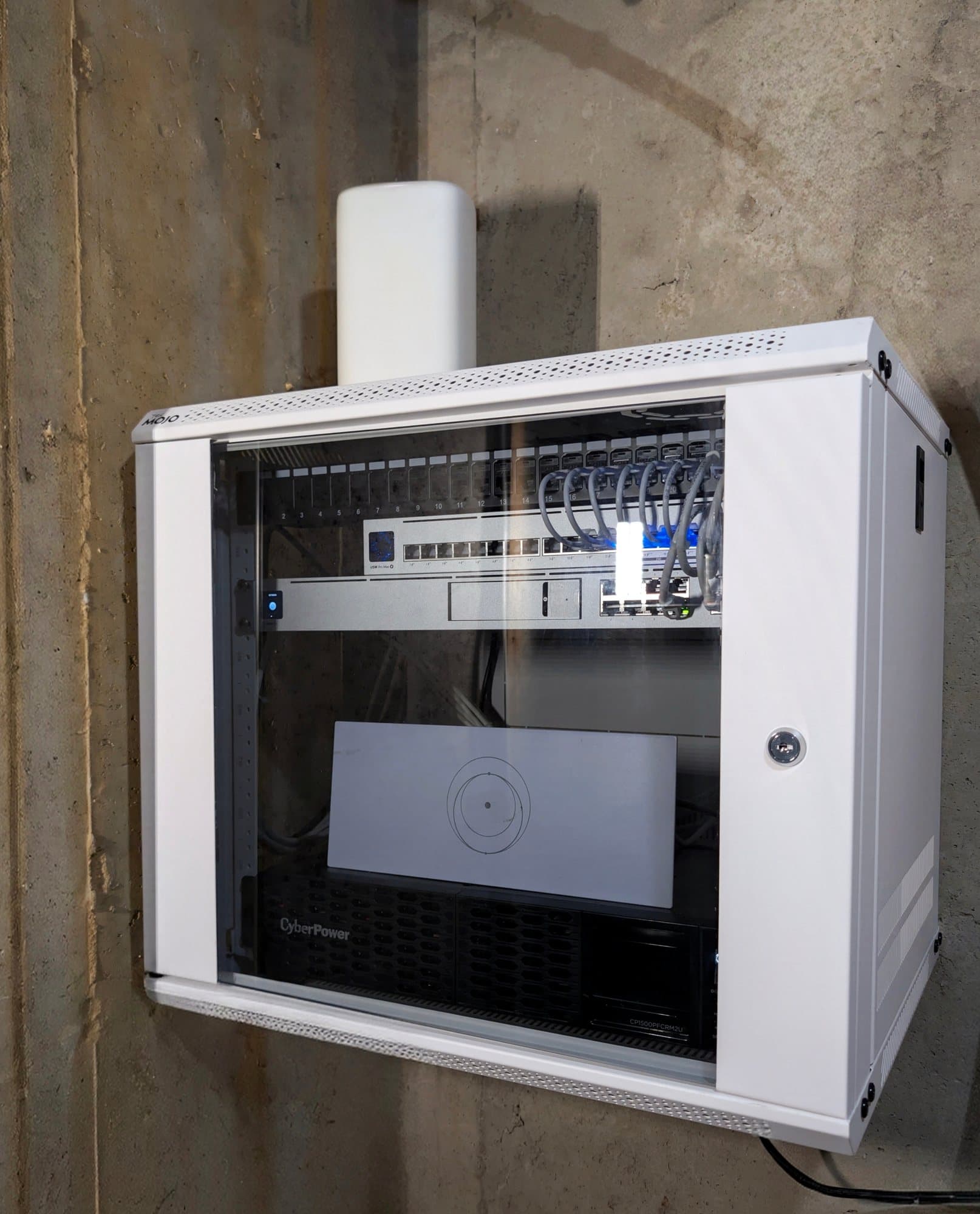
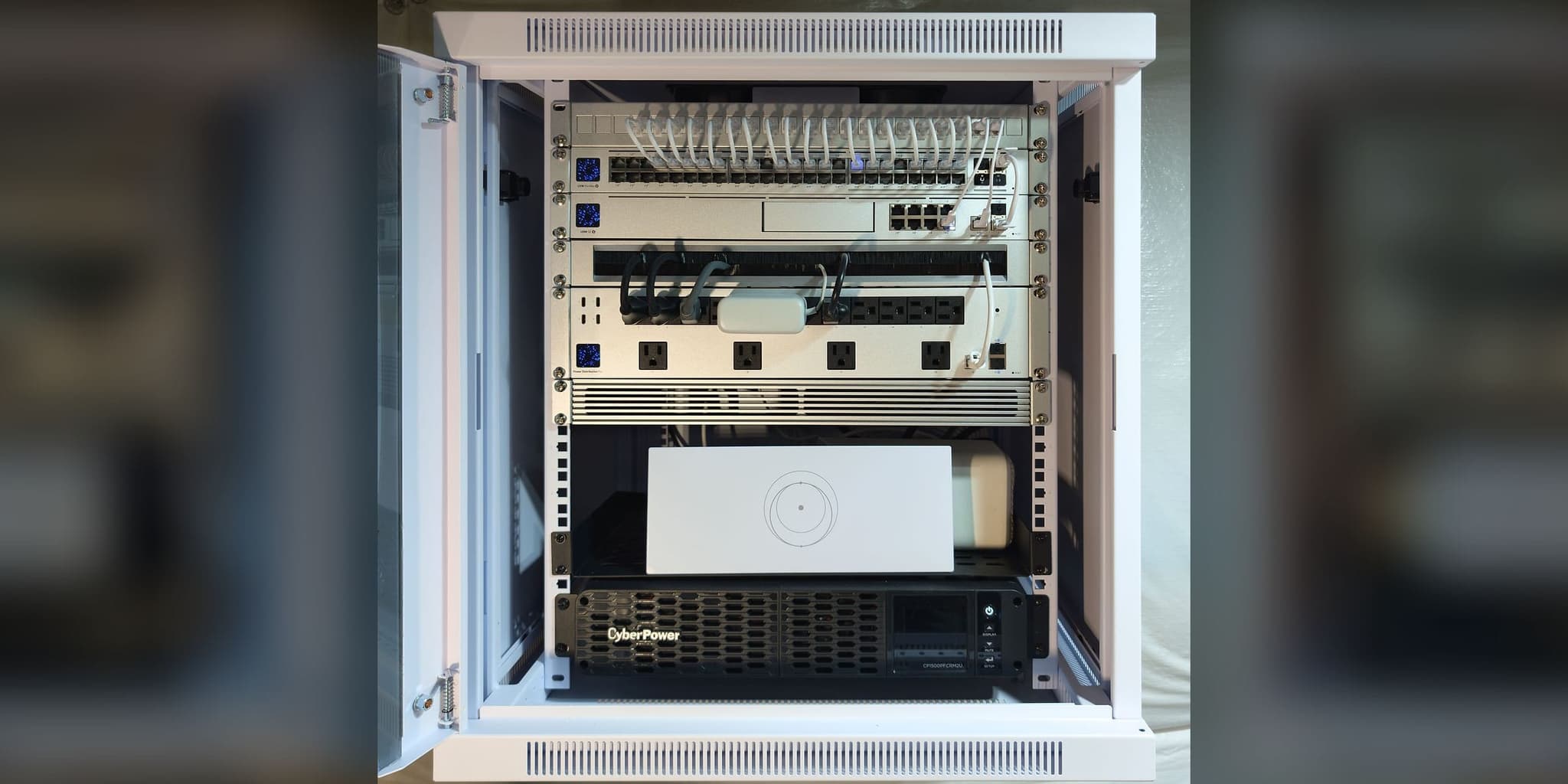
The core in one lockable wall-mount enclosure: patch panel, 16-port PoE switch, UDM SE gateway, and a pure sine-wave UPS at the base

Patch leads run from the panel to the 16-port PoE switch, with the UDM SE gateway directly below
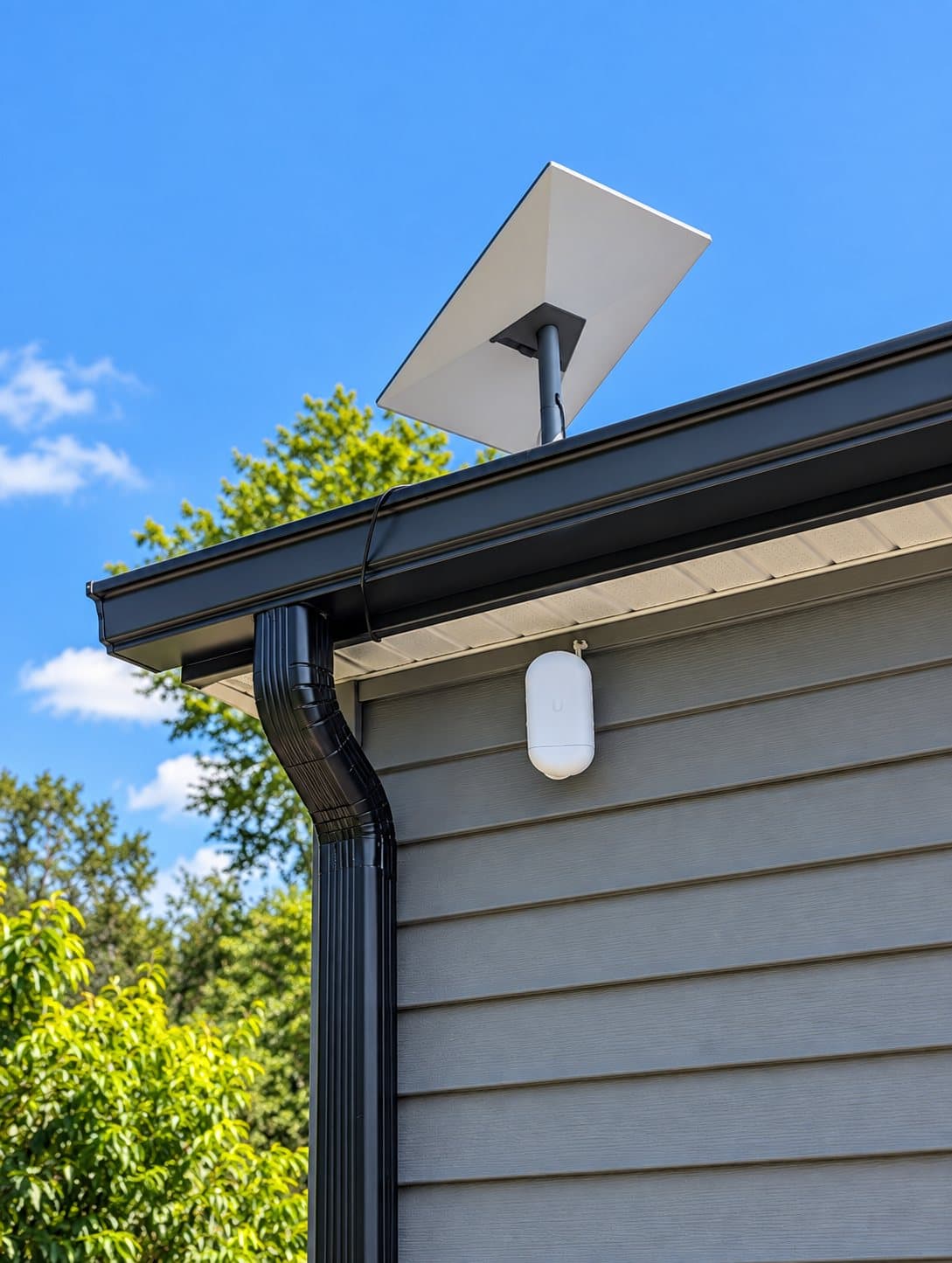
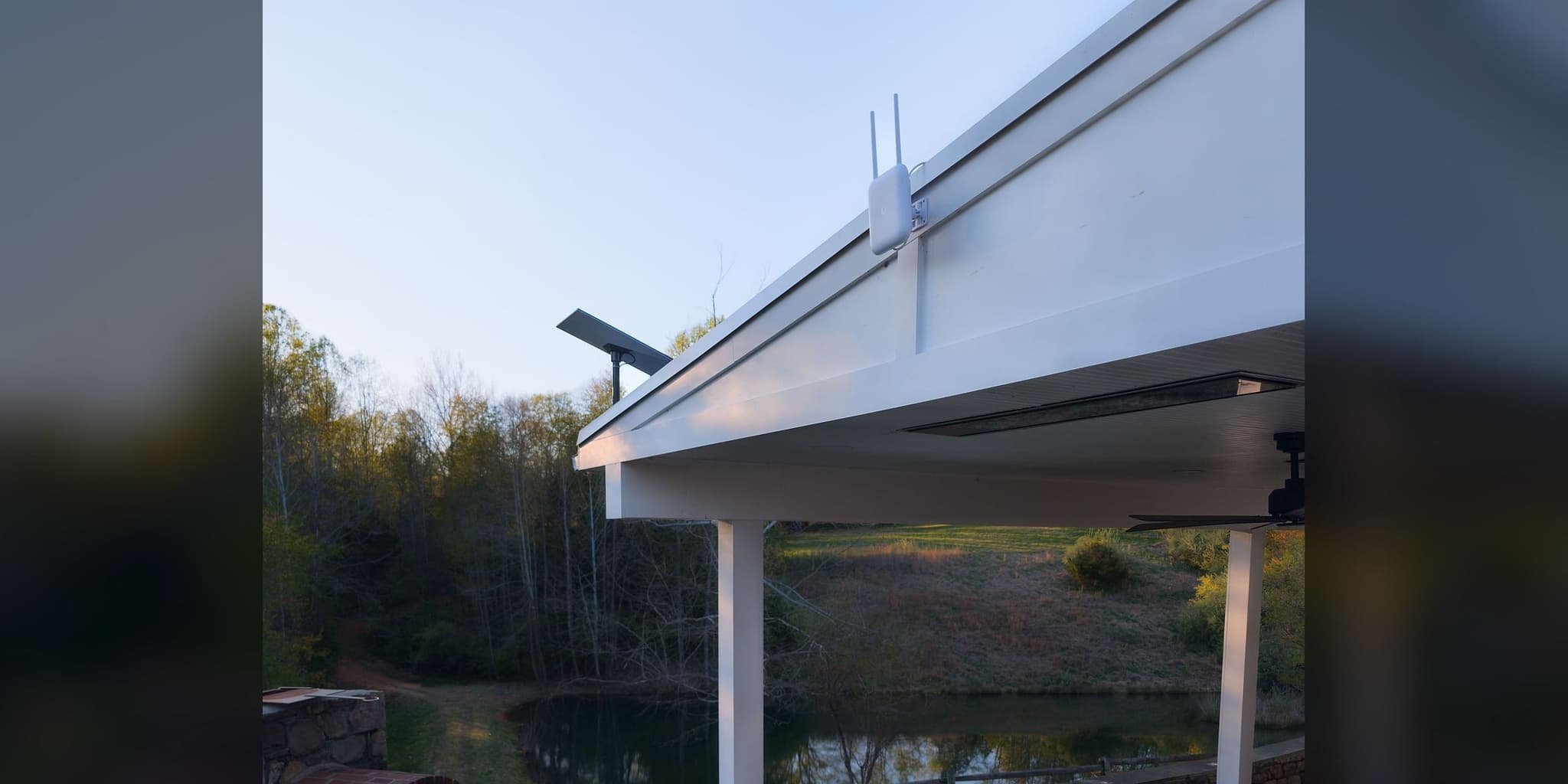
Starlink on a fixed mast at the roof edge, with a U7 Outdoor mounted beneath the eave
This deployment applies architecture documented across our service methodology:
Services Deployed
Equipment Manifest
- UniFi Dream Machine SE
- UniFi USW Pro Max 16 PoE
- UniFi U7 Pro ×4
- UniFi U7 Pro Outdoor ×1
- UniFi U7 Outdoor ×1
- NanoBeam 5AC Gen2 ×2
- UniFi Switch Lite 8 PoE
- Starlink Gen 3 Standard
- CyberPower CP1500PFCRM2U UPS
Related Services
Related Case Studies
Planning something similar?
Tell us how the property is built, where service breaks down, and what has to stay online. We'll recommend the next step, and a paid assessment only if the property needs one.
The first conversation is free, and Eric Enkh replies personally.