The failure that matters
A home office that produces revenue has one failure mode worth designing against: the connection stops passing traffic in the middle of something that cannot be repeated. A negotiation, a consult, a board call, a closing. We do not attach a dollar figure to that moment, because the figure belongs to the client and the situation, not to us.
What we can describe is the condition the clients in the projects below were living with before the redesign. One provider with recurring outages. A consumer router that had no way to make a failover decision. A network core that rebooted for several minutes after every power flicker. And a backup plan that consisted of a phone in a drawer.
Is this the right framework for you?
This article is about one professional working from one home office. The failure is a single dropped call, and the fix is a dual-provider failover system built around one desk. If a small team shares the connection, the same parts are scoped for the office and the systems people share; see the small-office note on the home-office backup page.
Where a phone hotspot falls short
Most home offices already have a backup: if the internet goes down, switch to the phone’s hotspot. For email and browsing during an outage, that is often enough. A phone hotspot can get several devices online. During a live call, three things work against it.
It is manual. Someone has to notice the outage, turn the hotspot on, move each device over, and rejoin the meeting, while the other party watches a frozen frame.
The office network stays behind. Devices that join the hotspot leave the office network. Wired equipment such as a desk phone, a printer, or a wired desk does not move with them, and how many devices a hotspot accepts depends on the phone and the carrier.
It depends on the cellular signal at the desk. Where reception indoors is weak, the hotspot is weak too.
An installed backup line takes the person out of that sequence. The gateway notices the failure and moves the whole office network to the second line on its own. A call or VPN session in progress may still need to reconnect; what changes is that nobody has to rebuild the connection by hand.
How automatic failover is designed
The design has four parts, and each is a decision rather than a product.
A managed dual-WAN gateway. On our projects this is a UniFi gateway with two WAN ports. It runs health checks against each path on a fixed interval and applies a policy when the primary stops answering: which traffic moves, how quickly, and how recovery back to the primary is handled so the system does not flap between paths.
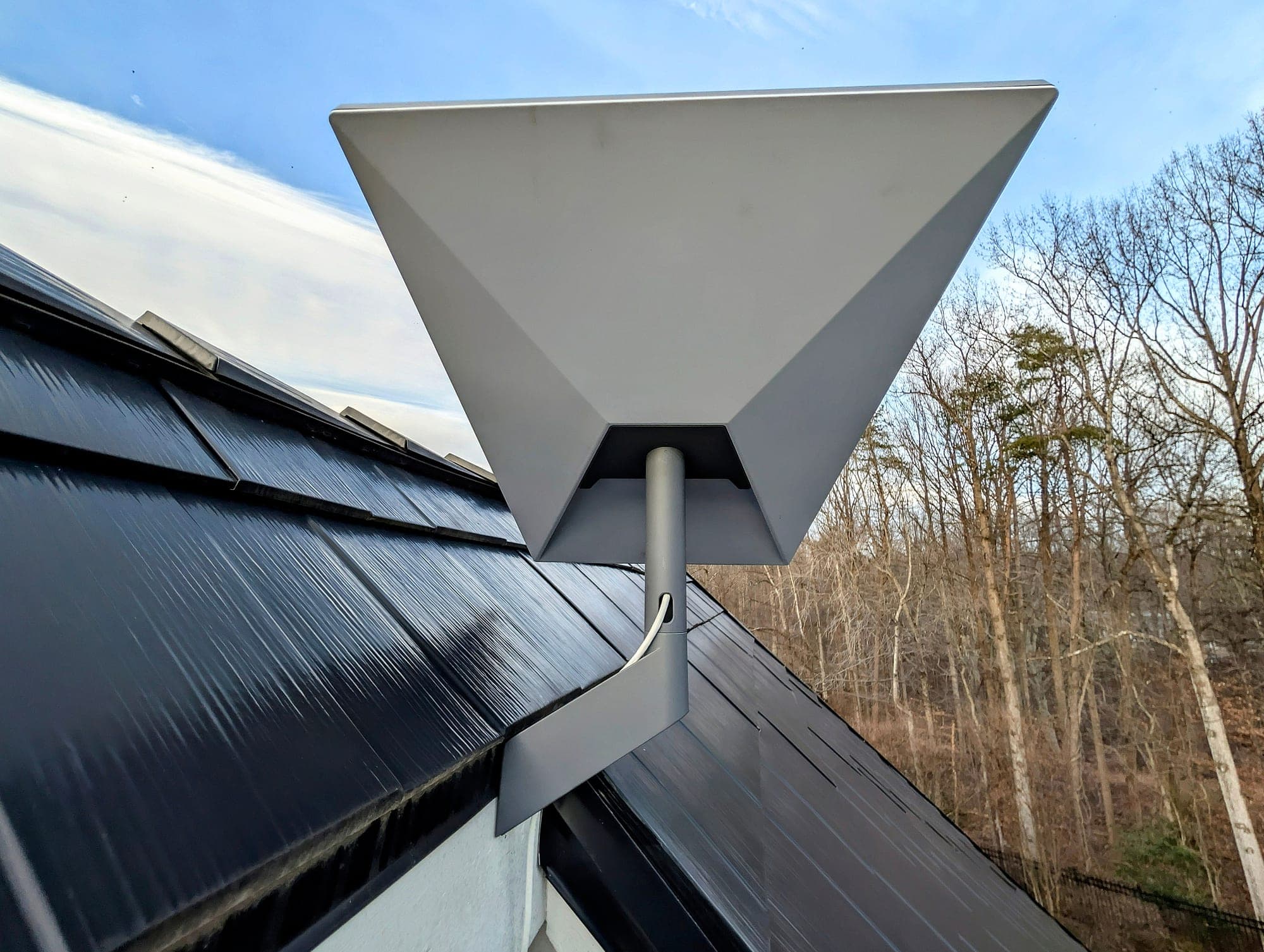
An independent second path. Usually Starlink on a professional mount, sometimes a second terrestrial provider. The word that matters is independent: a backup that shares the primary provider’s infrastructure fails with it.
Detection thresholds matched to the work. The gateway is told what counts as failure: how much latency and loss to tolerate, for how long, before switching. A threshold tuned for a telemedicine desk is tighter than one tuned for a household that mostly streams.
A commissioning test. Configured behavior is not the same as verified behavior. Before handoff, the primary path is disconnected on purpose, with the applications the office actually uses running, and what recovered is written into the handoff record. Some sessions survive a WAN change without a visible interruption; some applications, including certain VPN and authenticated sessions, reconnect rather than continue. Commissioning is where that is learned, not the first real outage.
What the measured results look like
Five documented projects, each with its own published record, showing what each system did when it was tested at handoff. None of these records holds a switchover time, so none is given. Readings are from commissioning day on specific lines and properties, not a promise about yours.
Executive Failover System
Leesburg, Loudoun County, VA · December 2025- Before
- One provider with two to three outages a month; a consumer router that could not make a failover decision; a network stack that rebooted for five minutes or more after every power flicker.
- Design
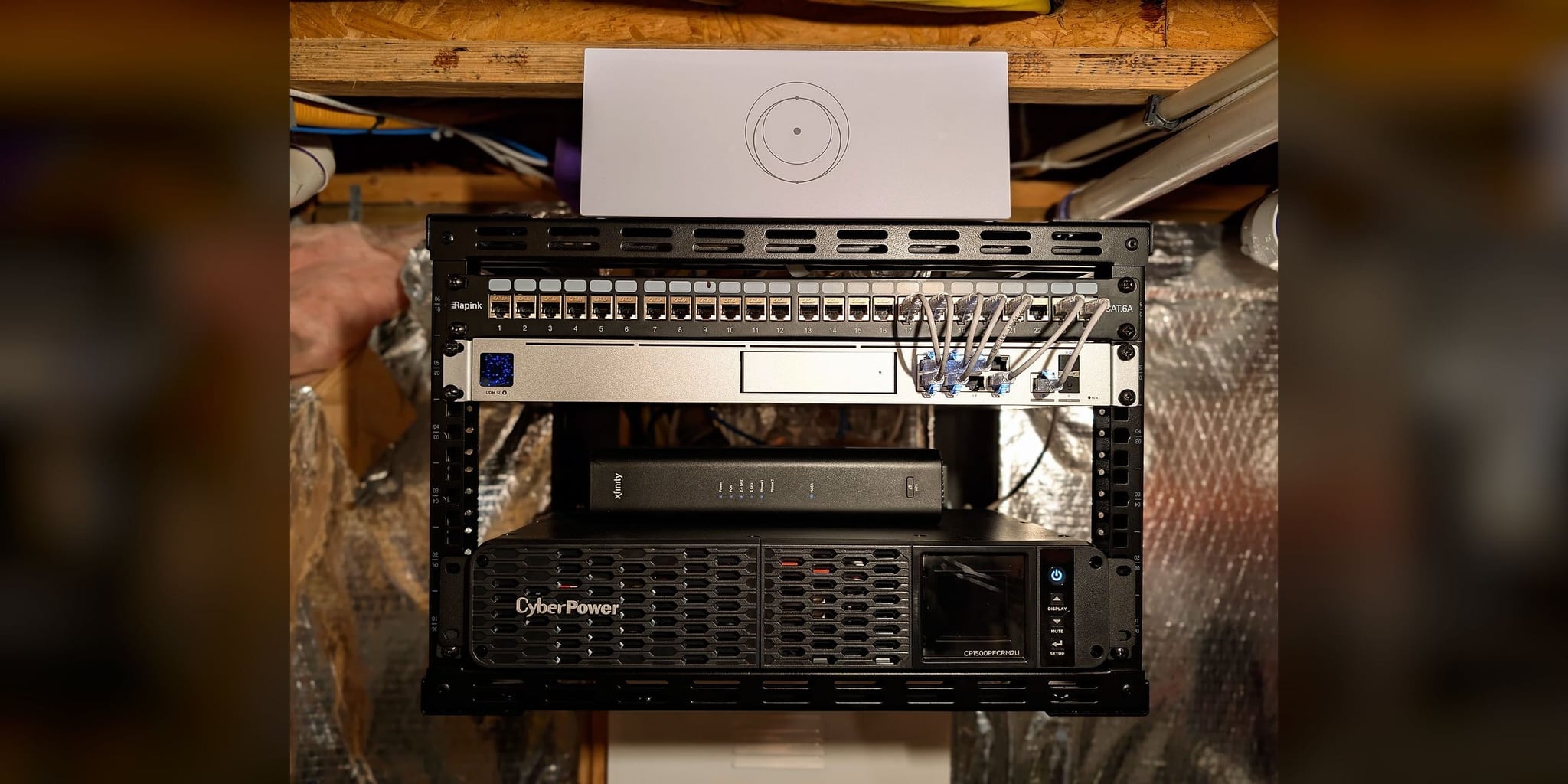
- UniFi Dream Machine SE with Xfinity on the primary WAN and Starlink as the backup, health checks every 5 seconds, three WiFi 7 access points, and a UPS sized to the installed network core. The Starlink dish went on a custom bracket that satisfied the HOA.
- Recorded at commissioning
- Switchover tested during commissioning, with the UPS keeping the core running during a runtime check.
Executive Resilience System
Potomac, Montgomery County, MD · January 2026- Before
- One ISP, one residential router, inconsistent coverage in the rooms that mattered, and no continuity plan for telemedicine and research work.
- Design
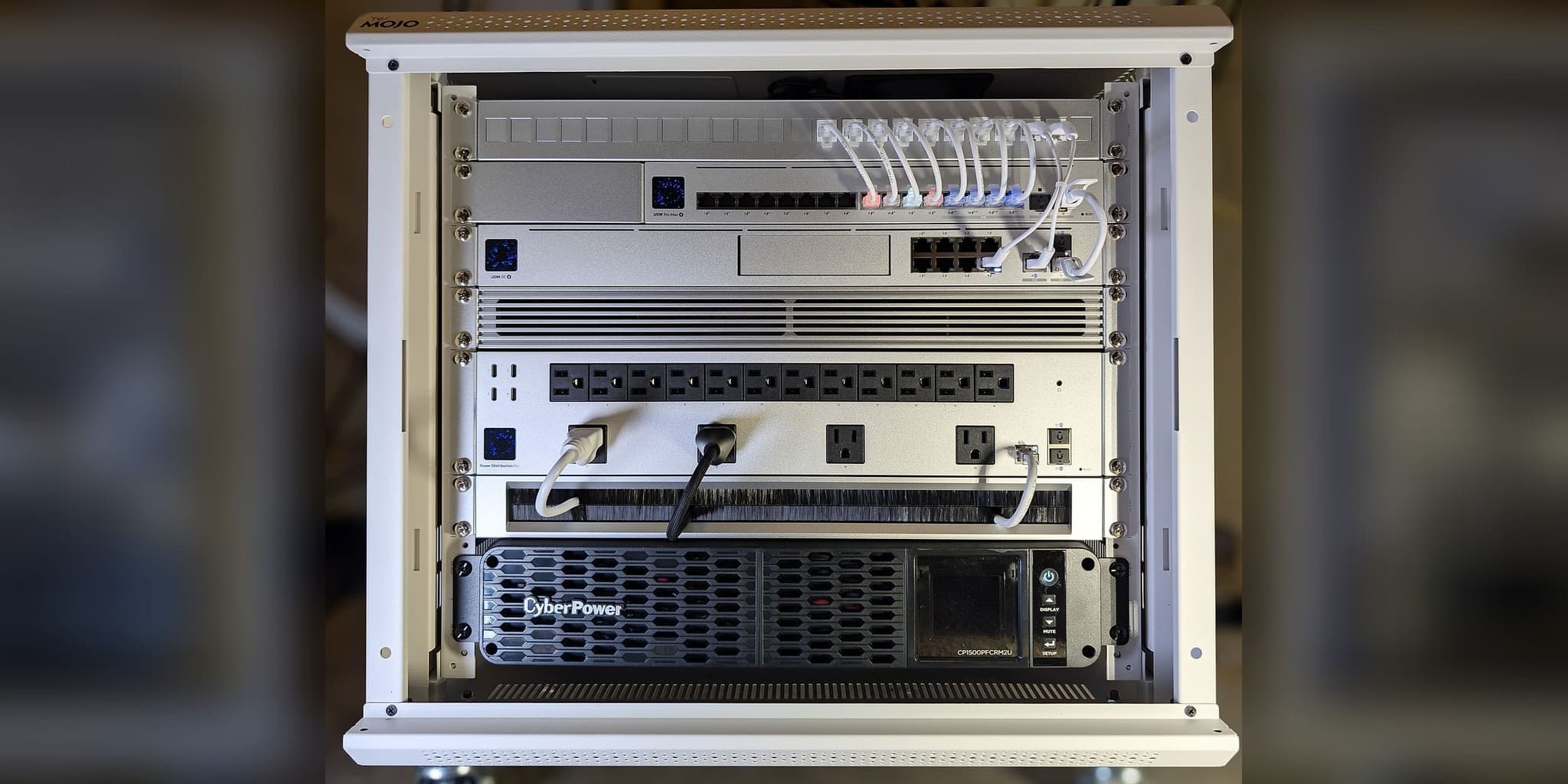
- UniFi Dream Machine Pro Max managing Verizon Fios as primary with Starlink Gen 3 as automatic failover, five Wi-Fi access points (WiFi 7 units in the ceilings, a wall unit in the office, one outdoors), and a 1500VA pure sine-wave UPS carrying the rack.
- Recorded at commissioning
- Failover tested at commissioning.
Estate Network Infrastructure
Great Falls, Fairfax County, VA · March 2026- Before
- A single Verizon connection with no redundancy path, dead zones on two floors, and full network loss on every Dominion power flicker. A Verizon outage had ended a client call mid-sentence.
- Design
- UniFi Dream Machine SE with Fios primary and Starlink Gen 3 on the garage roof as automatic backup, three WiFi 7 access points, a 6U wall-mount rack, and a UPS for the network core.
- Recorded at commissioning
- Failover tested at commissioning by disconnecting the primary line.
Executive Continuity Residence
Lorton, Fairfax County, VA · August 2026- Before
- Fios only, no standby service, no secure remote route into the system, and no written record of how anything was connected.
- Design
- UniFi Dream Machine SE with Verizon Fios 1 Gbps primary and Starlink held in failover-only standby, a 10 Gbps fiber uplink to the PoE core, four WiFi 7 access points on dedicated runs, metered power distribution, and a pure sine-wave UPS. Commissioned without the owner on site.
- Recorded at commissioning
- Fios measured about 5 ms round-trip latency and Starlink about 44 ms on commissioning day, with Starlink held in standby.
Home-Office Continuity Network
Partlow, Spotsylvania County, VA · August 2026- Before
- A single Comcast line carrying every work call, with no central point where cabling, switching, and protected power came together.
- Design
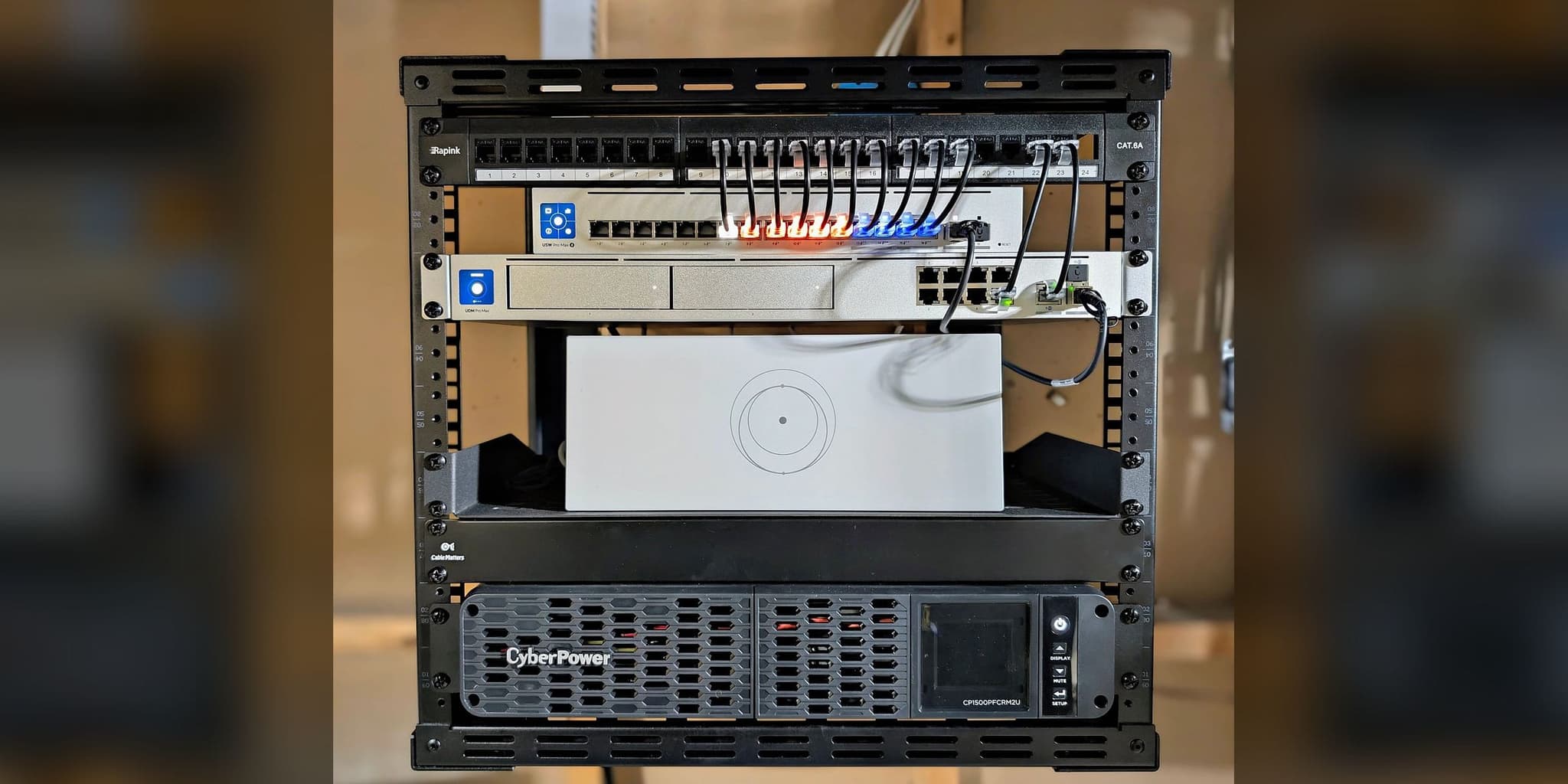
- UniFi Dream Machine SE with Comcast primary and Starlink, supplied and integrated by Orbit Tech, on the second WAN in failover-only standby. A 12U basement cabinet, a 48-port PoE core on a 10 Gbps fiber uplink, four WiFi 7 access points, and every endpoint home-run on its own cable.
- Recorded at commissioning
- Every device, port, and outlet verified against the management console three days after installation and recorded in the owner guide.
Failover is only half of continuity
Two internet paths do nothing if the gateway that chooses between them has lost power. In Leesburg, the problem the client felt most often was not the ISP. It was the utility flicker that rebooted the whole stack and cost five minutes every time.
So on these projects the core goes on a pure sine-wave UPS chosen for the installed load: gateway, switching, and the access points that serve the office. Runtime is finite and depends on that load and on the battery’s age. At Partlow, the metered power distributor shows the rack drawing about 193 watts across five outlets; that is the kind of figure a battery has to be matched to, and anything plugged in later shortens the runtime. None of these records includes a measured runtime.
The office workstation is hardwired wherever the property allows. A wired desk is not exposed to the wireless variables that a call on a laptop across the house is, and it is the one link in the chain that has to be certain.
What the handoff records
A continuity system the owner cannot read is a liability the day the installer is unavailable. Every project above closed with a written record: the installed equipment, the topology, the configured gateway policy and thresholds, what the commissioning test showed, the power assumptions, and how support is reached.
The Lorton residence was commissioned without the owner on site, so the record had to stand in for a walkthrough. It became a 20-page infrastructure guide written for the family and for whoever services the system next: which outlet restarts the gateway, which device not to touch, what expected behavior looks like versus a fault. Partlow received an owner guide and a quick-reference card, with every device and port verified against the management console before the record was closed.
That is what serviceable means. The system can be understood, restarted, and extended by reading it, not by reverse-engineering it.
What the system costs
Each home-office backup system is quoted in writing after a free first conversation, and the price follows the property: how long the core must stay up on battery, whether the workstation is hardwired, whether a wall-mount rack organizes the equipment, and whether the continuity backbone covers one office or a main house and its outbuildings.
Provider charges remain separate from the project. The primary ISP and the backup provider continue billing under their own plans, and no recurring maintenance contract is required with the installation. The scope, the commissioning standard, and the handoff are described on the Home-Office Reliability page.
Is this the right solution for your property?
It is when one person’s work depends on the connection, the office is at home, and a dropped call costs more than the inconvenience.
When a small team depends on the connection, the same parts are scoped for the office instead (see the small-office note). And when the property has a guest house, a barn, or a detached office that also has to stay online, the office becomes one part of an estate network and the failover design becomes a property decision rather than a desk decision.
Where the second path is Starlink, the mount, the sky view, and the cable path decide whether the backup is dependable. We cover that separately in why Starlink fails without proper installation, and the choice between Starlink and a cellular second path in Starlink vs. T-Mobile Home Internet.